


Share


Read Comments While Keeping Eye Contact with Elgato Prompter and Prompter XL
Every time you read chat during a stream, you find yourself looking down. Before you know it, you’re talking for minutes without ever glancing at the camera.
Sound familiar?
It’s a challenge nearly every streamer faces: making eye contact with the camera and reading chat at the same time.
The Elgato Prompter is a piece of hardware designed to solve that problem—physically.
In this article, we put the 9-inch Elgato Prompter head-to-head with the 15.6-inch Elgato Prompter XL—the larger model that launched in Japan in December 2025—to see how each one reshapes your streaming setup.
1. This Isn’t Just a “Cue Card Monitor”
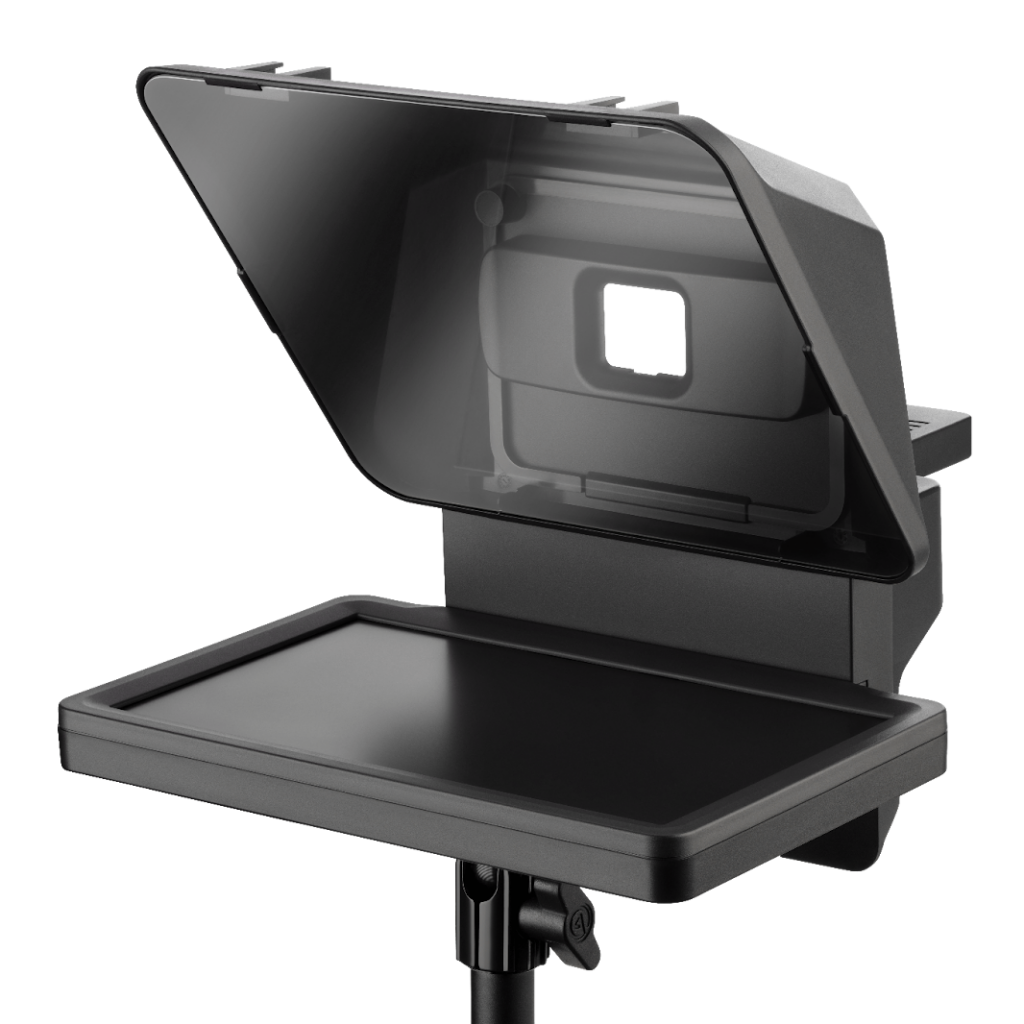
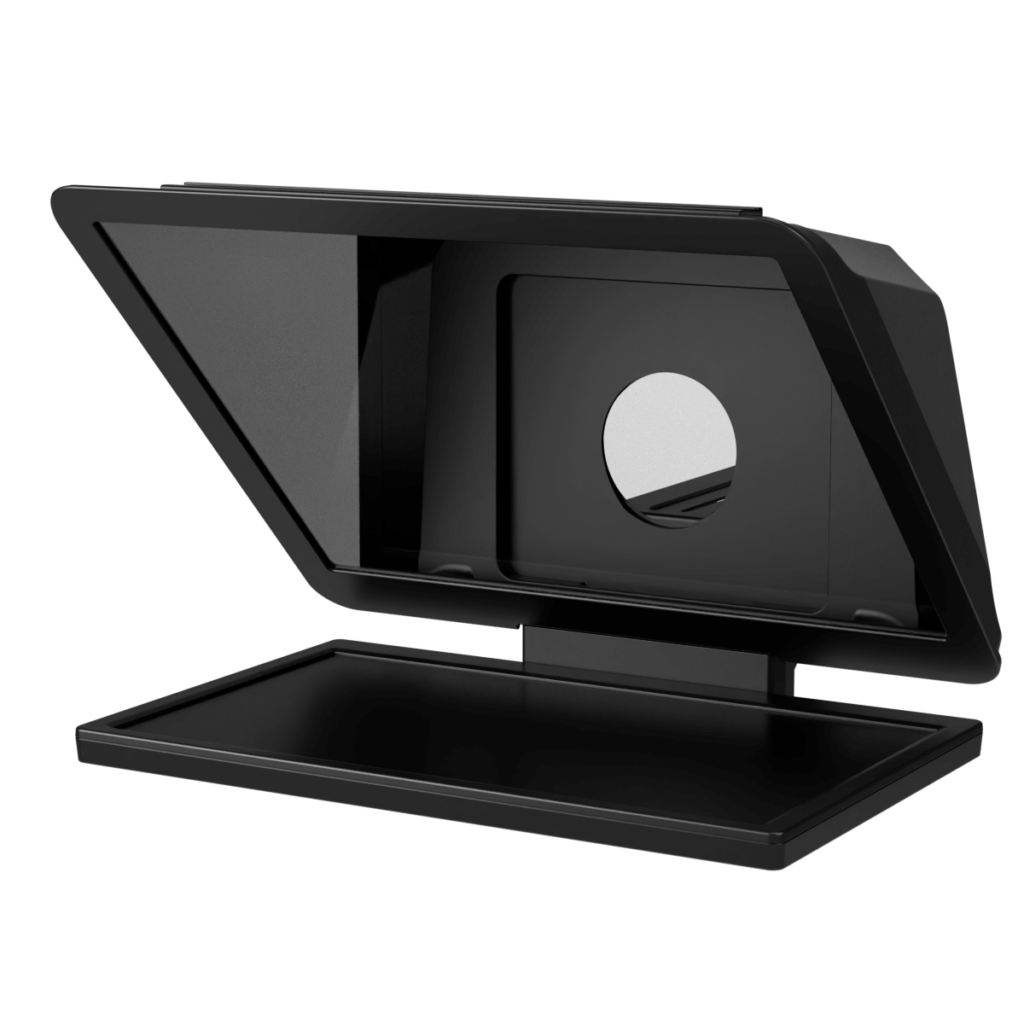
A prompter is a device that lets you read information without shifting your gaze.
It reflects a display’s image onto a half-mirror placed in front of the lens, letting you read a script while keeping your eyes locked on the camera.
Prompters are traditionally associated with press conferences and speeches, so it’s easy to assume they aren’t meant for individual use. In practical terms, though, this one is a secondary monitor that sits right in front of your lens.
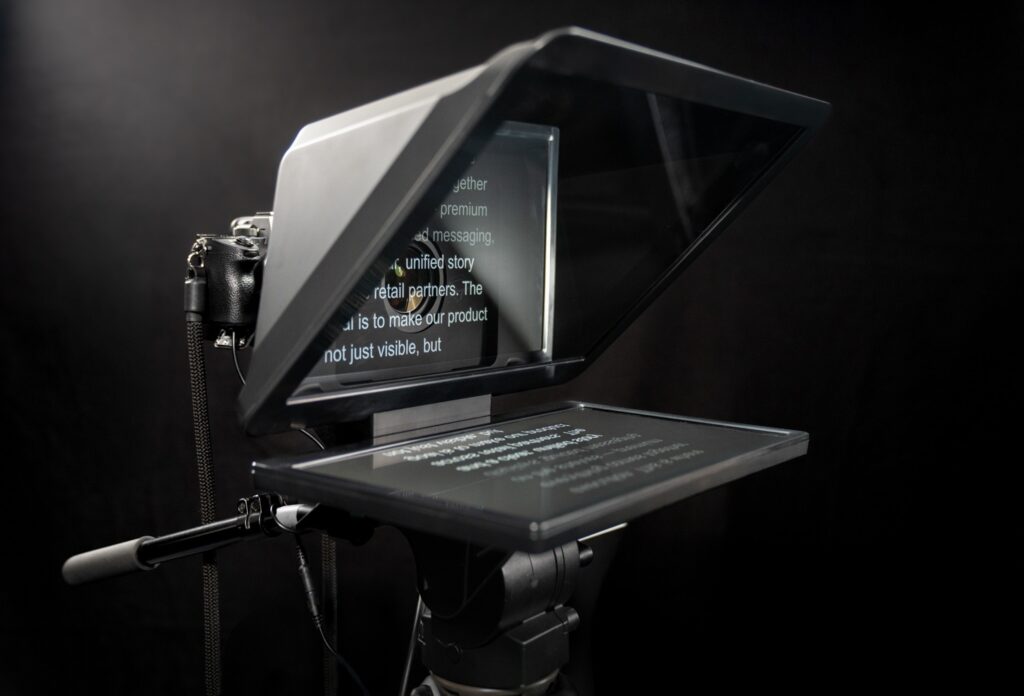
There are other prompter-style products that mount an iPad under a mirror, but the Elgato Prompter is structurally different. Connect it to your PC via a USB-C cable and Windows or macOS recognizes it as a regular external display.
DisplayLink Technology
The Elgato Prompter uses DisplayLink technology.
DisplayLink lets a PC send video to a monitor over a single USB connection—no HDMI cable, no separate power supply, minimal cabling.
That means you can display anything: your chat, Discord, your OBS preview, the other person’s video in a Zoom call, even your gameplay itself.
2. Standard vs. XL: The Key Differences
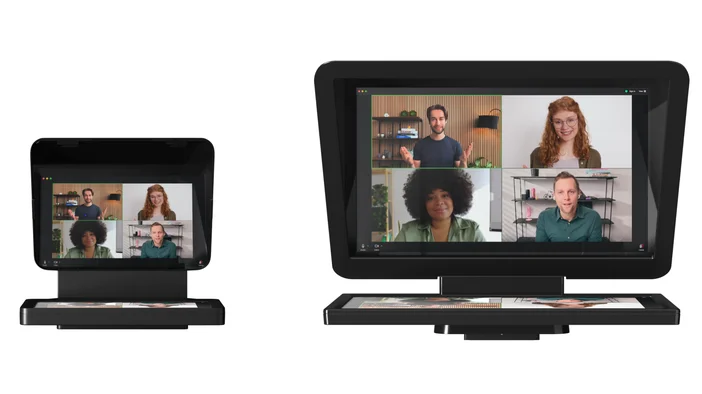
Let’s compare the core specs of the two models.
| Spec | Elgato Prompter | Elgato Prompter XL |
|---|---|---|
| Screen Size | 9 inches (1024 x 600) | 15.6 inches (1920 x 1080 FHD) |
| Dimensions | 224W × 219H × 282D mm | 396W × 295H × 493D mm |
| Weight | 690g | 3.4kg |
| Brightness | 400 nits (indoor use) | 600 nits (studio-lighting ready) |
| Connection | USB-C (DisplayLink) | USB-C (DisplayLink) |
| Power Draw | 4.5W | 15W |
| Max Payload Capacity (excl. bracket) | 3kg | 5kg |
| Tilt Range | ±15° | ±20° |
| In the Box | USB-C cable, backplate set, cleaning cloth | USB-C cable, backplate set, cleaning cloth |
| Price (approx.) | ~¥45,000 | ~¥100,000 |
The biggest differences come down to size and setup requirements.
The standard version works well on a desk and even mounts on a mic arm.
The XL, by contrast, needs a tripod or a heavy-duty arm. We’ll dig into that in the hands-on section below.
3. Why Eye Contact Matters So Much
On stream, steady eye contact moves the needle more than video resolution ever will. When your gaze stays fixed, viewers register your words as spoken directly to them. When it keeps drifting away, their attention slips.
Of course, holding a steady gaze is hard. You need to check notes, glance at side monitors, juggle a half-dozen things at once mid-stream. Some products use AI-powered eye-correction to patch over those gaze shifts, but convenient as that is, the result can come off as subtly off.
The Elgato Prompter takes a different approach: it solves the problem in hardware, keeping your eyes naturally pointed at the camera.
The 0.5-Second Rule: Don’t Let Viewers Bounce
When viewers scroll through YouTube or channel-surf on Twitch, they decide whether to stick around in about half a second.
The second your stream loads, they lock eyes with you. That alone signals, “this person is talking to me.” Think about the difference between chatting with a friend who looks you in the eye versus one who keeps glancing at their phone. It’s night and day.
Streaming works the same way. When your eyes meet theirs, viewers are more likely to watch through to the end. When they don’t, they’ll bounce in seconds.
Why Haven’t Prompters Caught On in Japan?
Among American tech YouTubers, prompters are joining mics and lighting as the third pillar of a serious setup. In Japan, adoption is still rare. Two factors stand out: culture and housing.
- The “Staring = Aggression” Culture
In Japan, prolonged eye contact can read as confrontational. That unconscious restraint backfires on camera, where it comes across as a lack of confidence. - Tight Desk Setups
Japanese rooms and desks tend to be compact, making it hard to carve out the depth a prompter needs.
In a landscape where plenty of streamers still read chat with their heads down, holding the camera’s gaze is a powerful way to close the distance with your audience.
4. Hands-On: Elgato Prompter
Now let’s get into how it actually feels to use. Starting with the 9-inch standard model.
Setup: One USB Cable, That’s It
Older prompters meant a tangle of HDMI cables and power adapters. Elgato’s setup is done with a single USB-C cable. Thanks to DisplayLink, power and video travel together. Latency, for all practical purposes, is zero.
Mounting it to a camera is just a matter of screwing on a backplate. Dedicated rings and plates with blackout cloth are included, so you can even attach a smartphone
Real-World Use: The Best Pick for Desk Streamers
Cutting to the chase: for solo game streamers, this is the one to get.
At just 690g, it’s light enough to attach to a mic arm like the Elgato Wave Mic Arm LP and float above your desk.
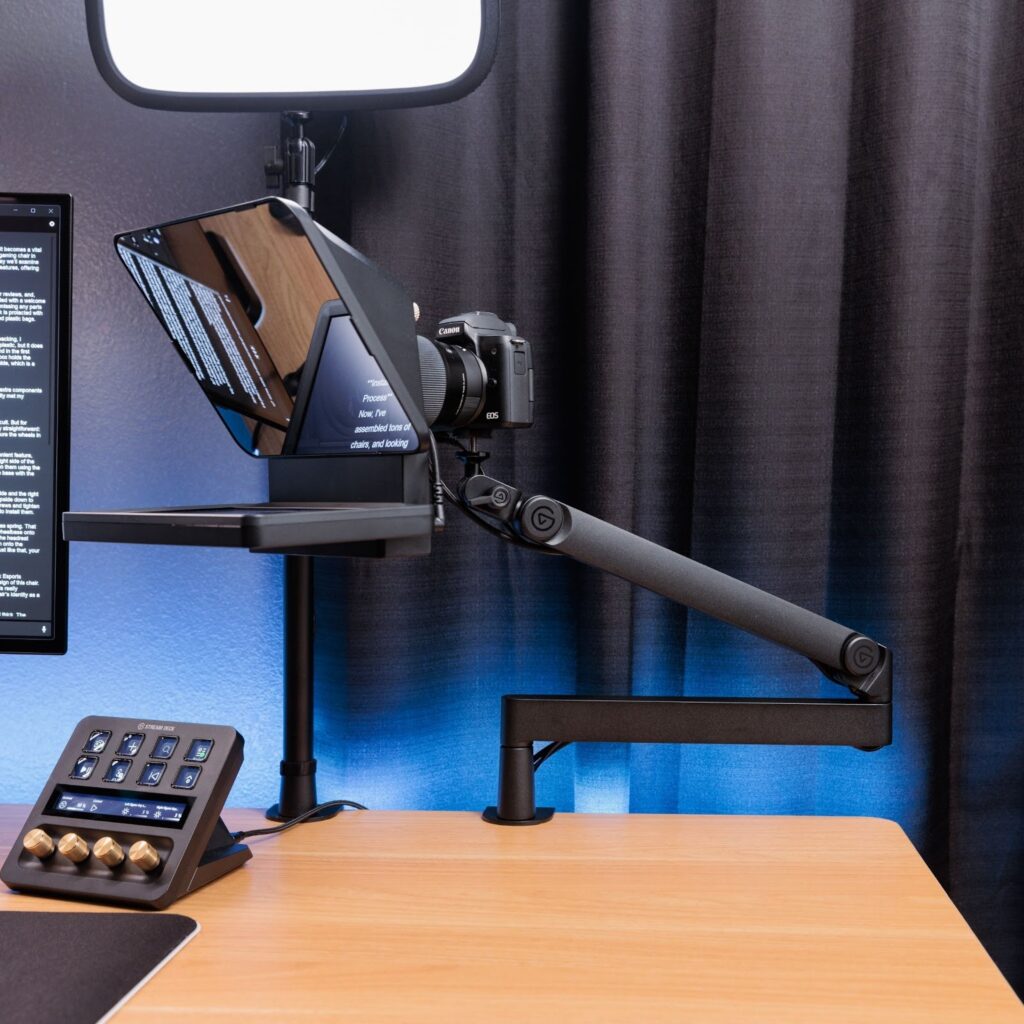
Some of the ways you might put it to work:
- Reading Chat
With comments scrolling right in front of the lens, you can catch what people are saying mid-game with just a quick glance. - Discord Calls
Drop a friend’s avatar or video feed there, and it’s like having a face-to-face conversation.
5. Hands-On: Elgato Prompter XL
Next up is the XL, which went on sale in Japan at the end of 2025.
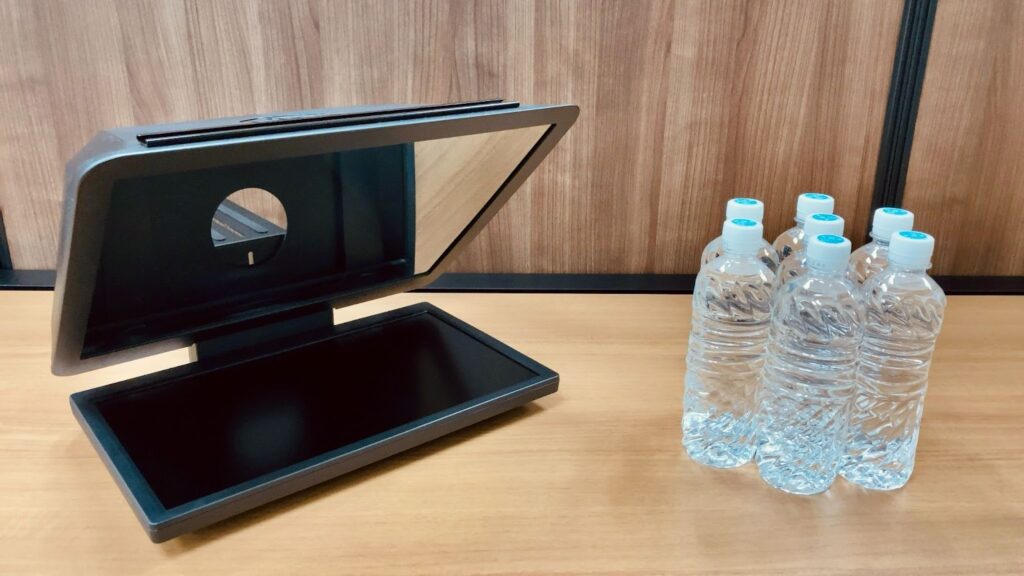
The moment we opened the box, the sheer scale was striking.
First Things First with the XL: Weight and Mounting
The XL is big, and you’ll need to check your environment before setting it up.
The unit itself weighs 3.4kg, and once you add a camera, you’re looking at roughly 5kg total.
A standard mic arm simply can’t hold that.
Recommended Gear for the XL
To stabilize a 5kg-plus XL rig, you’ll need one of the following:
- Video Tripod
Entry-level models from Libec or Velbon (around ¥20,000–30,000) are a safe bet. If your budget stretches, the Manfrotto 190 series works well. Look for a model with a counterbalance—a spring or weight system that supports heavy cameras and keeps vertical tilts smooth. - Desk-Mounted Monitor Arm
Anything rated for 10kg or more (Amazon Basics, Ergotron, etc.—around ¥10,000–20,000). If you’ve got desk space and plan to leave it set up, this is the cost-effective route.
Real-World Use: The 15.6-Inch Big Screen
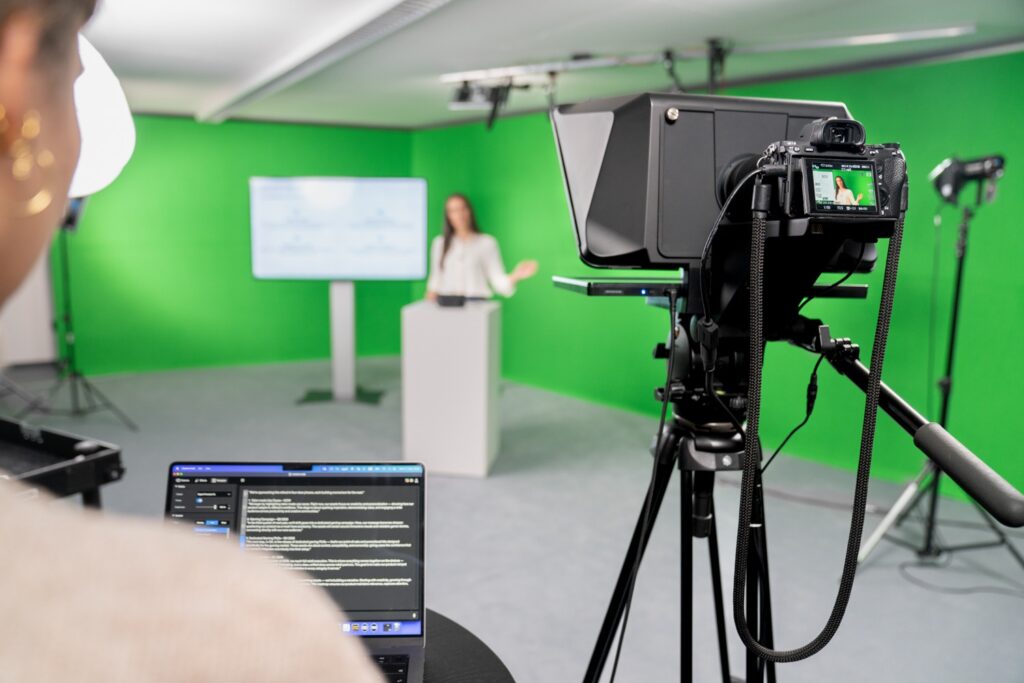
The 15.6-inch display is, frankly, a full-blown PC monitor at this point.
- Readable from a Distance
Even two or three meters from the camera, text and chat stay crisp. Ideal for fitness, cooking, full-body segments, or multi-person roundtables. - Plays Nicely with Wide-Angle Lenses
Even with a 20mm or wider lens, the XL’s massive glass surface prevents vignetting—the black frames or shadows that creep into the corners of your shot. Smaller prompters can end up in the frame when paired with a wide lens, but with the XL, you don’t have to worry. - 600-Nit High-Brightness Panel
Text stays sharp even under bright studio lights.
“Nits” measures screen brightness: typical smartphones hit around 500 nits, and most PC monitors sit between 250 and 350. 600 nits is roughly the “readable outdoors in midsummer” tier, meaning even strong studio lighting won’t blow out your text. That’s a meaningful step up from the standard version’s 400 nits (indoor-rated).
An Unexpected Win: Magnetic Detachment
One feature that won us over: the monitor itself detaches. Instead of screws, it’s held on by strong magnets.
Cleaning, cable management, swapping accessories—you can pop it off and click it back on without reaching for a tool. If you rearrange your setup often, this alone is worth the convenience.
Watch the Power Supply
During testing, we plugged into a laptop’s USB port and the screen started flickering. Depending on your setup, the XL can run into power shortages. The fix is covered in the “Power Requirements” section below.
6. Software: Camera Hub
What’s evolved even more than the hardware is the control software, Camera Hub. It offers three distinct modes.
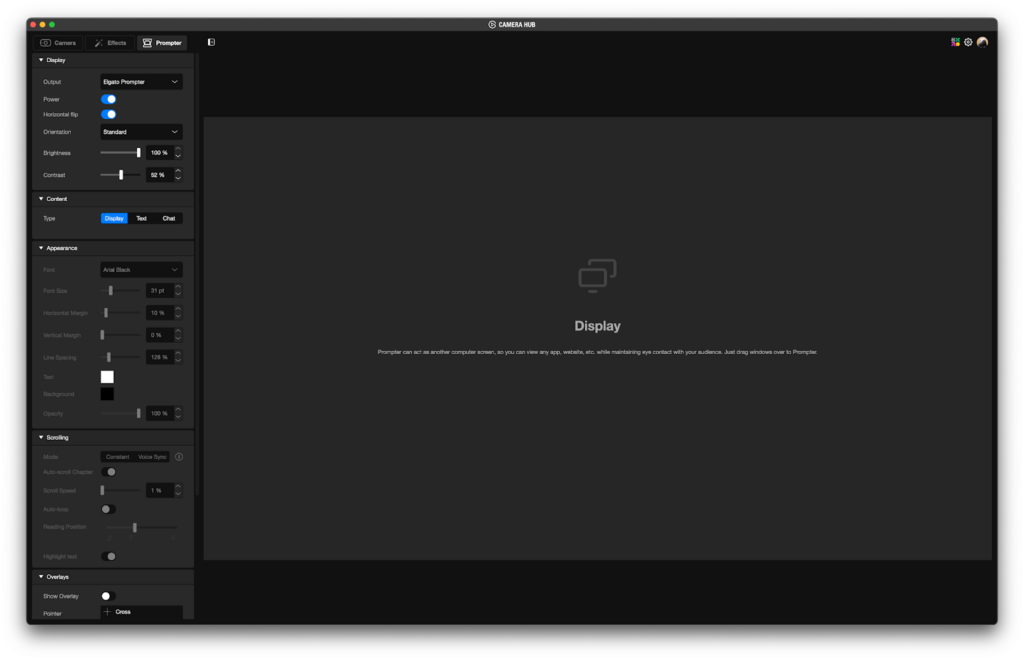
Text Mode: Script Display
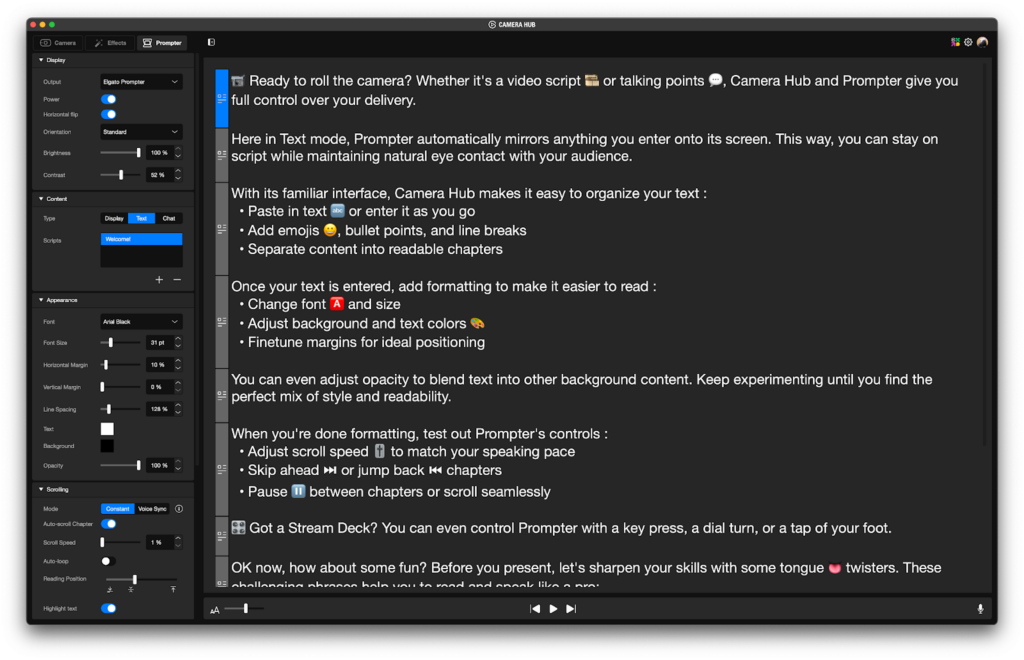
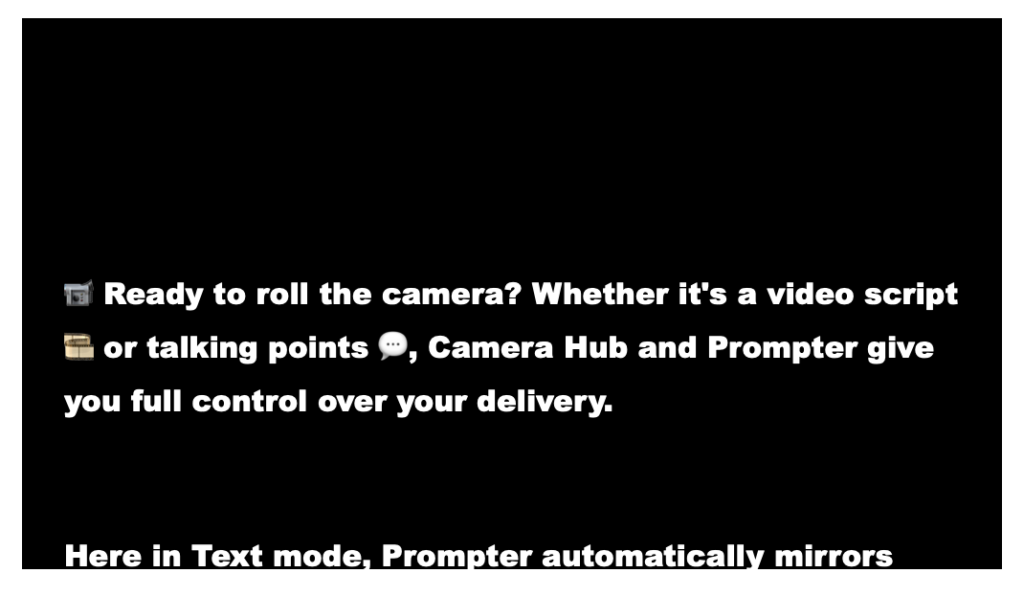
The classic prompter use case—displaying your script.
Font, size, line spacing, and background color are all adjustable. Our personal recommendation: white text on a black background, 80pt or larger. Conditions will vary, but that combo stays readable in most scenarios.
Longer scripts can be split into chapters—”Opening,” “Main,” “Ending.” Pair it with a Stream Deck and you can jump to any chapter with a single button press.
Display Mode: Use It as a Secondary Monitor
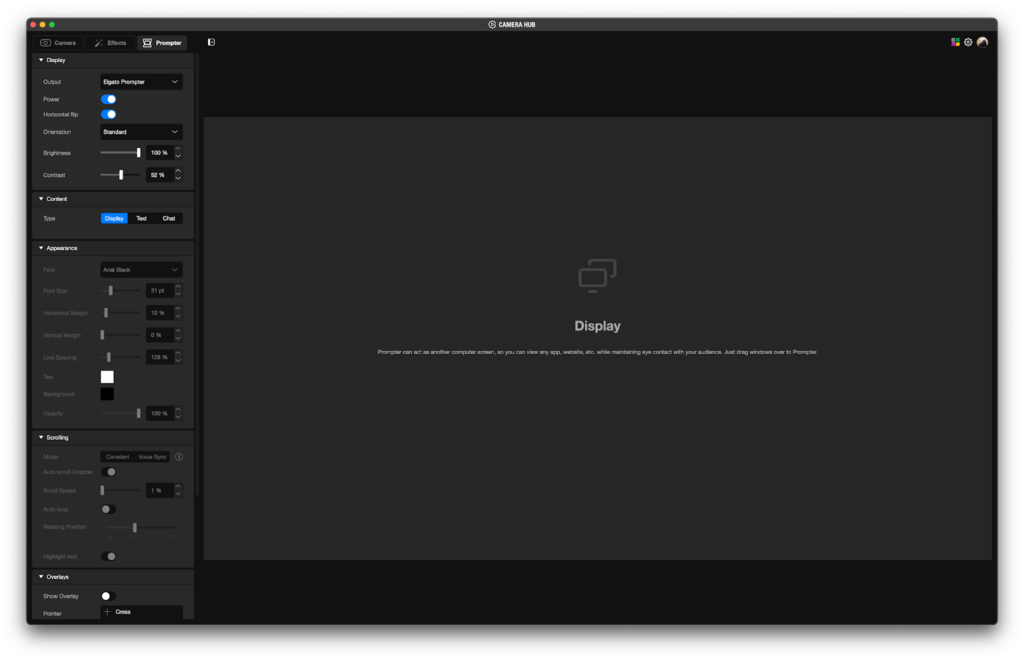
This mode treats the prompter as a secondary monitor for Windows or macOS.
Any window—browser, Zoom, Discord, the OBS preview—drops onto the prompter with a simple drag and drop.
Show someone’s face on your prompter during a Zoom call and you can hold eye contact while you talk. Put up your slides and you can present without ever glancing down.
Chat Mode: Twitch Only
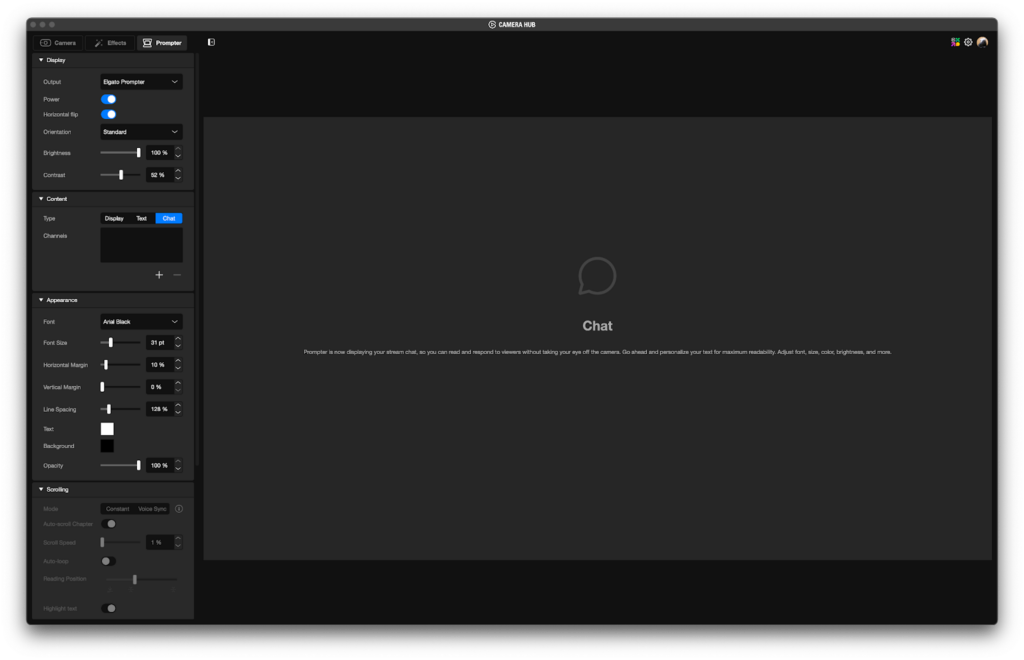
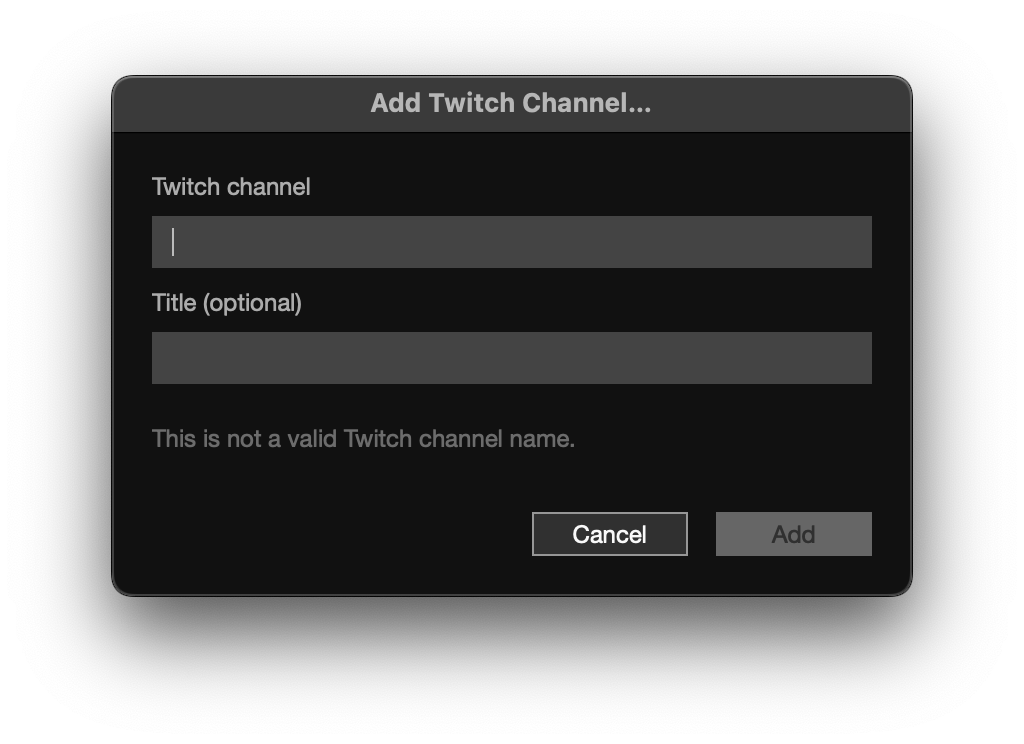
Chat Mode hooks into your Twitch account and pulls your chat directly onto the prompter.
Unlike a standard pop-out window, it renders emotes and channel-point notifications graphically. You can stay locked on the game and still interact with the viewers sitting just beyond the lens.
Other Features
There’s also Voice Sync, which auto-scrolls the script using voice recognition. It’s currently tuned for English, and Japanese support still has room to improve, but it’s a handy feature for anyone who reads scripts regularly.
7. What to Know Before You Buy
The Elgato Prompter is an excellent piece of hardware, but there are a few things worth checking before you pull the trigger.
DisplayLink Compatibility
Because the Elgato Prompter relies on DisplayLink, it may not work with some older PCs or Macs. Confirm compatibility on the official site ahead of time.
The standard version ships with a USB Type-C to Type-A cable, so it’ll work on PCs with only USB-A ports. That said, older USB 2.0 ports may not have the bandwidth to keep video stable. USB 3.0 or higher is what we’d recommend.
Power Requirements (Especially for the XL)
The XL pulls 15W, which is enough to cause flickering on a laptop USB port due to insufficient power. Use a USB 3.2 Gen 1 or higher port on the back of a desktop PC, or a self-powered USB hub (one with its own AC adapter).
Camera Weight Limits
- Standard: Up to 800g
- XL: Up to 3kg
If you’re running a heavy camera or a large lens, double-check your total weight first. Overloading the prompter can damage it.
Space Requirements
- Standard: Roughly 30cm of desk depth
- XL: 50cm or more of desk depth, plus a stable mounting spot
The XL in particular is large, so measure your desk or studio before buying.
Visibility in Bright Environments
The standard version’s 400-nit panel is built for indoor use. Under strong or studio-grade lighting, text can become hard to read. If you work in bright conditions regularly, the XL (600 nits) is the safer choice.
8. Which One Is Right for You?
Who the Elgato Prompter Is For
- Desk-Ready
Light enough to swing around on a mic arm and tuck out of the way when you’re not using it. Day-to-day, that flexibility adds up. - Cost
A lower price tag frees up budget for other gear—your mic, your camera, whatever else needs upgrading. - Use Cases
For Zoom calls, game streams, or desk-based product reviews, 9 inches is more than enough screen real estate.
Who the Elgato Prompter XL Is For
- Unmatched Flexibility
Text stays legible even two or three meters from the camera, which opens the door to whiteboard tutorials and full-body presentations. - Room to Set It Up
You’ll need a sturdy tripod to hold the massive body and the floor space to put it. In exchange, you get a pro-tier streaming environment. - Readability
If your eyes aren’t what they used to be, or small text wears you out, the 15.6-inch display is a serious ally.
Final Thoughts
The Elgato Prompter is built to fix “gaze drift,” but in practice it changes more than that—it reshapes how you approach streaming as a whole. When you can hold the camera’s gaze, you really feel like you’re talking to your audience, and your delivery and energy shift to match. Standard or XL: pick the one that fits your streaming style and your setup.
*Some product images in this article are sourced from Elgato’s official press kit.
If any of the gear caught your eye, check out the official product pages below.
- Elgato Prompter
https://www.elgato.com/us/en/p/prompter - Elgato Prompter XL
https://www.elgato.com/us/en/p/prompter-xl
Equipment provided by: Corsair Gaming, Inc. (Elgato)
Review by: Umazura