

Share


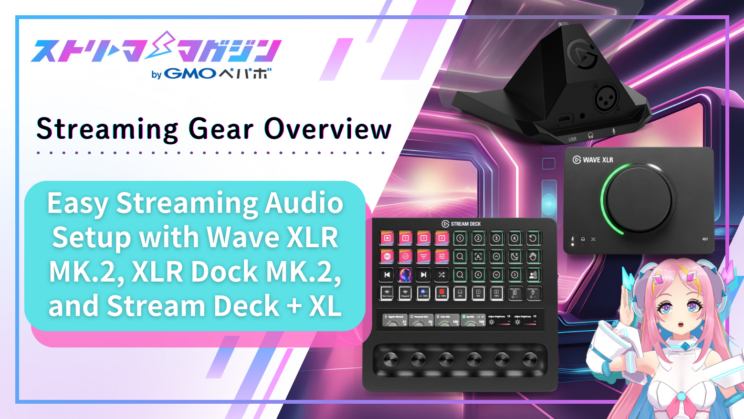
Easy Streaming Audio Setup with Wave XLR MK.2, XLR Dock MK.2, and Stream Deck + XL
Index

Challenges in Streaming: “Audio” and “Operations”
When you just start streaming, you face various issues, but “good sound” directly affects the listener’s viewing experience, and “stress-free operation” directly impacts the streamer’s streaming experience. Therefore, it’s best to quickly solve audio and operation-related problems. Those who are already streaming may recognize some of the following phenomena.
- The mic distorts when suddenly yelling in surprise
- The balance between game sound, your voice, Discord, and BGM gets messed up during the stream, causing panic
- You’ve got all the equipment, but your desk is cluttered with cables, making mouse operation difficult
However, gain adjustments, effects, and managing the volume of multiple apps can be surprisingly difficult if you’re not used to it. If cables are just a nuisance, you can bind them with clips, but if there are too many, you might plug them into the wrong place and end up not capturing your voice on stream properly.
Elgato’s new products introduced in this article smartly solve those issues. While many might associate Elgato with Stream Deck, they have also focused on audio. The newly announced “Wave XLR MK.2/XLR Dock MK.2/Stream Deck + XL” lineup enhances its audio capabilities more than ever before.
This article will focus not on listing specs but on how simply you can manage complex audio production during streaming, what’s changed from previous models, and points that are easy to hit when buying.
The Core of Wave XLR MK.2/XLR Dock MK.2: “Wave FX Processor”
Let’s start with the “internal changes” common to Wave XLR MK.2 and XLR Dock MK.2.
What has significantly evolved in the new models (Wave XLR MK.2/XLR Dock MK.2) is that the Wave FX Processor (co-developed with LEWITT Audio) is now embedded in the equipment. Previously some processing relied on the PC (software), but now it can be handled in real-time on the equipment side.
From here, we will summarize three positive points from using it.
1) “Voice” Becomes More Stable Even When the PC is Under Heavy Load
- Point: With Wave FX, audio processing can be shifted to the equipment side
- Use case: Hard to disrupt mic audio processing even if the PC is under heavy load
Previously, there were many cases where effects processing for microphones was done on the PC (software), making it susceptible to PC load depending on the content being streamed.
Since the Wave XLR MK.2/XLR Dock MK.2 handles audio processing with an internal chip, it’s a significant advantage for streamers as it’s easier to output stable sound without worrying too much about PC specs or load.
For example, streaming the latest 3D games with high-quality settings places a load on the CPU or GPU. In traditional configurations, there could be instability in audio processing due to varying situations, leading to concerns about delayed monitoring or audio dropouts.
With devices equipped with Wave FX, audio processing continues independently on the equipment side, making it less likely to be affected even when the PC is under heavy load, reducing anxiety during streaming.
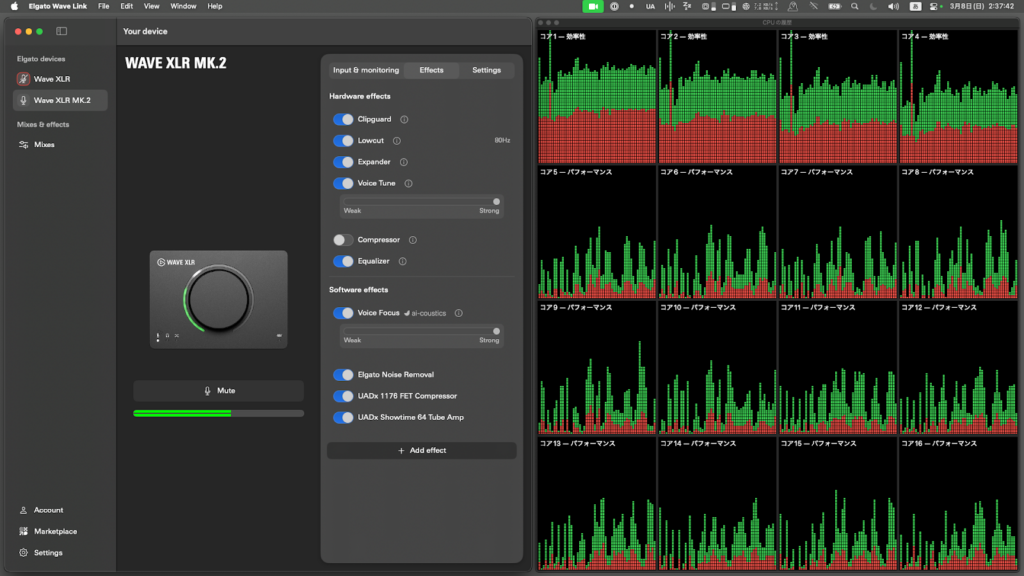
Test Conducted Under Load
Using Wave XLR MK.2, a test was conducted while exporting 4K video (H.265) in Adobe Media Encoder. Real-time audio monitoring, through output, and delay via another audio interface were compared, with hardly any noticeable impact.
2) Strong Overload Protection with “Clipguard 2.0”
- Point: Clipguard 2.0 withstands sudden peaks (shouts, laughter)
- Use case: Want to reduce irreversible distortion accidents like laughter or shouting
In streaming, “clipping” or sound distortion from laughter or shouting can’t be fixed once it occurs. MK.2’s Clipguard 2.0 is designed to handle such sudden peaks robustly.
Internally, a “3-layer protection system” operates with hardware. It simultaneously captures at low, medium, and high gain ranges, providing buffering (headroom) with wider data width. It further adjusts peaks, preventing breakdown even with sudden loud voices.
Reducing “possible clipping during live sessions” without worrying about detailed numbers is greatly useful for focusing on streaming.
Actually, compared Wave XLR (Clipguard 1.0) and Wave XLR MK.2 (Clipguard 2.0) under conditions with maximum input gain and a mic distance of 10cm, clipping was significantly avoided when Clipguard was enabled. Notably, MK.2 raised maximum gain from 75dB to 80dB, yet clipping was less likely under the same conditions.
DSP effects are also organized in the order of Low-cut → Expander → Voice Tune → Compressor → Equalizer (EQ), making it easier to achieve stable sound.
And most importantly, as these are processed on the equipment side, it’s easier to monitor your voice with effects applied in headphones without worrying about delay.
Even when trying it, from the moment DSP was turned on, changes could be heard through output, with little delay or discomfort.
The reduction in the awkwardness of returning your own voice slightly delayed makes it easier to talk even during long streams.
- Low-cut Filter: Suppresses low-frequency noise (air conditioning, desk vibrations)
- Expander: Naturally reduces room noise when not speaking (less truncating of word ends)
- Voice Tune: Adds Elgato’s unique effect that gives “analog warmth” like old radios or tape recorders, while enhancing the thickness and presence of the voice
- If using Voice Tune, you generally don’t need to turn on a separate compressor. Voice Tune internally includes “natural compression,” and the official guide states it can often replace everyday compressors.
- Conversely, if you “don’t need warmth but just want to balance volume,” you can turn off Voice Tune and use a regular compressor separately, as having both on may lead to excessive compression.
- Compressor: Slightly suppresses louder parts of the voice to balance overall volume differences (making softer voices easier to hear)
- Equalizer (EQ): Adjusts volume for each frequency band to suppress muddiness or harshness, and brings out the contour of the voice
In addition, VST plugins can be added to Wave Link’s mic settings (VST Insert), allowing you to build “your own sound” while avoiding configurations that pass through multiple virtual mics.
Based on the above, let’s look at the Wave XLR MK.2, XLR Dock MK.2, and Stream Deck + XL individually, organizing their characteristics and who they are suitable for.
Equipment Review 1: Wave XLR MK.2
- Planned Japan Release: March 13, 2026
- Retail Price: 28,980 yen
- Point: Gain/headphone enhancements compared to the first model
- Use case: When you want to “complete” sound management independently at hand
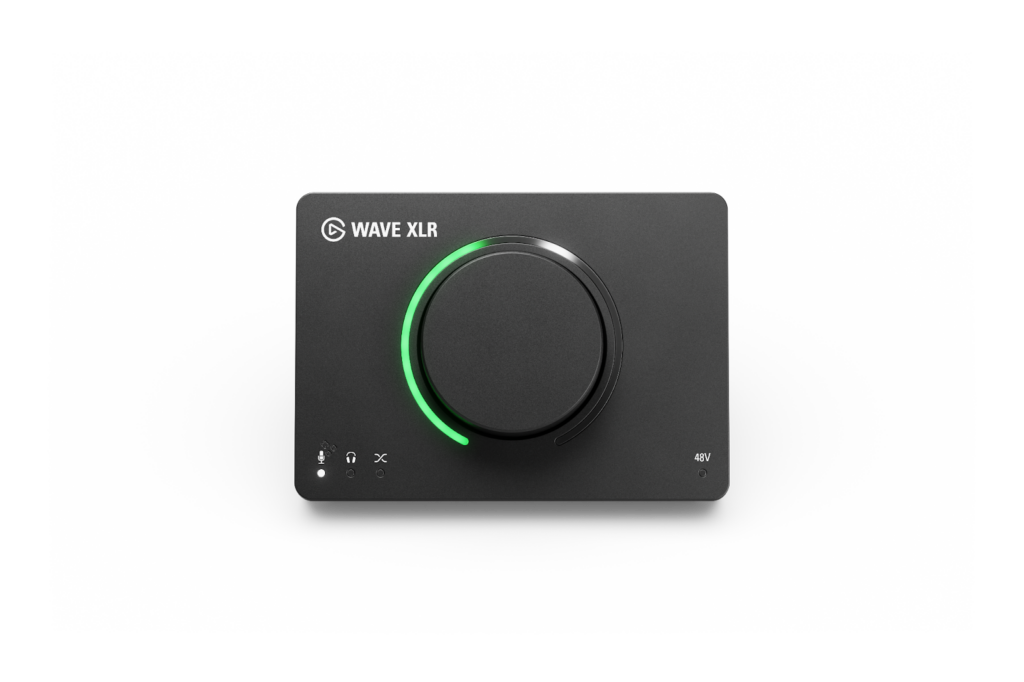
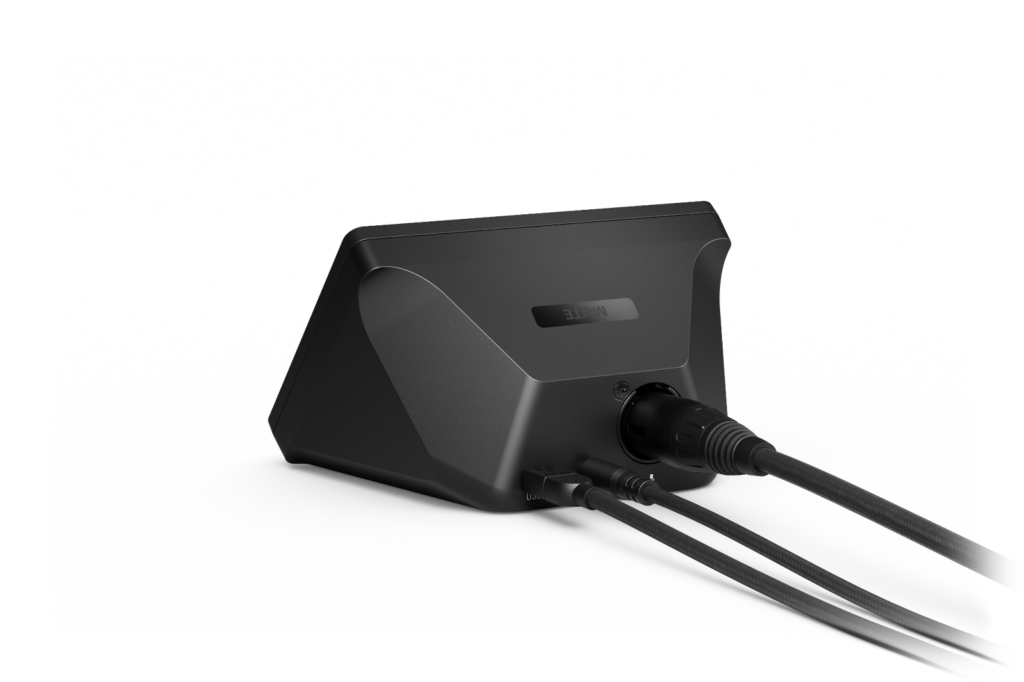
The Wave XLR MK.2 is an independent XLR audio interface. While the price remains almost unchanged from the first model, its contents have been significantly updated.
Core Performance and Amp Surroundings
- Maximum 80dB clean gain (increased from 75dB in the first model)
- Microphones like Elgato’s Wave DX, which operate more effectively with gain, can be used without additional inline preamps
- A High Power Mode has been added to the headphone amp, making it easier to use high-impedance headphones
- The old model could drive typical gaming headsets and studio headphones sufficiently. When tested with standard monitor headphones at hand, even the normal mode produced more than enough volume.
- The High Power Mode of MK.2 is better viewed as an “investment for the future” for when you want to step up to high-end high-impedance devices, rather than an immediate necessity.
Operability and Display
The LED ring follows the dial operation, making it intuitive to see what you are currently controlling. The states of input and output are also visible with LEDs, marking a robust evolution from the first model’s “visualization”.
Especially notable is the ability to check the microphone input meter via LED right at hand, which greatly aids in determining real-time whether you might be clipping.
Additionally, the ability to adjust the brightness of the LEDs is subtly convenient, making it usable without being overly bright in dark rooms.

With the large dial, gain, headphone volume, and mix balance can be adjusted at hand. The LED ring’s visibility is outstanding, and it’s practical due to color indications when Clipguard 2.0 is active.
Notice Regarding Changes from the First Model (Operation Changes)
In the first model, long-pressing the dial could turn the 48V phantom power on/off, but this function is now switched via the Wave Link 3.0 side with the MK.2.
The long-press function on the dial has been assigned to Auto Gain, so those switching models must pay attention to this change.
Equipment Review 2: XLR Dock MK.2
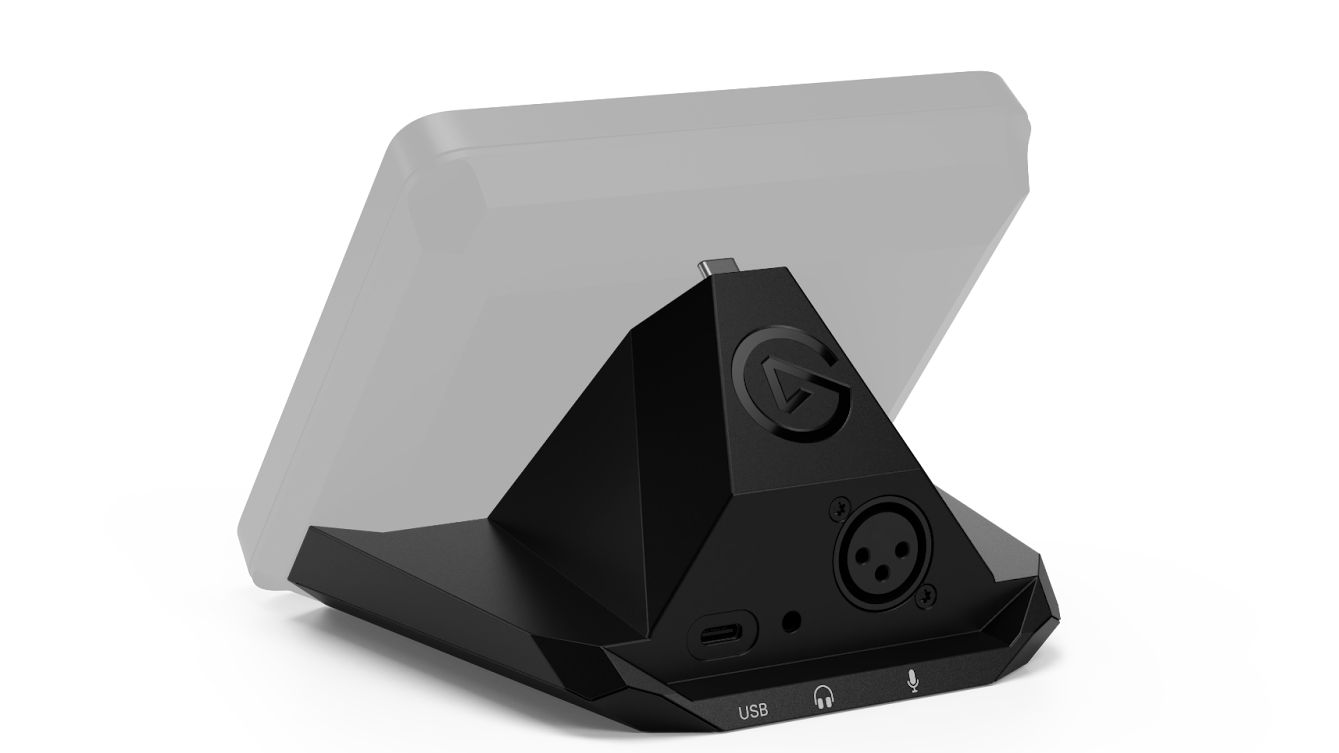
- Planned Japan Release: March 13, 2026
- Retail Price: 22,980 yen
- Point: Dock is an expand module where a mic can be inserted → Equipped with Wave FX, contents altered
- Use case: Want to clean up the desk space, enhance audio processing with MK.2 generation
The XLR Dock MK.2 doesn’t operate on its own—it’s an expansion module that integrates with the back of the Stream Deck + (standard edition). It’s suitable for those who want a “microphone interface” but prefer not to increase the number of devices on their desk. If you already own or plan to purchase a Stream Deck +, combining them allows you to streamline cable and power management.
What’s Changed in the MK.2
The first XLR Dock also had strong fundamental functions as an audio interface, such as gain and phantom power. However, the audio processing aspects like noise reduction and dynamic adjustment were left to the PC side.
With the MK.2, the internal Wave FX Processor allows for complete audio processing on the device side. It realizes real-time processing to suppress noise and equalize sound pressure without taxing the PC, marking a substantial change. Performance is almost the same as the standalone Wave XLR MK.2; while it lacks physical dials or a mute button, it signifies a generational shift from being “a spare desk expansion part” to “a full-fledged audio interface”.
Important: Pitfall Regarding Compatibility
The XLR Dock MK.2 is tailored exclusively for the Stream Deck + (standard size). It doesn’t support the larger Stream Deck + XL, and while it can physically connect to the back, it’s officially unsupported (not recommended). It’s a point where purchase mistakes can easily occur, so checking your specific model before purchase ensures safety.
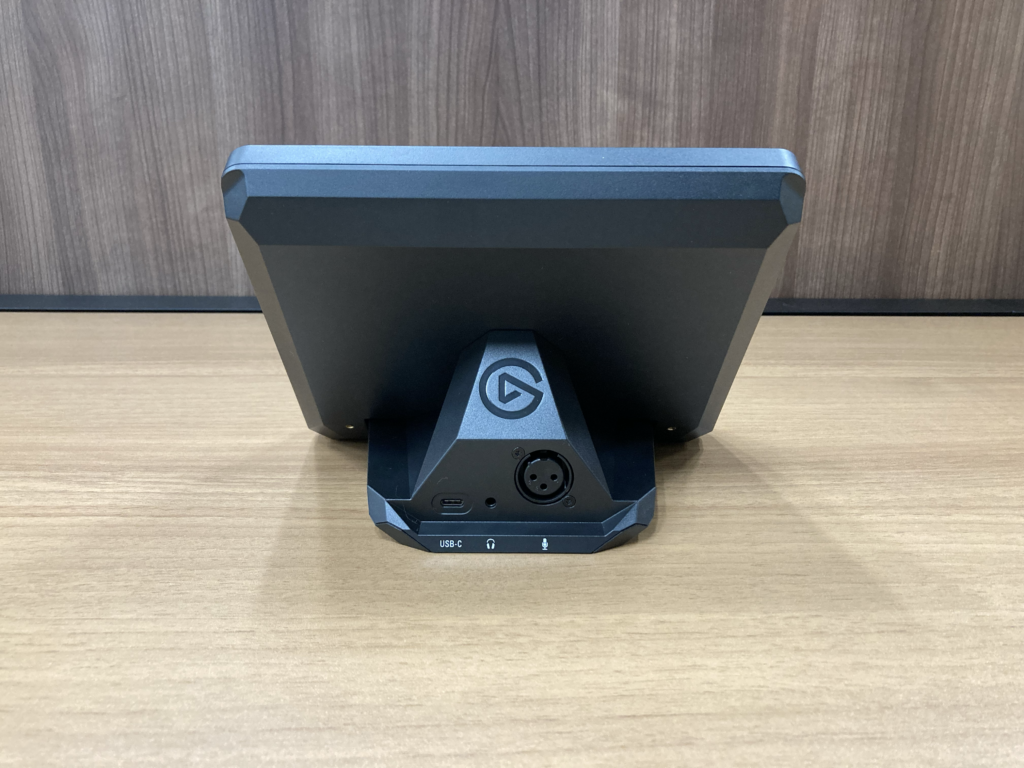
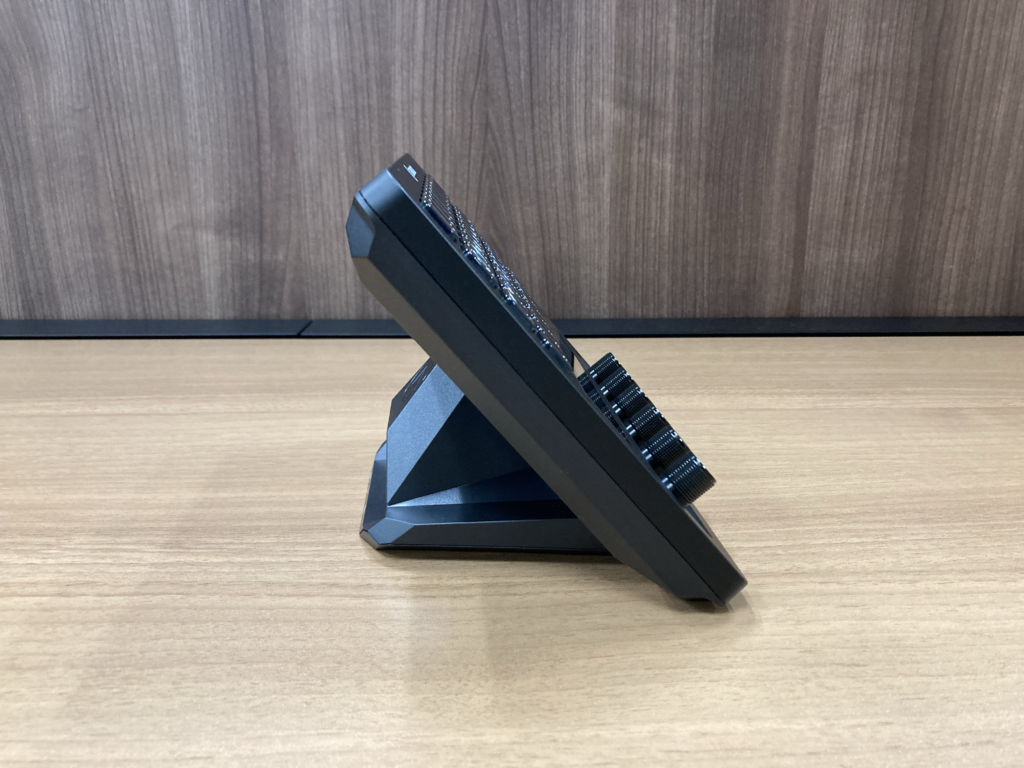
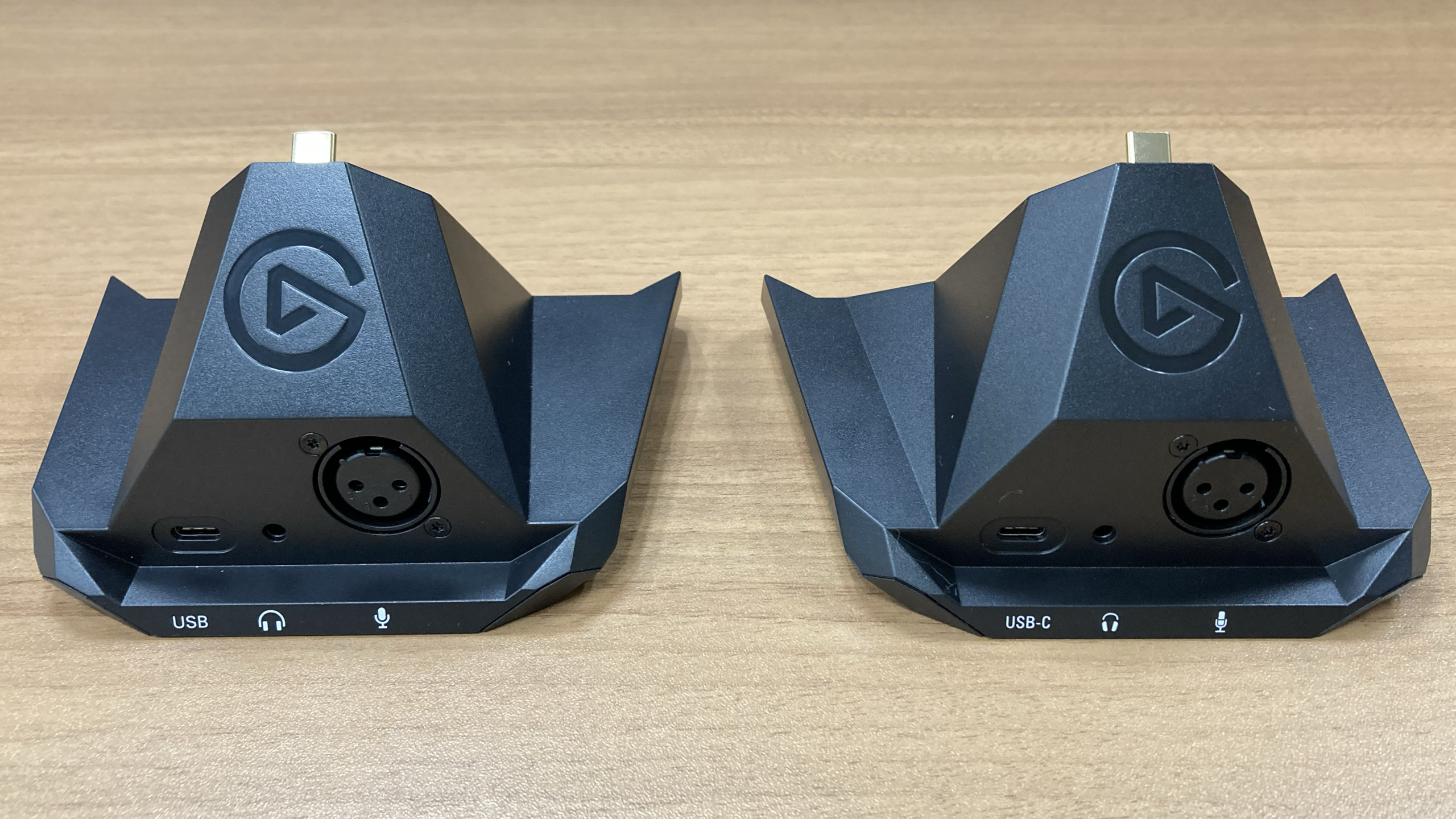
Moreover, the XLR Dock (plain) and XLR Dock MK.2 look nearly identical at first glance, making the models difficult to distinguish. When purchasing used items or in cases of owning multiple units, care must be taken to distinguish between generations.
Comparison: Stream Deck + XL Versus Standard Stream Deck +
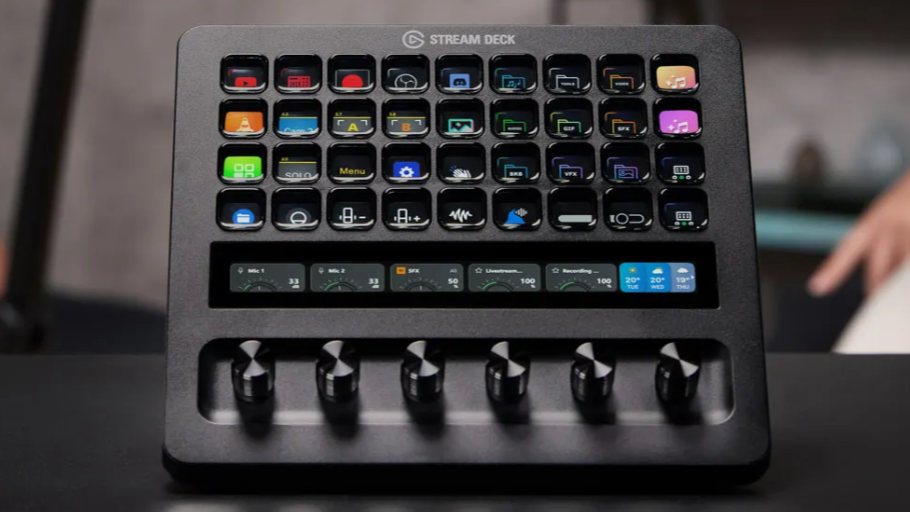
- Planned Japan Release: March 13, 2026 (Stream Deck + XL)
- Retail Price: 59,980 yen
- Point: Standard edition (8 keys/4 dials) → XL (36 keys/6 dials + touch strip)
- Use case: Want to reduce page switching and operation errors during streaming to lessen reruns
The primary candidate for operations is the Stream Deck + XL. It allows you to array operations like OBS scene switching, Discord, lighting, and BGM on one screen, eliminating the hassle of switching pages to search for things.
Size and Layout
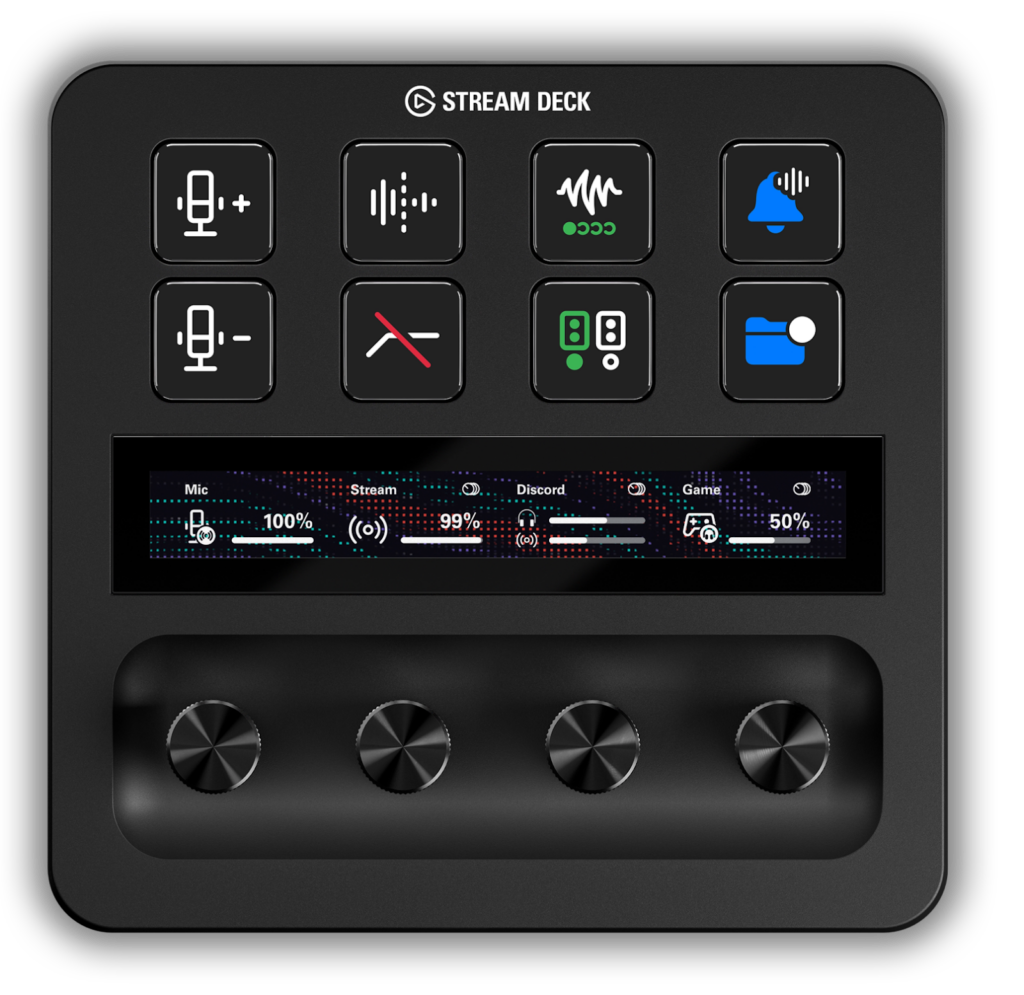
8 LCD Keys + 4 Dials + Touch Strip
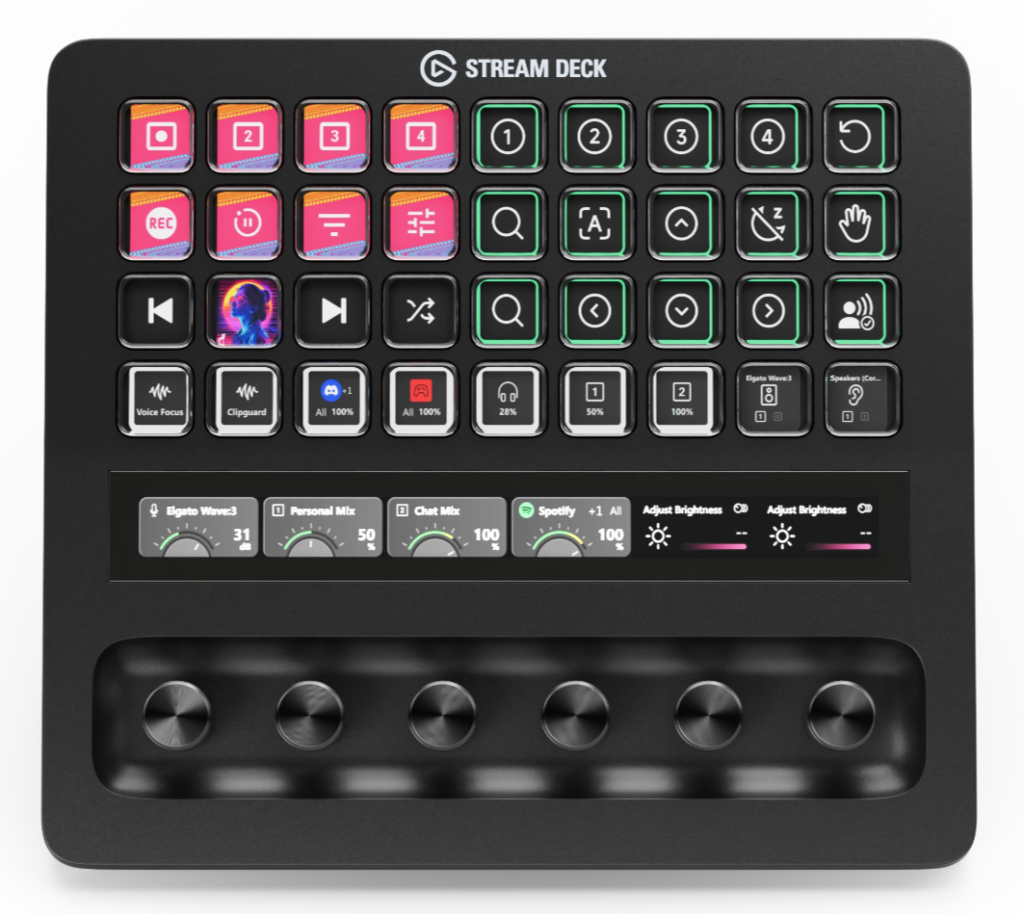
36 LCD Keys + 6 Dials + Touch Strip
Compared to the Stream Deck +, the Stream Deck + XL is about 1.5 times wider and 2.3 times heavier. The number of keys increases from 8 to 36, over quadrupling, while dials increase from 4 to 6. The integration of a touch strip (a horizontally long touch bar above the dials) remains common between them. When placed on a desk, the size’s visual impact varies significantly, so pre-checking the placement space ensures safety.
Benefits of Having 6 Dials
By physically handling it, arranging allocations on one screen reduces the need for page swaps, making operations smoother.
Compared even to the former Stream Deck XL (no plus/32 keys), the increase in button numbers makes it convenient to array well-used “button operations” without page movement. Placing unset buttons as “dividers” can help logically group configurations by function.
Noteworthy Points
- The proximity of buttons may slightly elevate the risk of pressing errors until familiarized
- Physically larger, it takes more desk space
Having 6 dials allows the allocation of “dedicated knobs” for game sound/voice/comms/BGM, making fine adjustments during live broadcasts much easier. If multiple channels are separated with Wave Link, such cases can reduce the need for increased mouse operations due to lacking dials.
Conclusion: Suitable Users for Each
Wave XLR MK.2
- Preference for physical operations at hand
- Want the interface placed independently
- Desire to properly configure audio, including headphones
XLR Dock MK.2
- Desire to clean up the desk space
- Want to integrate with Stream Deck + (standard)
- Prioritize reducing the number of cables
Stream Deck + XL
- “Want to manage everything at hand without switching screens”
- Manage multiple apps daily
- Want to reduce operation errors and gain confidence during streaming
This new model release isn’t just a spec boost; it seems to effectively address accident-prone areas in streaming through the equipment itself.
- Less likely to distort even when shouting (Clipguard 2.0)
- Minimizes monitoring delay and PC load (Wave FX Processor)
- Reduces failure risk in initial setups (Auto Gain/DSP)
- Streamlines hand-operation aggregation (expanding keys/dials with Stream Deck + XL for reduced page switch operations)
For those wanting to “focus on the content of the stream by reducing the time spent troubleshooting settings”, these developments significantly enhance streaming. As mentioned at the start, sound directly affects the listener’s experience. If you feel this addresses any current challenges, it wouldn’t hurt considering an upgrade from the old model or a new purchase.