

Share


Revitalize Your Stream with Alive Studio: Easy OBS Setup for ‘Theme Roulette’
“The conversation doesn’t flow…”, “I’ve run out of topics…”, “Silence until the audience comments…”
Are you struggling with those common worries of a streamer?
As you continue live streaming, you inevitably face the challenges that many streamers encounter, such as running out of content, stagnating conversation, and predictability in reactions.
The “Theme Roulette” from Alive Studio is a fun solution to such concerns, available at just the tap of a button.


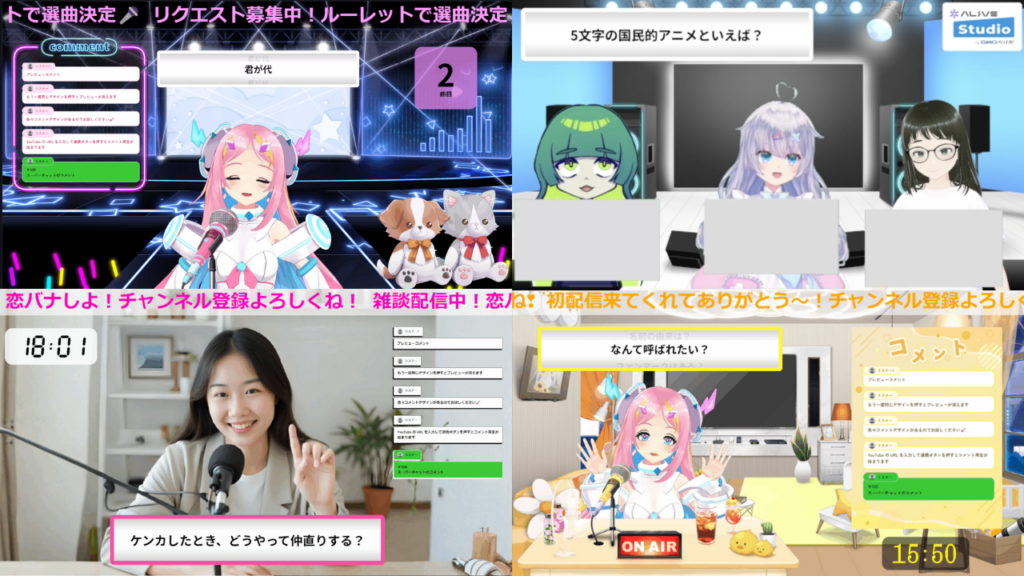
Three Common Challenges Streamers Face
1. Conversations Don’t Flow, and Silence is Scary
In chatting streams, the longer you spend worrying about “What should I talk about…” the more likely viewers are to leave.
2. No Time to Plan Content
It can be overwhelming to come up with a new streaming plan each time. Just thinking about the theme and flow can take hours.
3. Unable to Create Opportunities for Audience Participation
Creating an atmosphere that encourages comments is challenging, and streams often become difficult for viewers to engage with.
With Alive Studio’s “Theme Roulette”, You Can Solve All These Issues!
1. You Don’t Have to Think of Topics (Conversation Starters)
Just select your favorite category and press a button to get a random topic.
“What was your dream as a child?”, “What are you currently into?”, “What would you do if you won the lottery?”—endless conversation starters await!
You can choose from the categories below, with content updates available as needed.
- Casual Chat
- Entertainment
- Love Stories
- Ogre Comedy
- First Time Streaming (Self-Introduction)
- Collaboration Streaming: Will the Responses Match?

2. You Can Create “Custom Topics”
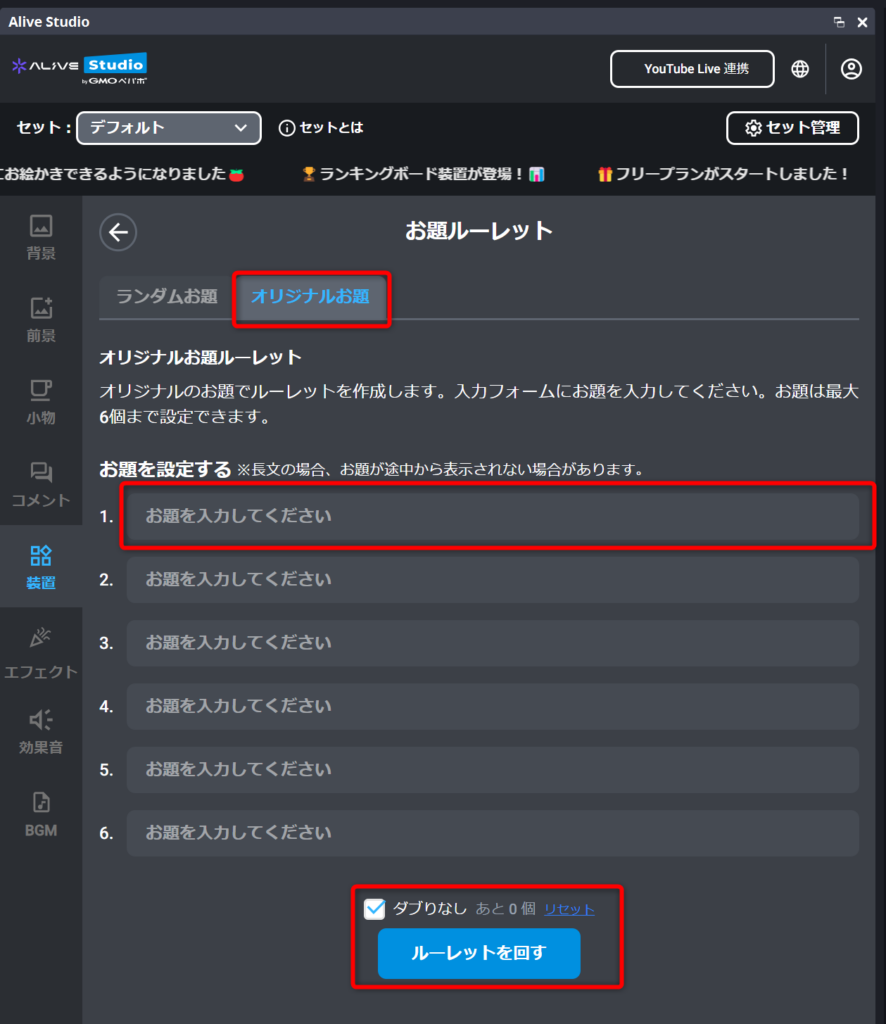
You can set up to six custom topic sets and turn them into a roulette. You can input topics you’ve thought of in advance and stream them live.
3. Create Natural “Participation Lines” for Comments
By asking, “What do you all think?”, viewers can easily relate to the themes from the roulette, leading to a natural increase in comments. Additionally, you can gather “original topics” from viewers in real-time.
4. Quickly Place and Easily Operate on the Streaming Screen
The theme roulette can be used in Alive Studio’s free plan, allowing for easy installation at no cost. Even beginners can reflect it in their streams immediately, which is an attractive feature.
Since you can operate it on OBS, sudden installations and real-time reflections are also possible.

Streaming Ideas You Can Use Right Away: “Prompt Roulette” Edition
Adding a Prompt Roulette instantly brings rhythm to any stream and helps eliminate awkward silence.
Here are a variety of stream ideas that make great use of Prompt Roulette—perfect for chatting streams, gaming, collabs, or viewer-participation formats.
Ideas for Chatting Streams
- Rapid-Fire Prompt Roulette
Answer each prompt that pops up as quickly as possible. It’s easy to hype up even in short sessions and works great for first-time viewers. - Group Answer Roulette
Viewers answer the same prompt, and the streamer picks their favorite comment. A simple way to spark interaction.
Ideas for Singing Streams
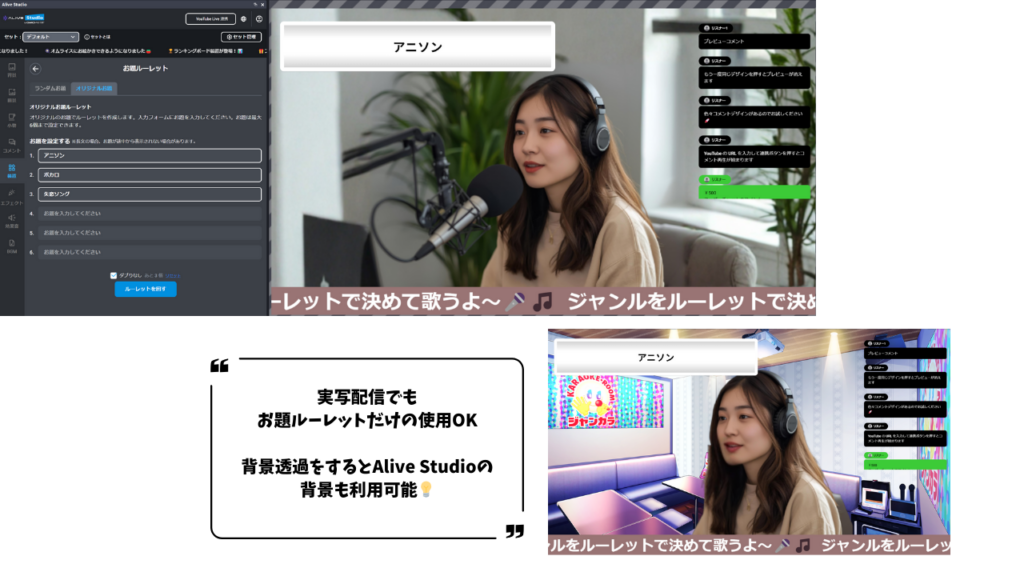
- Song Selection Roulette
Pre-load songs you can perform, then sing whatever the roulette lands on. It’s straightforward but always entertaining. Adding viewer-requested songs makes it even better. - Genre Shuffle Song Roulette
Add only genres like “Anime songs / Vocaloid / Breakup songs,” then choose a song based on the selected genre.
Ideas for Gaming Streams
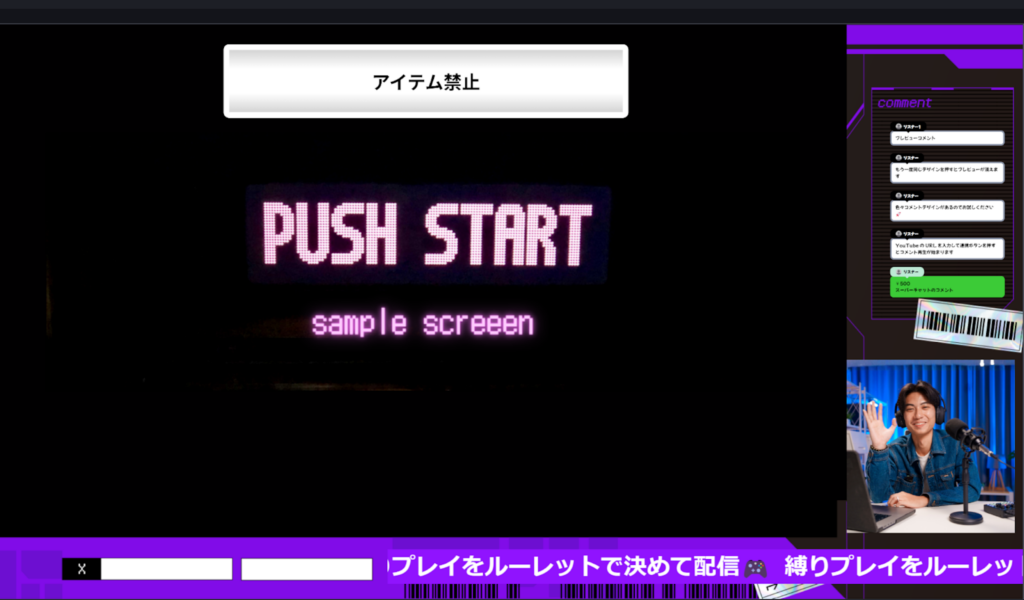
- Challenge Rule Roulette
Set rules like “No weapons / No jumping / Walk backward only,” and let the roulette decide. A great way to refresh routine gameplay.
- Game Title Roulette
A roulette that decides which game you’ll stream that day—simple but surprisingly exciting.
Ideas for Collab Streams
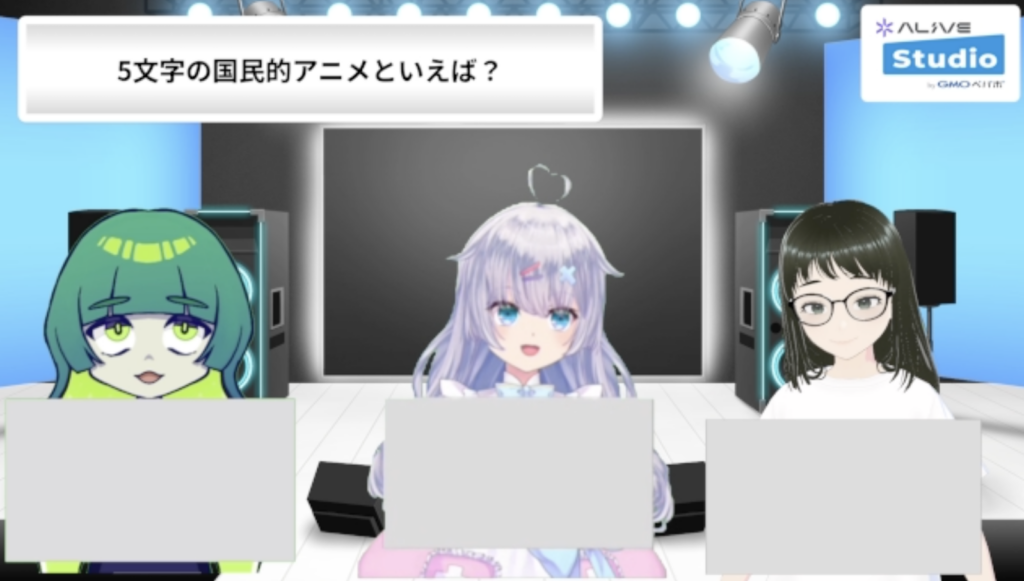
- Icebreaker Prompt Roulette for First-Time Collabs
Prepare friendly, conversation-starter prompts to help ease into the collab naturally. - Matching Answers Challenge
Use the “Collab: Matching Answers?” category in Prompt Roulette and see if you can match responses with your collab partner.
Ideas for Viewer-Participation Streams
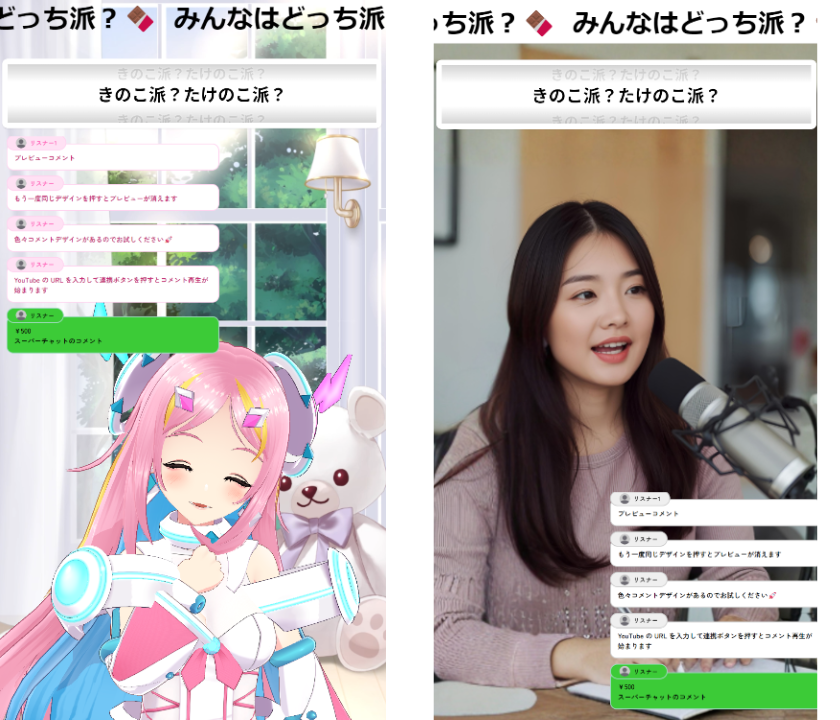
- Viewer-Submitted Prompt Roulette
Create a roulette using prompts submitted via social media or collected live during the stream. - Either-Or Prompt Battle
Add multiple two-choice prompts like “Beach or mountains?” and encourage viewers to vote. The split between majority and minority opinions always turns lively.
Combined Ideas (Advanced)
Alive Studio lets you combine up to three devices in one scene.
This means you can easily create layered ideas like “Roulette × Timer × Counter.”
Here are a few advanced concepts that mix Prompt Roulette with other tools.
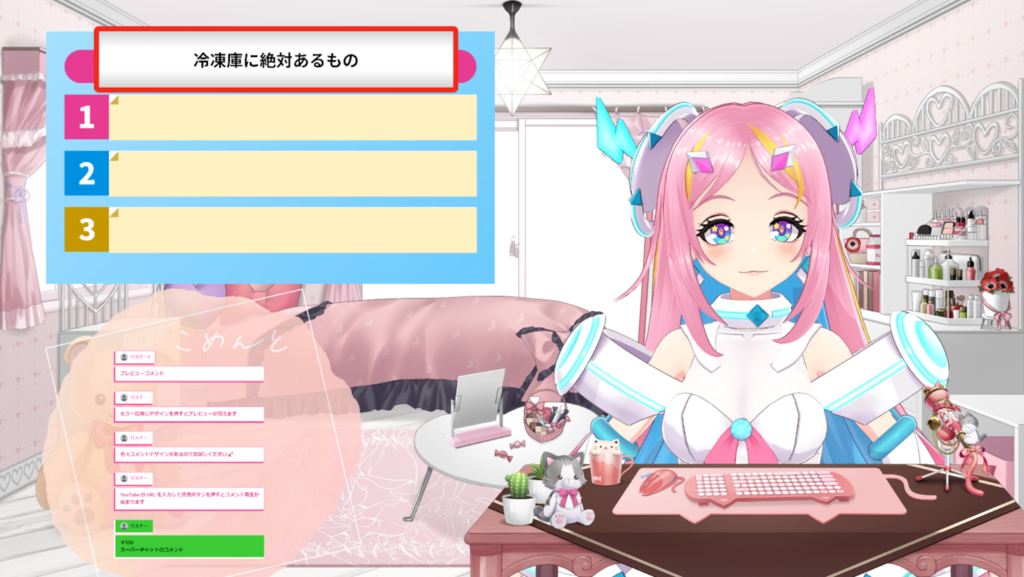
- Ranking × Prompt Roulette: “Prompt Roulette Ranking”
Great for fast-paced commentary and prediction-based viewer engagement.
- Counter × Prompt Roulette: “Don’t End Until You Answer XX Prompts!”
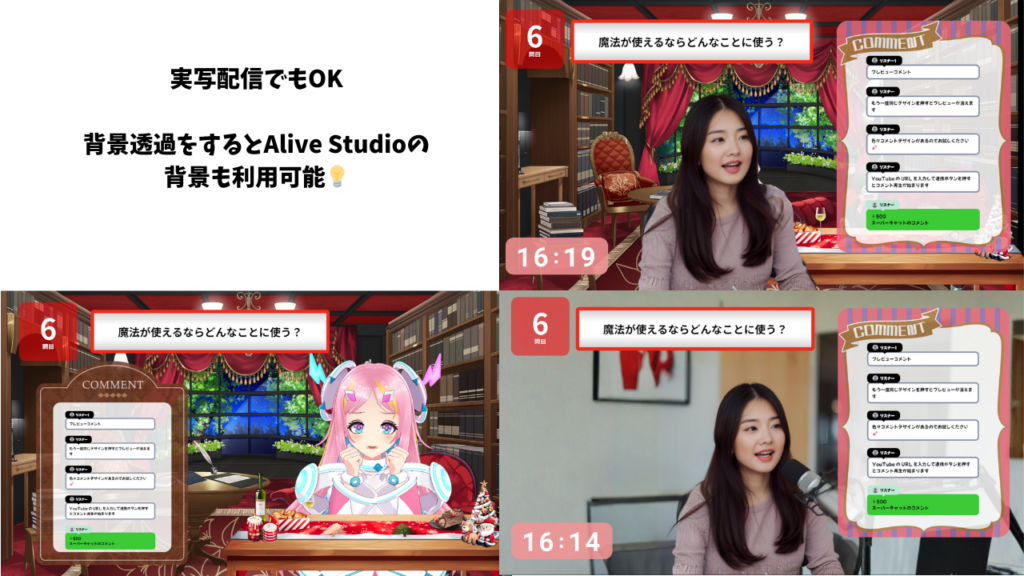
A balanced endurance-style idea that creates a strong sense of achievement.
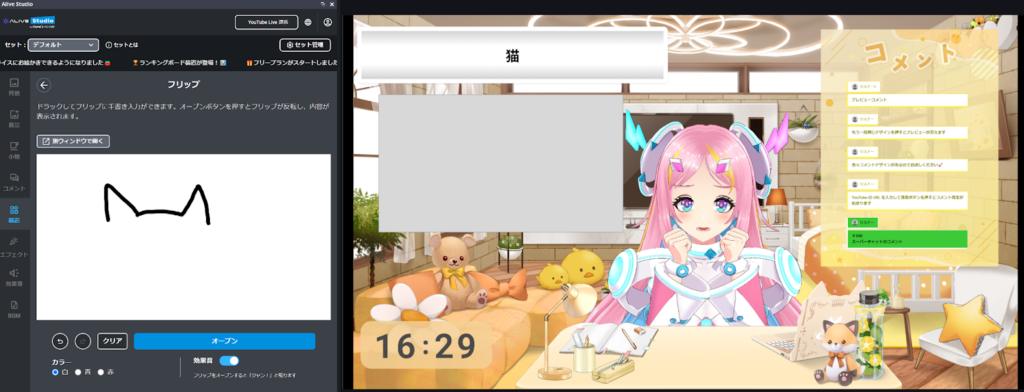
- Flip (Premium Plan Only) × Prompt Roulette: “Drawing Stream”
Let the roulette decide the drawing prompt and sketch it live.
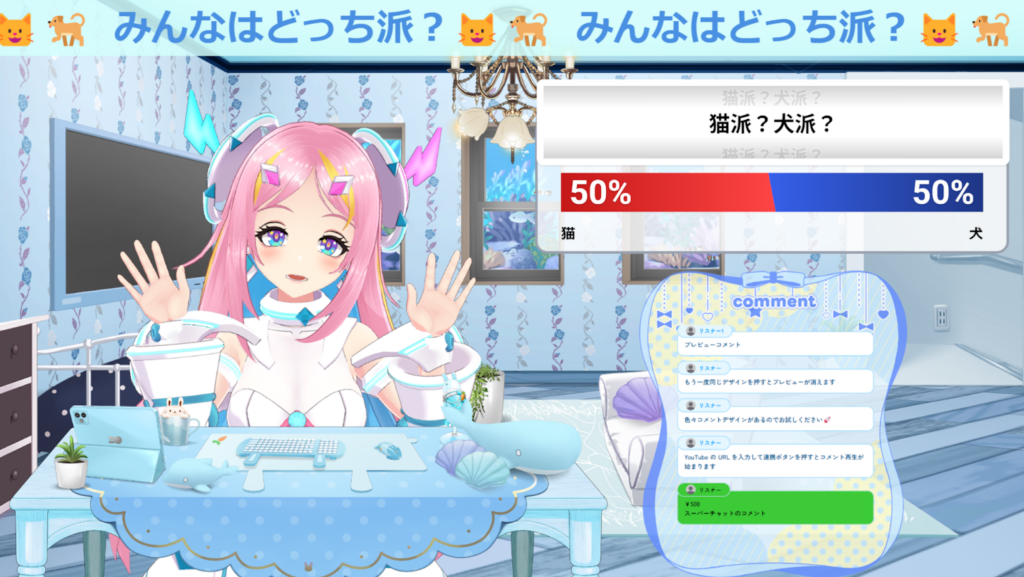
- Comment Voting (Premium Plan Only) × Prompt Roulette: “Viewer Either-Or Battle”
Comment volume spikes, making stream engagement highly visible.
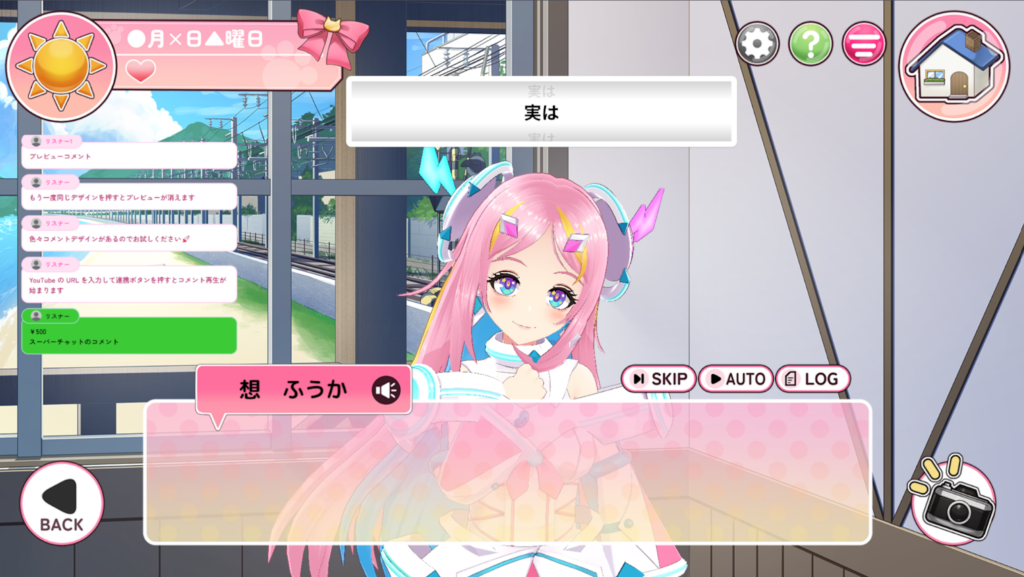
- Romance Game Mode (Premium Plan Only) × Prompt Roulette: “Prompt-Based Voice Acting”
Read the line that appears, or create a line that includes a required keyword. A playful voice-acting challenge using Romance Game Mode.
How to Start Using Prompt Roulette in Alive Studio
Registration for Alive Studio
First, if you haven’t used Alive Studio yet, register for an account (free), then follow the steps below to prepare.
1. Download the dedicated script from here
2. Register in OBS
3. Add a custom browser dock
You can find detailed setup instructions here. Once set up, the Alive Studio screen will appear on your OBS.
Configuring Theme Roulette
Once Alive Studio is ready for use, you can place Theme Roulette on the streaming screen by following these steps:
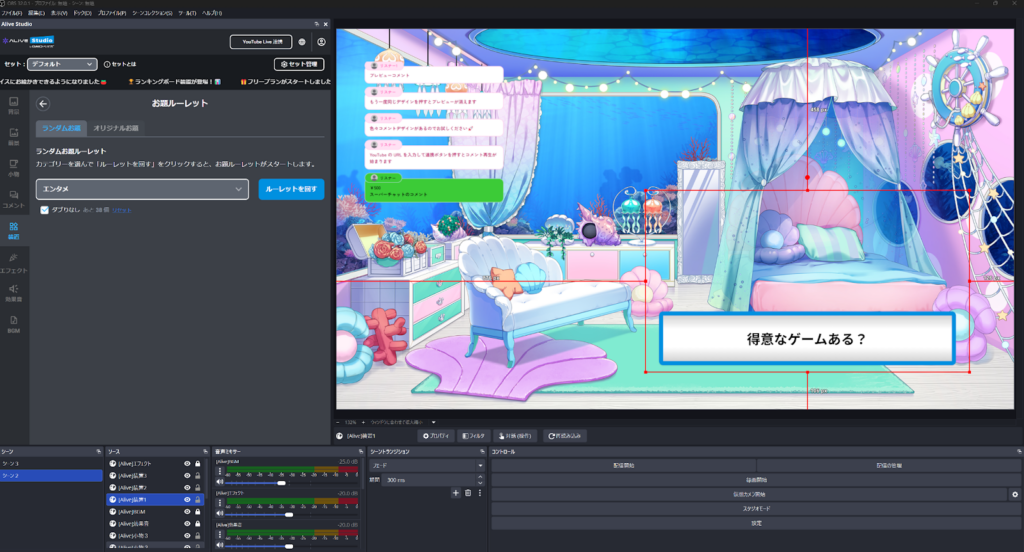
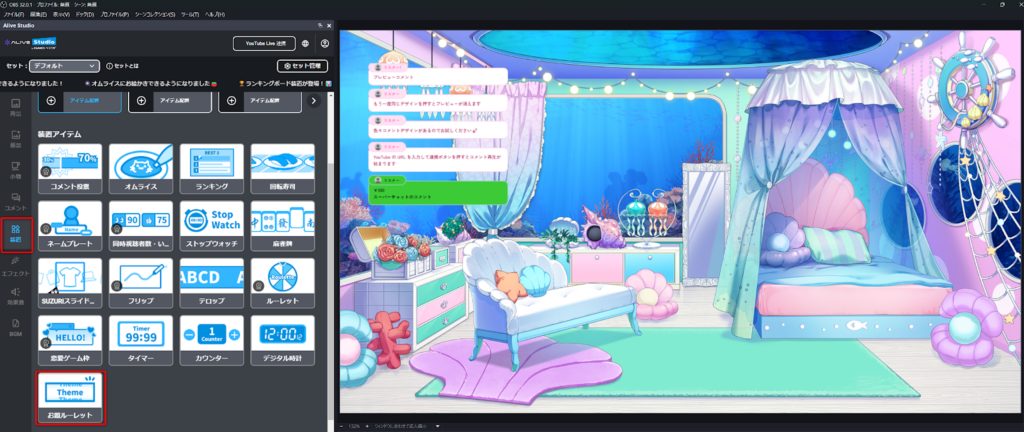
1. Click on “Devices” and then “Theme Roulette”.
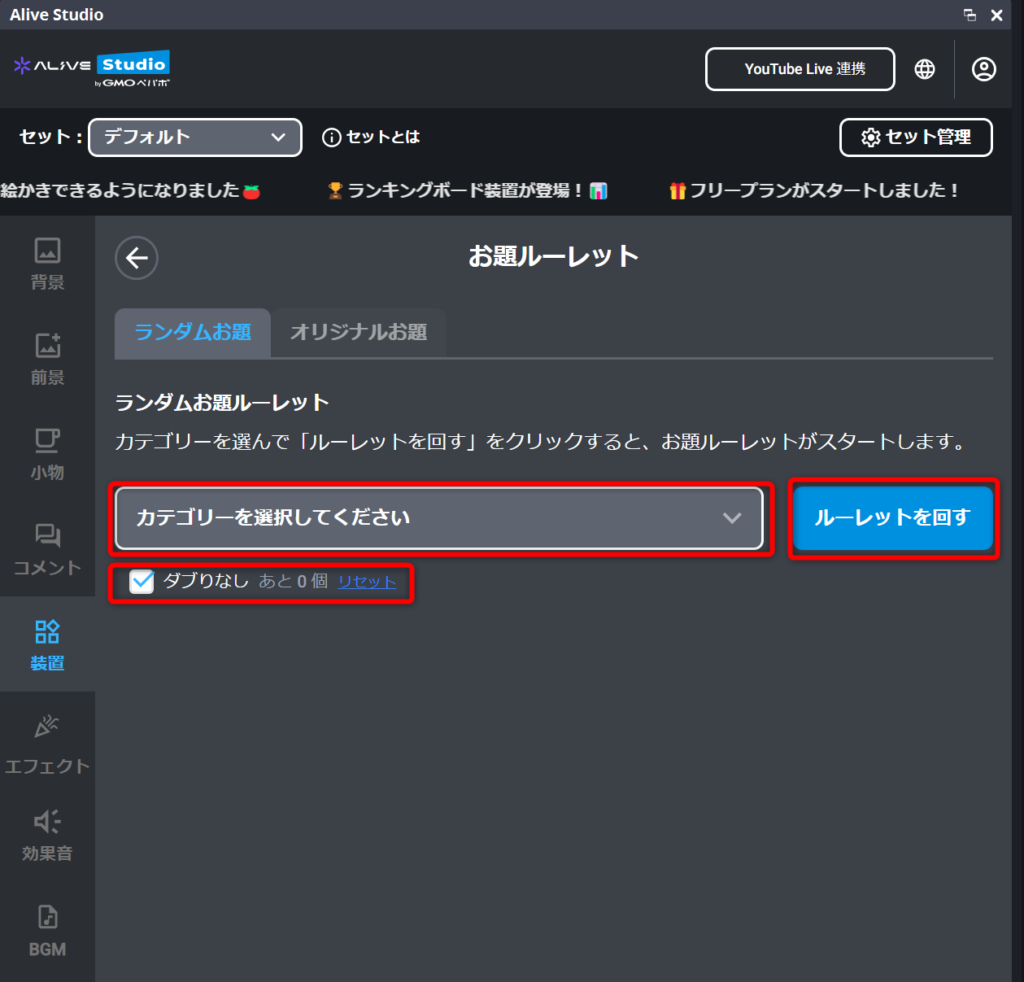
2. Select a category and click “Spin the Roulette” to start.
Note: By checking “No Duplicates”, you can set it so that the same topic doesn’t appear again.
For “Custom Topics,” specify up to six topics, and start in the same way using the “Spin the Roulette” button.
If you want to change the layout of the Theme Roulette on the screen, just click and drag it on the screen.
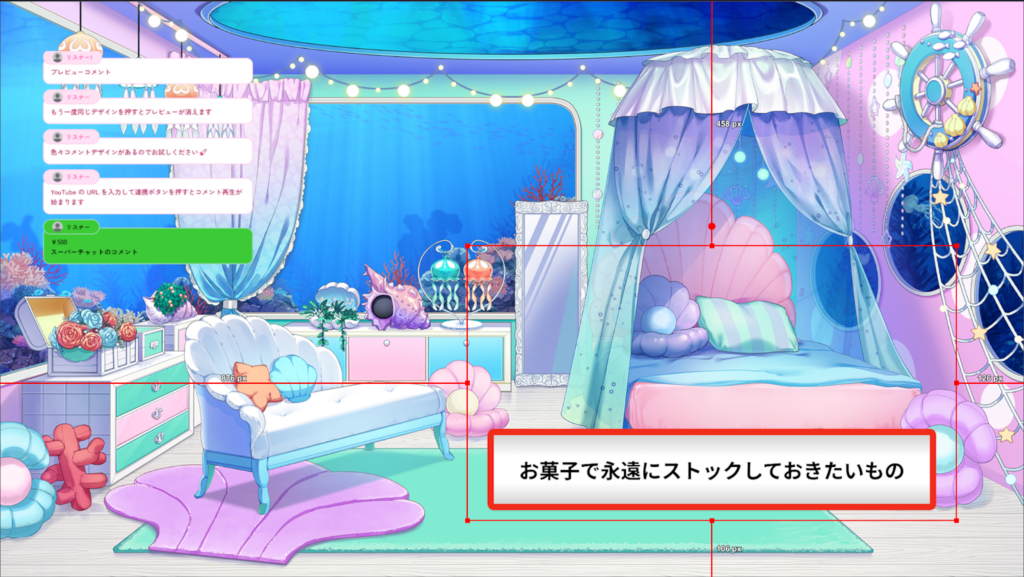
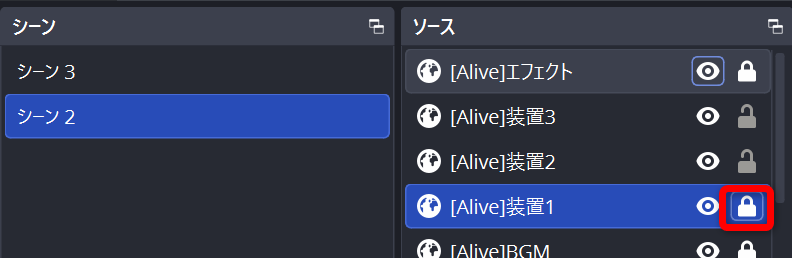
If it doesn’t move, it may be locked. Check “Sources” in OBS under “[Alive] Device 1,” and if it’s locked, click to unlock it. After unlocking, you’ll be able to operate on the screen.
Conclusion
The biggest woes of streamers: “running out of topics,” “silence,” and “predictability” can be quickly resolved with Alive Studio’s Theme Roulette.
- No worries about what theme to talk about
- Communication naturally increases
- Can create flow for audience participation
- Perfect for both game streaming and casual chats
At the moment you think, “What should I do for today’s stream?”, just spinning the roulette can make your streaming experience much more enjoyable and expansive.
If you’re curious about Alive Studio’s features, check out the article below as well.