

Share


Draw on Omurice! Explore Maid Culture with Alive Studio’s Unique Features
When it comes to maid cafes, a classic favorite is “ketchup art,” where names and illustrations are drawn on omelets.
This culture can be easily incorporated into streaming, thanks to Alive Studio’s “Omelette Gadget.” Alive Studio
It’s versatile and can be used widely as a “little trick” in broadcasts, whether it’s writing names in response to super chats or for special effects.
Operations are simple, making it great for beginners to quickly master.
This article will clearly introduce the basic usage of this omelette gadget and recommend exciting ways to utilize it during broadcasts.




What is Alive Studio’s “Omelette Gadget”?

It’s a drawing-based effect gadget that allows you to write text and illustrations with “ketchup-style” lines on an omelet placed on the streaming screen. You can use it for free with Alive Studio’s free plan.
Simply click to easily add it as a gadget, enabling real-time doodles during livestreams.
The big point is that it can instantly brighten up the atmosphere with just one action during streaming.
Recommended for These People! The Charm of the Omelette Gadget
- Looking for a little variation in greetings and farewells
- Want small interactive gags to get everyone excited
- Looking to broaden the “playfulness” of streaming
It’s also excellent as a bridge between main segments, making it a functionality that enhances the “streaming power” of beginner to mid-level streamers.
How to Use the Omelette Gadget
Registering for Alive Studio
First, if you have not used Alive Studio yet, go to sign up for an account (free), and then follow the steps below for setup.
1. Download the dedicated script from this link
2. Register it in OBS
3. Add a custom browser dock
For detailed setup instructions, you can check this link. Once you have set it up, the Alive Studio screen will appear on OBS.
Setting Up the Omelette Gadget
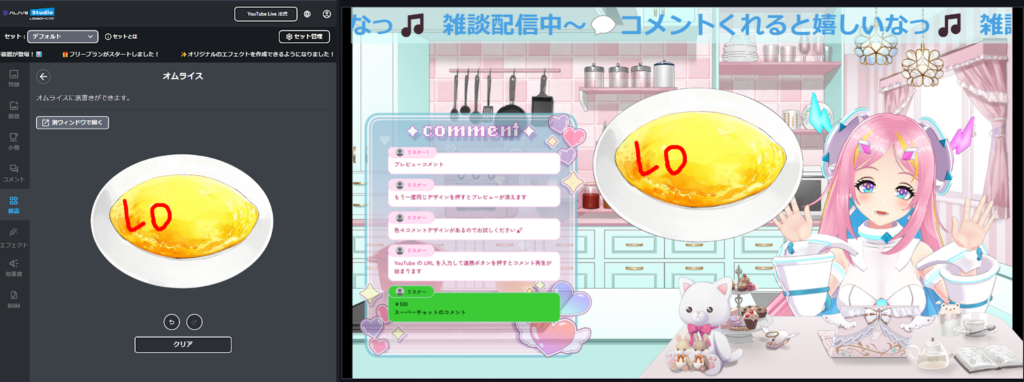
Simply click “Omelette” from “Gadget” to complete the setup.
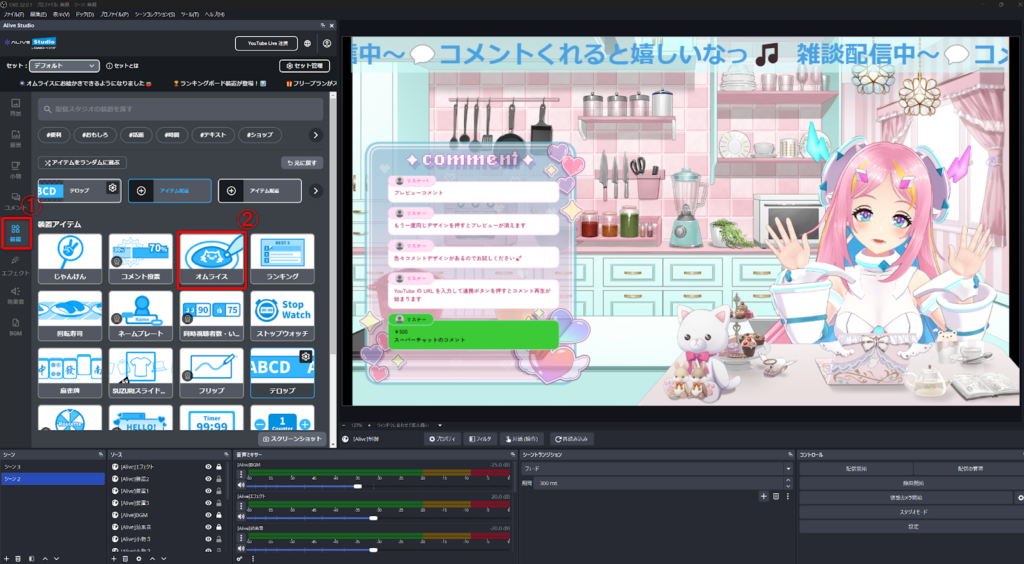
Using a mouse or a graphics tablet on the Alive Studio screen, you can doodle freely in real-time during the stream.
There are also “undo,” “redo,” and “clear” functions, making corrections easy.
Practical “Omelette Project” Ideas
Drawing Challenge Based on Viewer Requests
A participatory light project where you respond to requests from viewers and draw on the spot.
Loose themes like “cats” or “favorite symbols” tend to collect more comments, making it a lively stream regardless of your drawing skills. It’s also perfect for filling time and pairs excellently with chatting.
Fan Service by Writing Names in Response to Super Chats
It’s also recommended as a “fan service performance” where you can say, “Thank you, XX for the super chat!” while writing their name on the omelet right there on the spot.
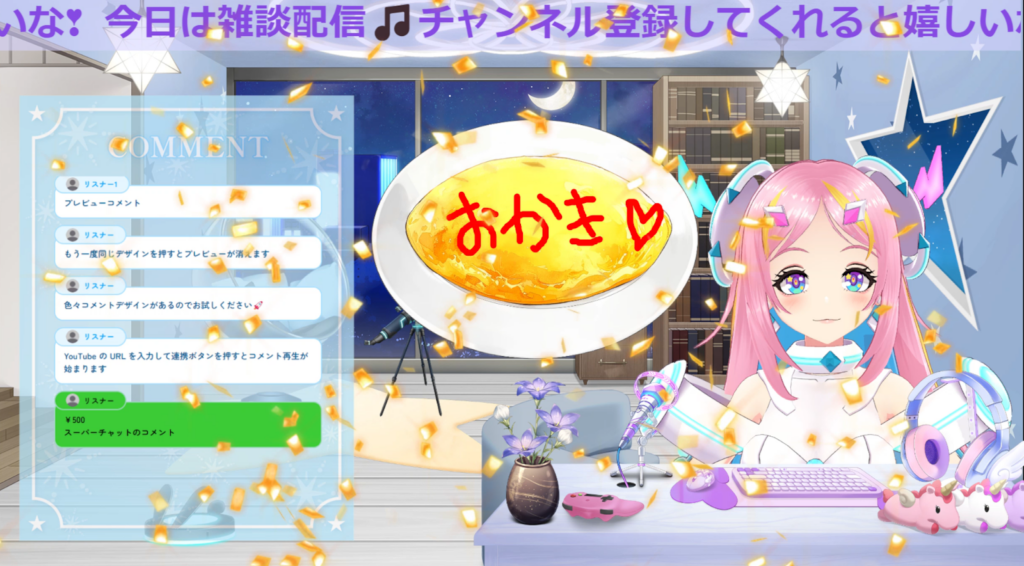
This way, names can easily be captured in screenshots, making viewers happy. It creates a “special feeling” that can be utilized across various streaming genres.
Writing names while chatting naturally fills the time, enhancing both the flow of the stream and listener satisfaction.
Real-Time Guessing Game: “What Are You Drawing Now?”
A mini-game where viewers guess “what you are drawing” on the omelet. It gets the chat lively with correct and incorrect guesses, elevating the excitement in a short time.
Wrap Up Today’s Stream with a Handwritten Omelet Message
A warm handwritten message like “Thank you,” “See you again,” or “Good night” adds a soothing touch.
Just writing a short message at the end as a little closing act can significantly strengthen the impression of the stream.

Advanced: Combine with Other Gadgets for More Entertaining Streams
With Alive Studio, you can add up to three gadgets in one scene.
By combining the omelet function with other gadgets, even small-scale projects can feel more thematic.
Omelet × Topic Roulette: “Draw What Comes Up!”
A light project where you can doodle based on the results of a topic roulette, making it fun to engage quickly.
It creates a strong sense of excitement as you never know what will come up, making it a highly interactive content recommendation.
This topic roulette can also be used with Alive Studio’s free plan. Collect topics from viewers as original prompts and include them too!
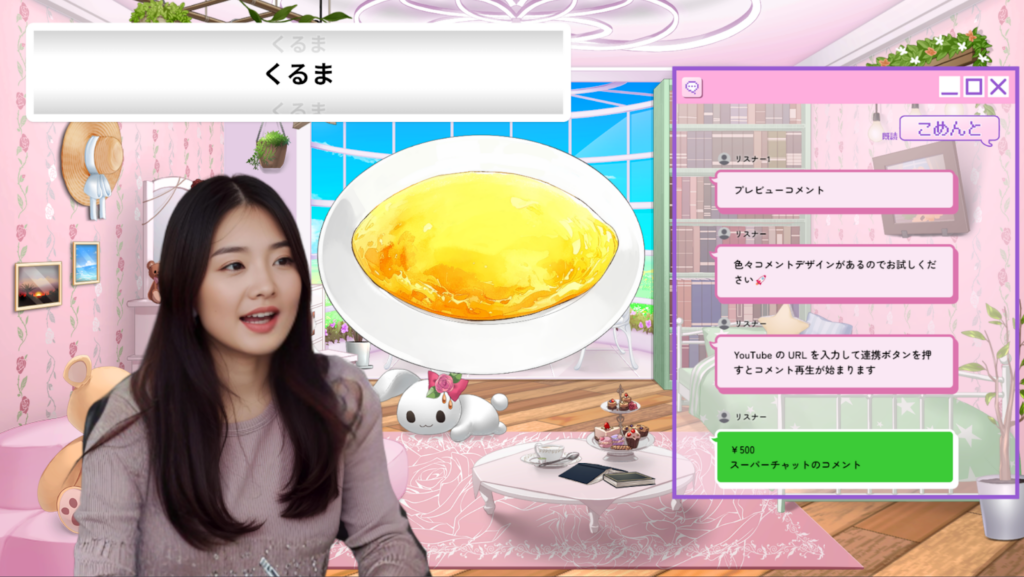
You can find a full walkthrough of how to use the Topic Roulette feature in the article below.
Revitalize Your Stream with Alive Studio: Easy OBS Setup for ‘Theme Roulette’
Omelet × Timer: “How Much Can You Draw in ◯ Seconds?”
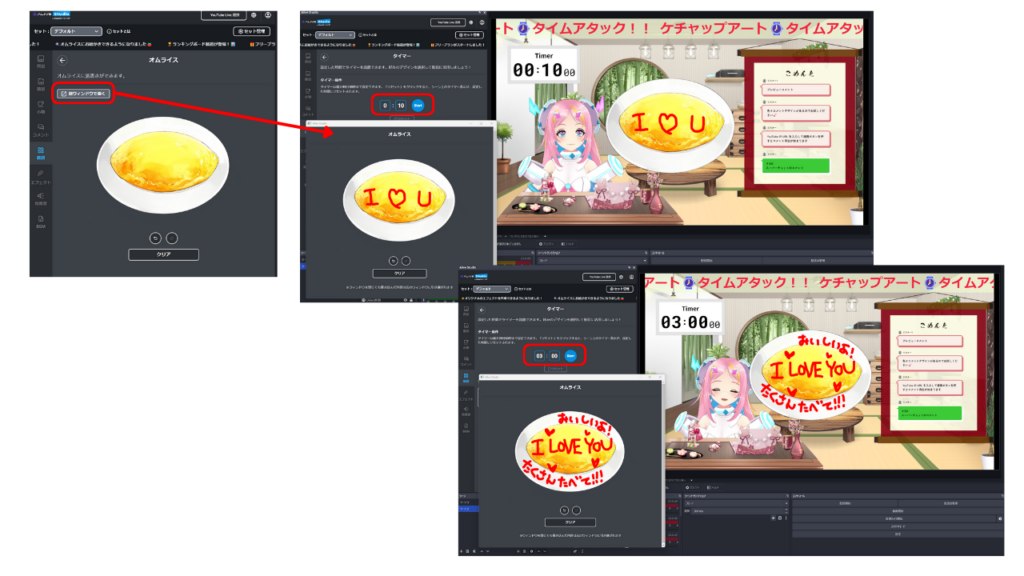
A straightforward yet engaging challenge segment. You can enjoy different levels of quality by changing the time limit, like within ◯ seconds or ◯ minutes.
The timer can also be used with Alive Studio’s free plan. If using in combination, it’s convenient to open the omelet gadget in a “separate window.”
Omelet × Comment Voting: “Draw the Most Voted Option”
Present a two-option vote, like “Dog or Cat,” and combine it with the comment voting feature to draw the majority choice on the omelet. This allows viewers to experience how their selections influence the stream’s content.
The excitement of split votes, along with the reactions of the minority, strengthens the sense of community.
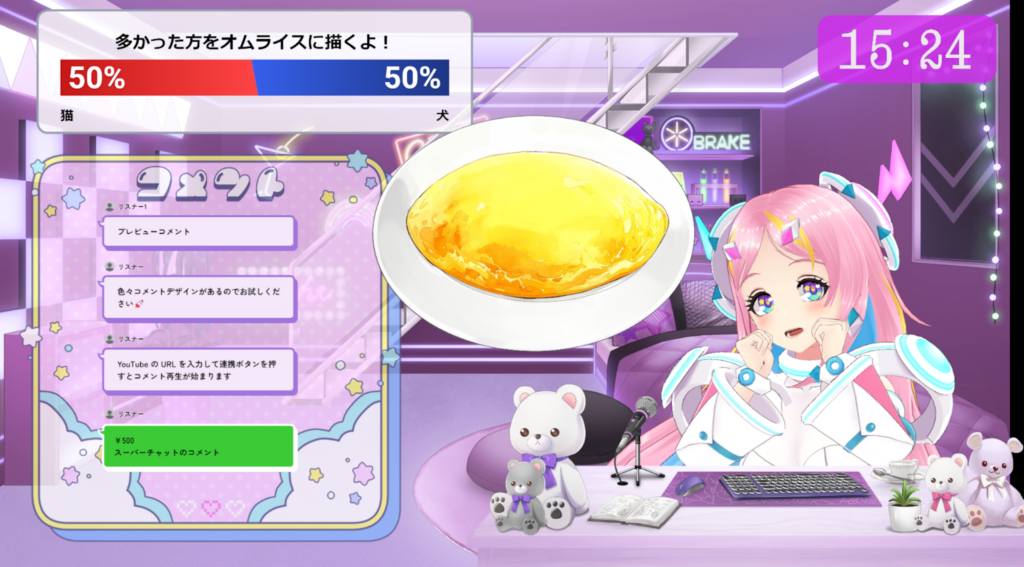
The comment voting feature is a convenient tool that automatically aggregates and reflects votes through comment connections. It is only available with Alive Studio’s premium plan.
Conclusion: A Playful Spirit Strengthens Your Streams
The omelet gadget is more than just a “drawing feature;” it’s a “performance tool” that allows you to express gratitude by writing names or drawing according to themes, adding warmth and personality to your streams with minimal effort.
Especially during casual or daily streams, it can be utilized for topic transitions or filler content. By combining it with interactive segments, it significantly contributes to creating a community that is easier for newcomers to join while also providing more enjoyment for regulars.
Since no complicated operations or setups are needed, even streamers who typically struggle with planning can easily implement it, making it a reliable ally when you want to add a touch of playfulness to today’s stream.