


Share


Shure MVX2U Gen 2 Review: Plug-and-Play Pro Audio for Smartphone Streaming
Have you ever wanted better audio quality when streaming from your smartphone?
The thing is, connecting a professional microphone to a phone is surprisingly tricky.
To connect a high-quality XLR microphone to your smartphone, you need:
- A dedicated audio interface
- Complex settings that are hard to figure out
- No guarantee it will even work properly with your phone…
Trying to set up professional audio on a smartphone quickly becomes a hassle.
The Shure MVX2U Gen 2 takes care of all that hassle for you.
Just plug it into your phone and it is recognized instantly. Noise is processed automatically on the device itself. Once you configure your settings, all you have to do next time is plug it in. You can also monitor your own voice in real time through the headphone jack, giving you peace of mind during live streams.
The previous model (Gen 1) listed smartphone use as “not recommended,” but Gen 2 now officially supports both iOS and Android. We put it through hands-on testing to see just how far you can push it on a smartphone.

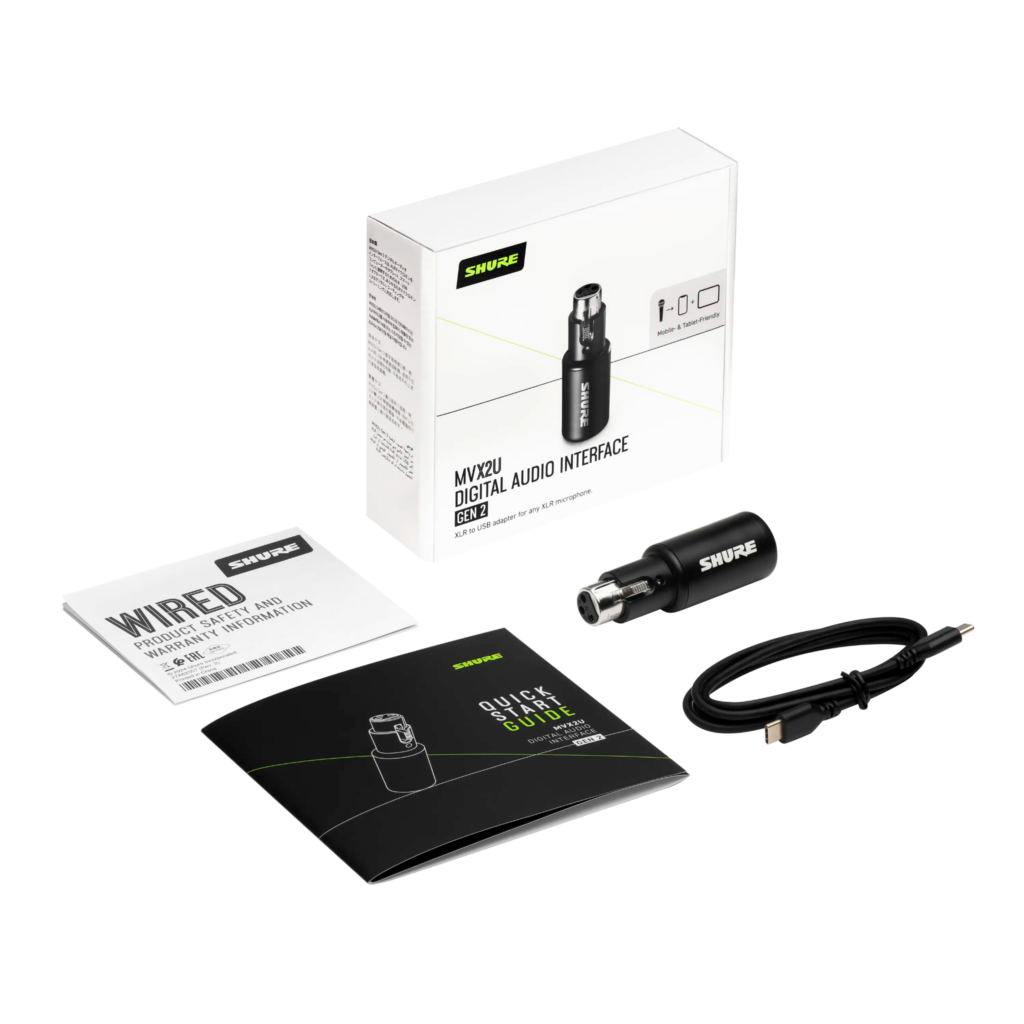
Key Takeaways
- Plug-and-play with smartphones (iOS 17+ / Android 14+). Complete recording and live streaming without a PC
- Settings are saved to the device memory. They carry over even when switching from PC to smartphone
- The new Denoiser improves the noise floor by approximately -14 dB with no noticeable effect on voice
- This is an audio interface that connects an XLR mic to your smartphone or PC — an XLR microphone is required separately

What Can the MVX2U Gen 2 Do? Quick Reference by Use Case
Before diving into the detailed test results, here is a quick overview of what the MVX2U Gen 2 can and cannot do.
| Use Case | Rating |
|---|---|
| Recording via iPhone / Android direct connection | Good — No issues |
| Outdoor location shoots / event reporting | Good — Practical |
| Live streaming from a smartphone | Good — Confirmed with MOTIV Video and the YouTube app |
| Carrying settings across devices | Good — 100% retention |
| Dealing with air conditioning noise at home | Good — -14 dB improvement |
| Fine-tuning Denoiser strength | Not supported — ON/OFF only |
| Using with game consoles | Not supported |
| Using with Mac or PC as before | Good — No change |
| Third-party apps (Blackmagic Camera, etc.) | Good — Confirmed with both the default camera and Blackmagic Camera |
| DSP operating independently of apps | Good — Saved on-device, automatically applied in any app |
The MVX2U Gen 2 shines by delivering professional-grade audio on both smartphones and PCs with virtually no setup hassle. On the flip side, it is not suited for fine-tuning noise reduction or for use with game consoles.
Test Conditions | Shared Environment
Devices tested: iPhone (USB-C) / Mac (MOTIV Mix)
Apps used: MOTIV Audio, MOTIV Video, MOTIV Mix, YouTube app, default Camera, Blackmagic Camera
Measurements: Noise floor and plosive tests compared DSP ON vs. OFF
* Results reflect our team’s testing environment and may vary depending on equipment and conditions.
What Changed from Gen 1?
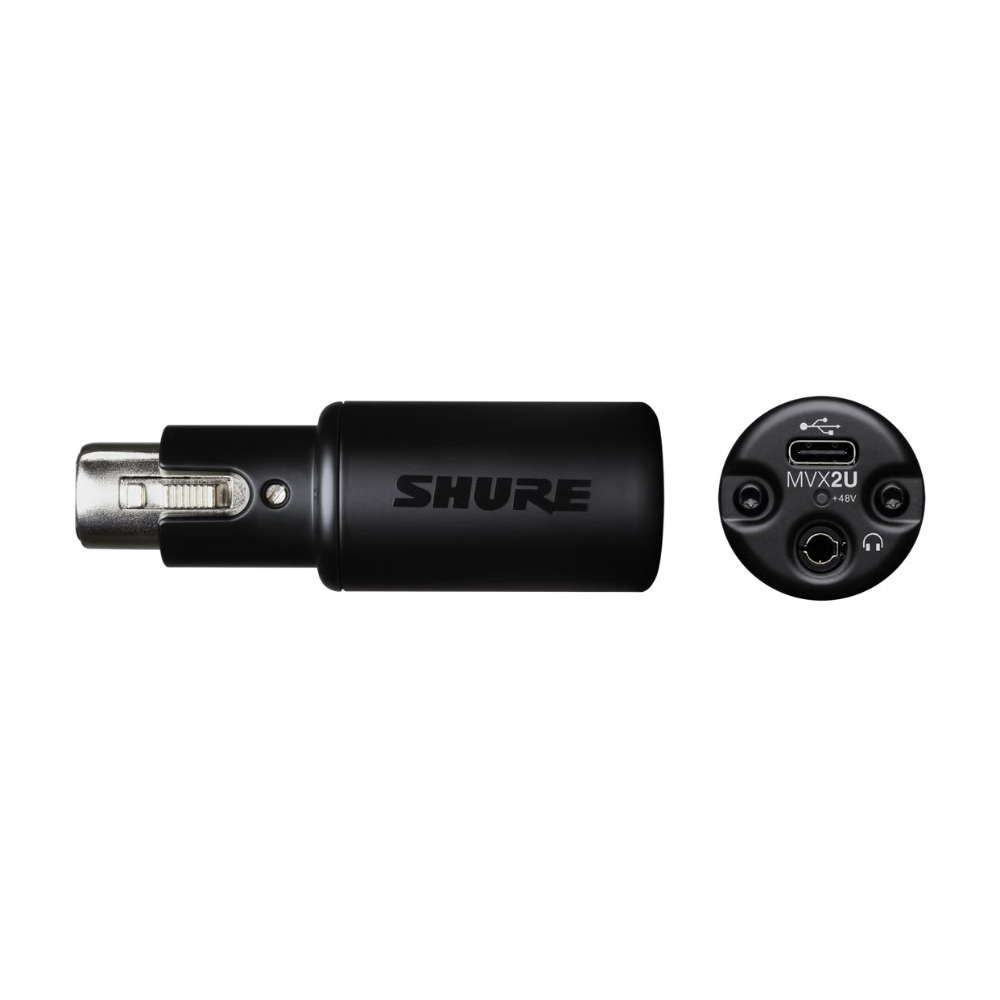
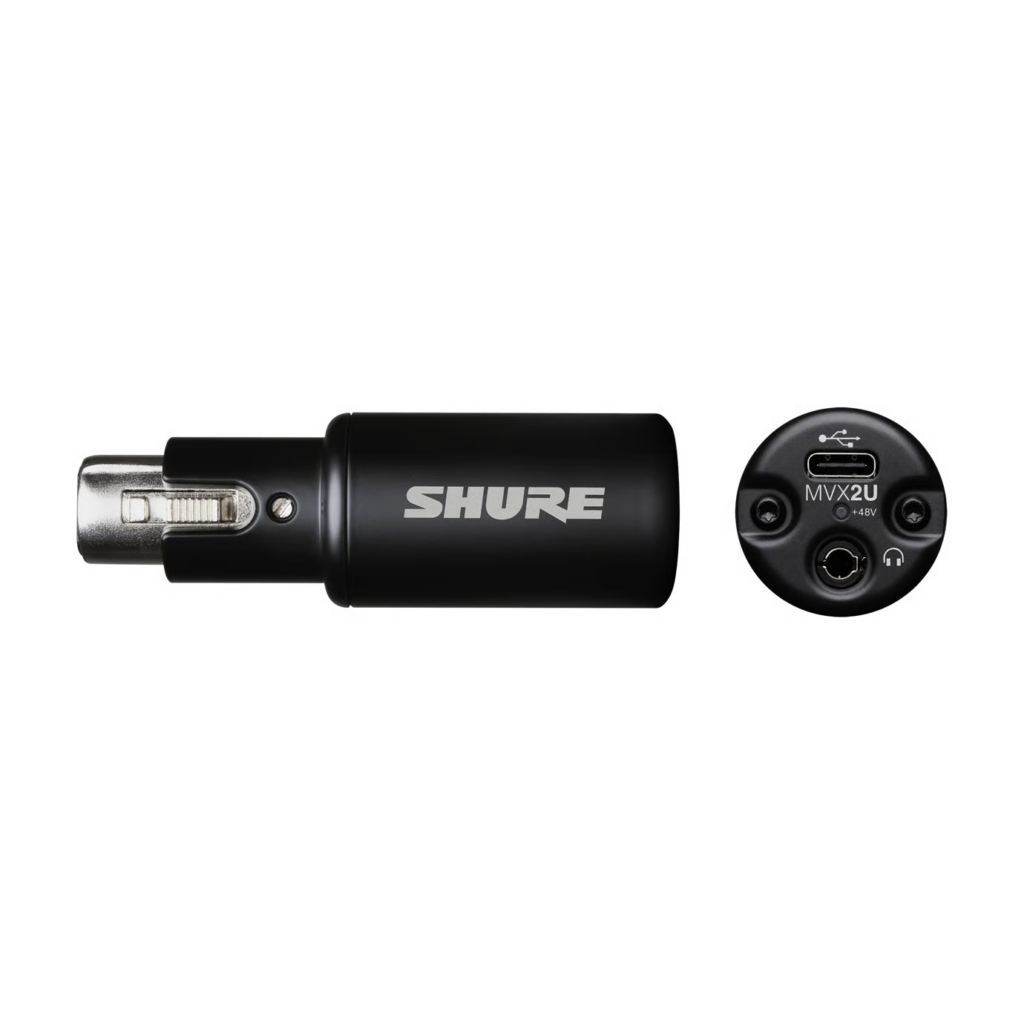
* Images courtesy of the Shure official website
The Shure MVX2U had a Gen 1 (original) model, which we previously reviewed.
>>Shure MVX2U: Connect an XLR Mic Directly to Your PC
In that review, the two areas we flagged as “room for improvement” were the lack of smartphone support and the absence of a Denoiser. Gen 2 addresses both of those points and introduces several additional changes.
| Feature | Gen 1 (Original) | Gen 2 (Current) |
|---|---|---|
| Smartphone support | Not recommended | Officially supported on iOS 17+ / Android 14+ |
| Denoiser | None | Real-time Denoiser built in |
| Plosive protection | None | Digital Popper Stopper built in |
| Companion apps | MOTIV Mix (desktop) | MOTIV Audio / Video / Mix |
In the previous review, we described Gen 1 as “ideal for anyone who wants to use an XLR mic on a PC with minimal fuss.” Gen 2 significantly expands that audience — it is now a realistic option for anyone who wants to shoot or broadcast from a smartphone.
That said, game consoles (PS5, Nintendo Switch) remain unsupported, just like Gen 1. The MVX2U Gen 2 is strictly a PC, Mac, and smartphone device.
In this review, we focus on three key areas: smartphone compatibility, the Denoiser, and noise floor performance.
Plug It In and It Just Works
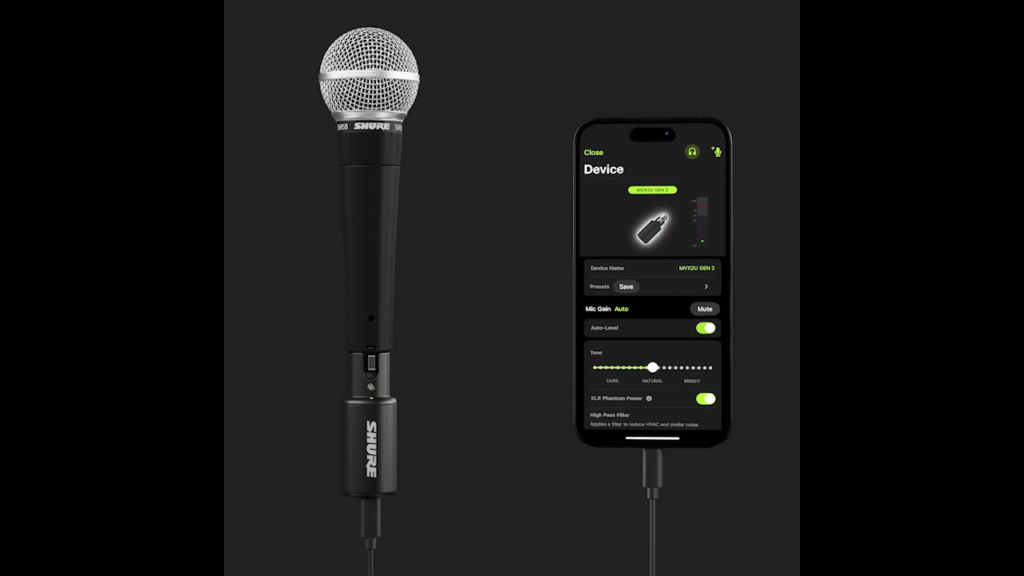
* Image courtesy of the Shure official website
The biggest change in Gen 2 is official smartphone support. Just plug it directly into your phone’s USB-C port and you are good to go.
When we actually connected it, the MOTIV Audio app recognized the MVX2U in about five seconds. No driver installation, no manual setup — it was ready to use the instant we plugged it in.
The app experience is straightforward without being flashy, and operation is stable. Gain adjustment and Auto Level Mode (which automatically balances your volume) both worked without issues. The zero-latency monitoring — which lets you hear your own voice through earphones while recording — had no perceptible delay, making the overall smartphone experience impressively smooth.
Glossary | MOTIV Audio
Shure’s iOS / Android app. It includes gain adjustment, DSP effects, and a built-in recorder. Available as a free download from the App Store and Google Play.
Glossary | Zero-Latency Monitoring
A feature that lets you hear your own voice in real time while recording. Any noticeable delay makes it difficult to speak naturally, so lower latency is always better.
Complete Live Streaming from Just Your Phone
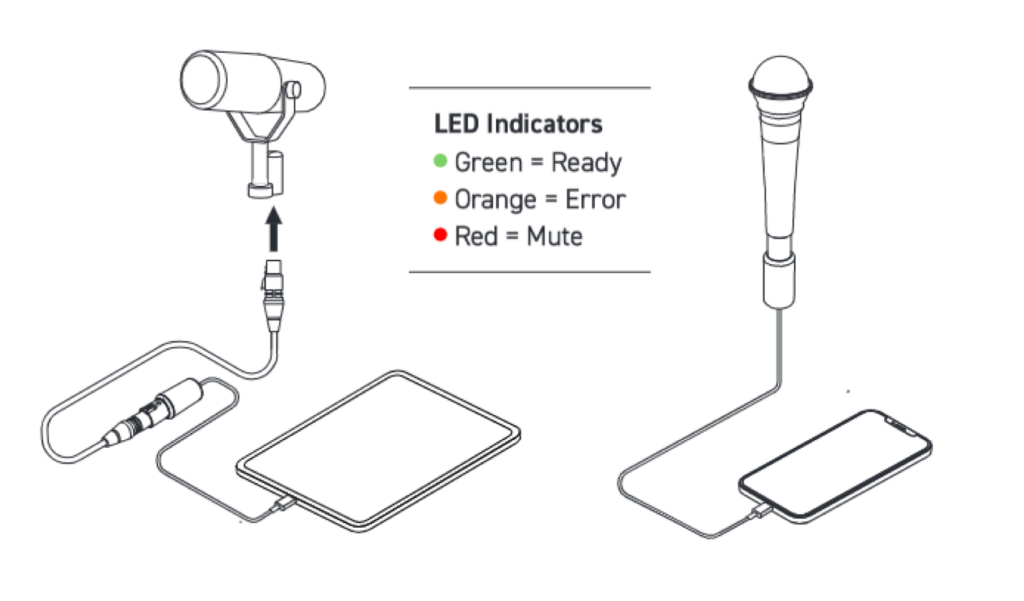
When we tested live streaming with the MOTIV Video app, there was no audio-video sync issue, and audio quality was indistinguishable from what we recorded on a PC. With an XLR mic plugged into a single smartphone, high-quality live streaming is entirely possible.
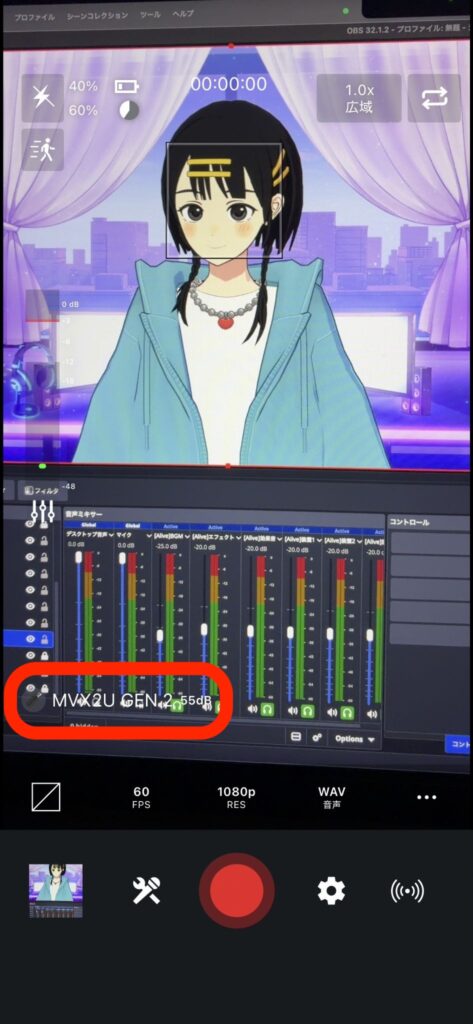
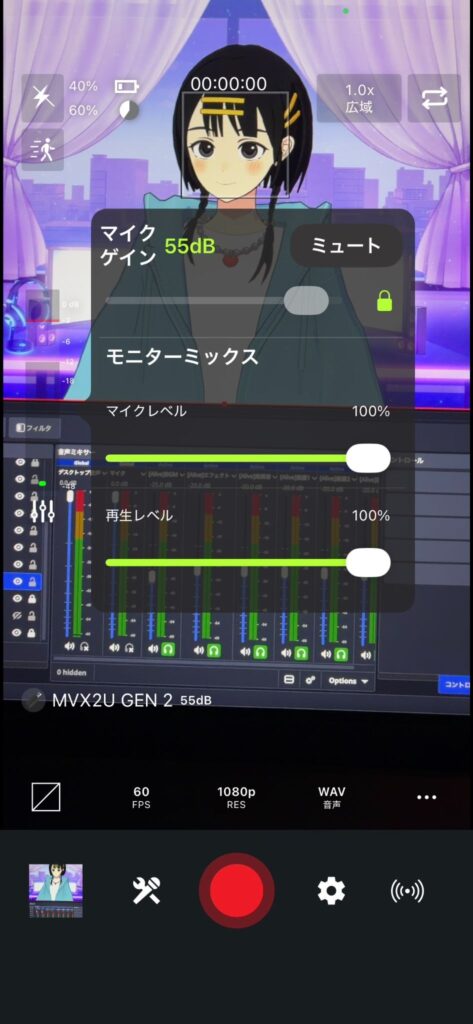

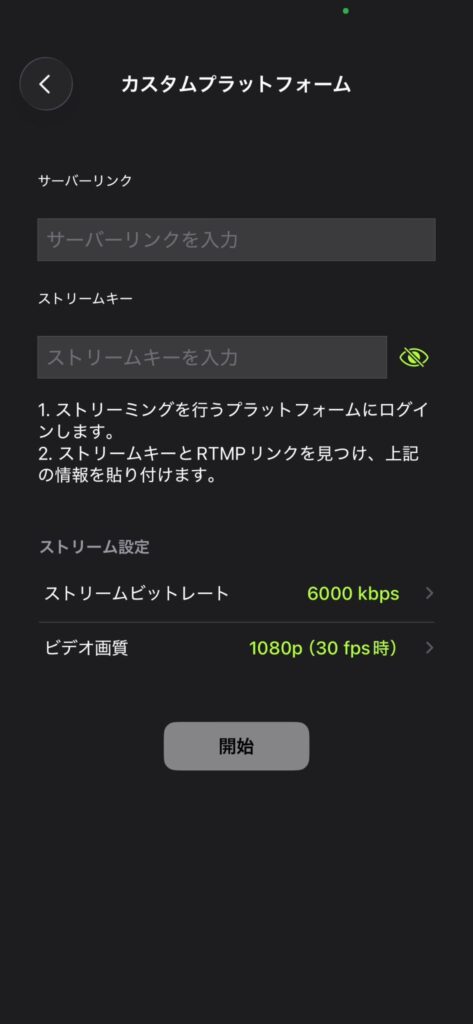
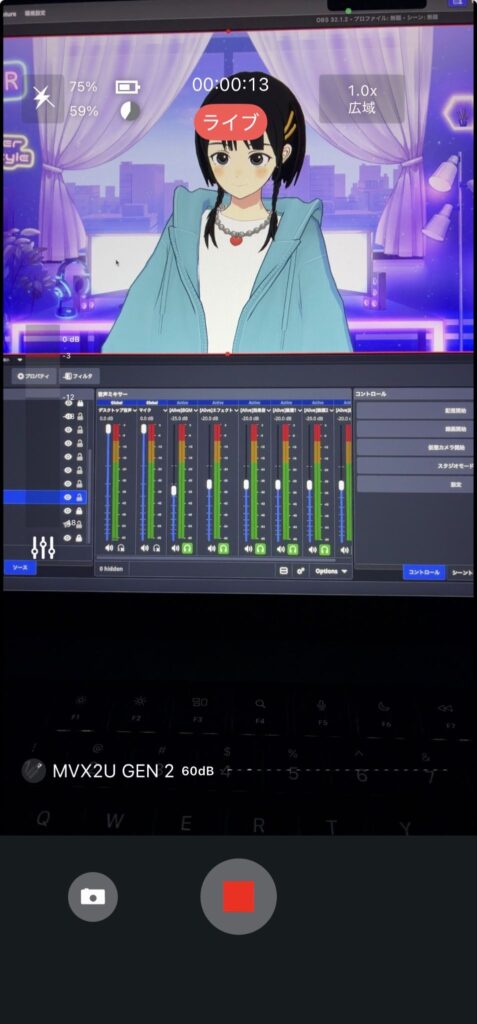
Another welcome feature is app compatibility. The YouTube app’s live streaming function, the default iPhone Camera app, and even the Blackmagic Camera video recording app all recognized the MVX2U Gen 2 as a microphone.
Better yet, audio processing settings like noise reduction carry over automatically regardless of which streaming app you use. You do not have to rebuild your audio settings every time you switch apps, which is a huge convenience.
One thing to watch out for: if the iPhone goes to sleep, the MOTIV app stops and the mic shuts off. For outdoor recordings, set your display to stay on by going to Settings > Display & Brightness > Auto-Lock > Never.
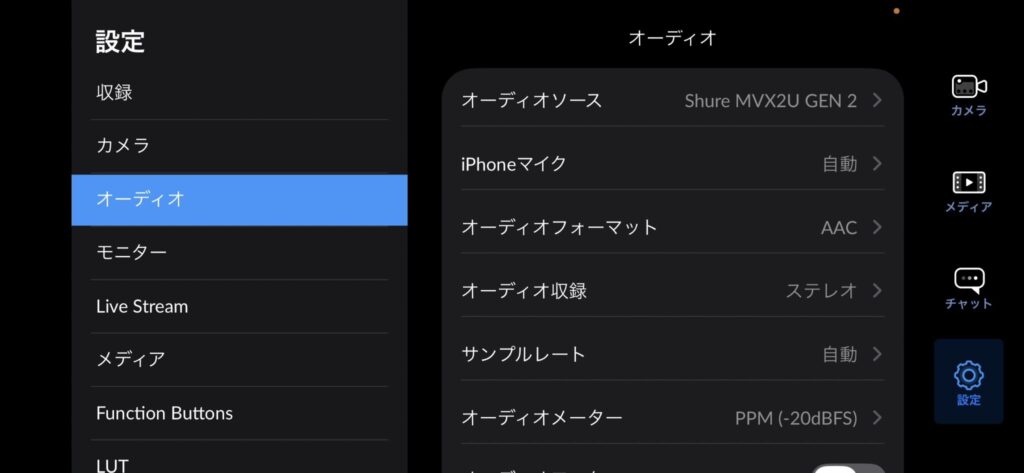
Note (When Live Streaming via the YouTube App)
If you are monitoring your voice through earphones while live streaming via the YouTube app, lower the monitoring volume in MOTIV Mix or MOTIV Audio beforehand. If it is left at 100% (the recording default), you may get blasted with loud audio during the stream. The monitoring volume setting is saved to the device, so it stays at the lower level even after closing the app.
Settings Carry Over Across Devices
Shure also offers MOTIV Mix, a desktop app for configuring and mixing microphone audio on PC and Mac. We tested whether settings created in MOTIV Mix on a Mac would persist after switching to a smartphone.
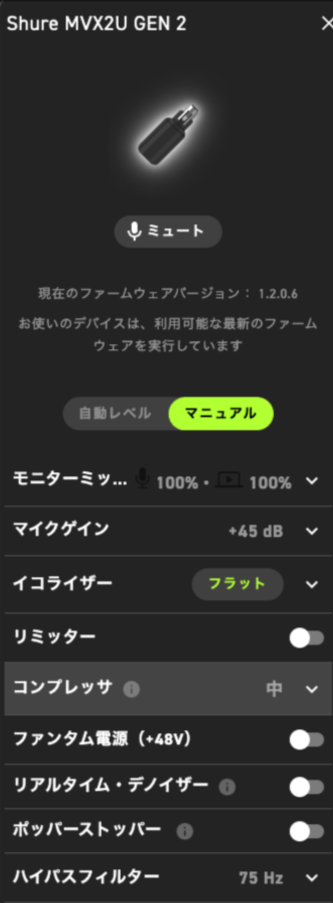
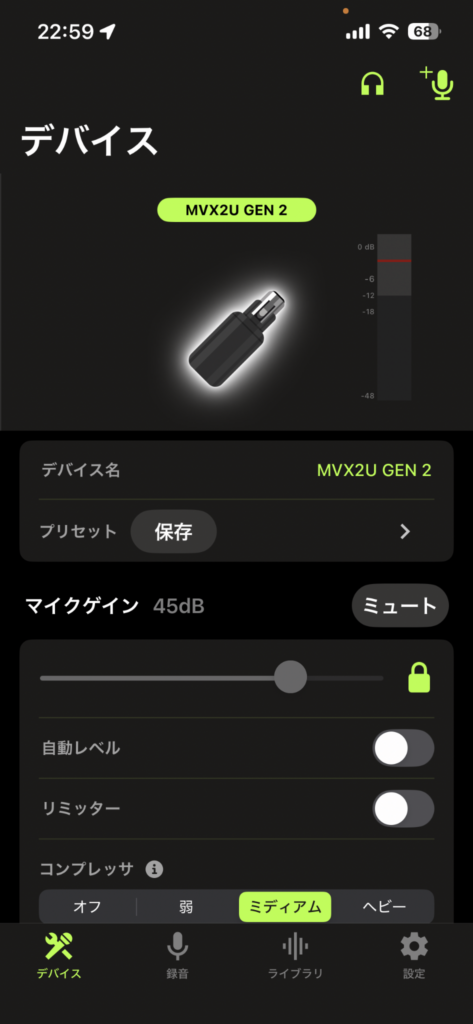
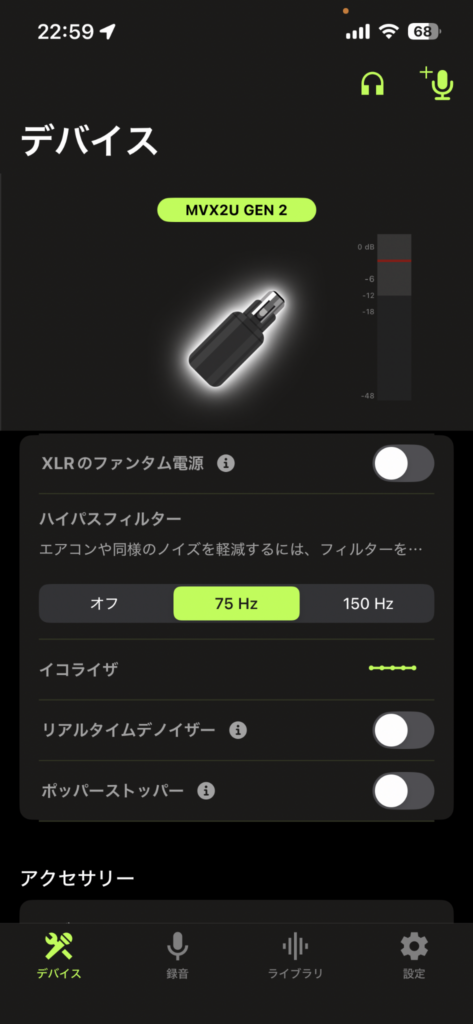
iPhone settings after connecting
After configuring Gain +45 dB, High-Pass Filter 75 Hz, and Compressor ON in MOTIV Mix on a Mac, we plugged the MVX2U into an iPhone — and every single setting was retained. The Denoiser and Digital Popper Stopper remained OFF as set, and all other parameters carried over perfectly. Because settings are written to the device’s onboard memory, they never reset when you switch devices.
Glossary | High-Pass Filter
A filter that cuts only low frequencies. It reduces low-pitched noise such as footsteps, wind, and HVAC rumble. Often abbreviated as “HPF.”
Test Conditions | Settings Carry-Over
Mac settings: Gain +45 dB / HPF 75 Hz / Compressor ON / Denoiser & Digital Popper Stopper OFF
Procedure: Configured on Mac (MOTIV Mix) then reconnected to iPhone and verified all settings were retained
Automatic Noise Removal with the Denoiser
One of Gen 2’s standout new features is the real-time Denoiser. It automatically removes ambient noise such as air conditioning and PC fan hum that creeps into recordings.
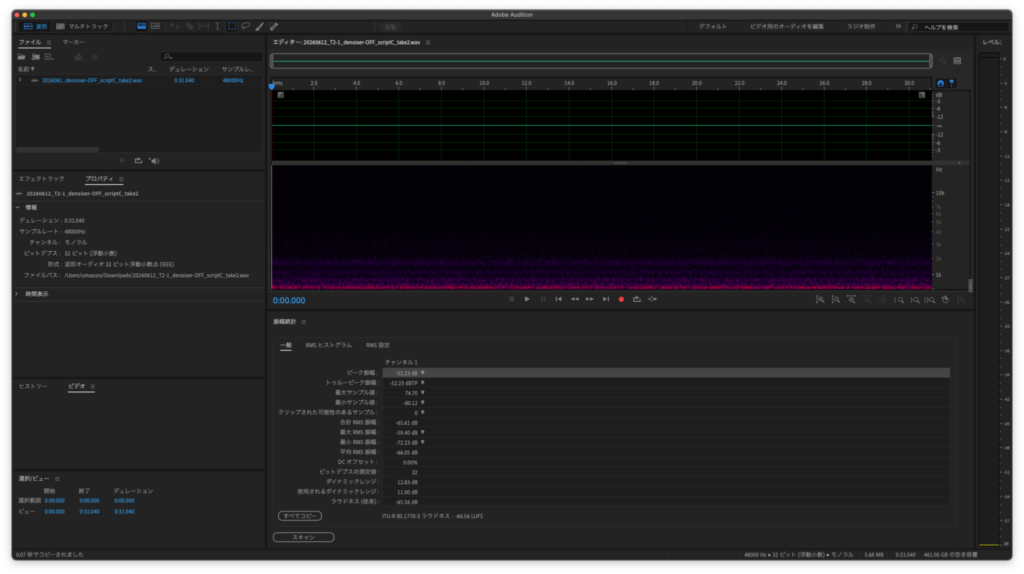
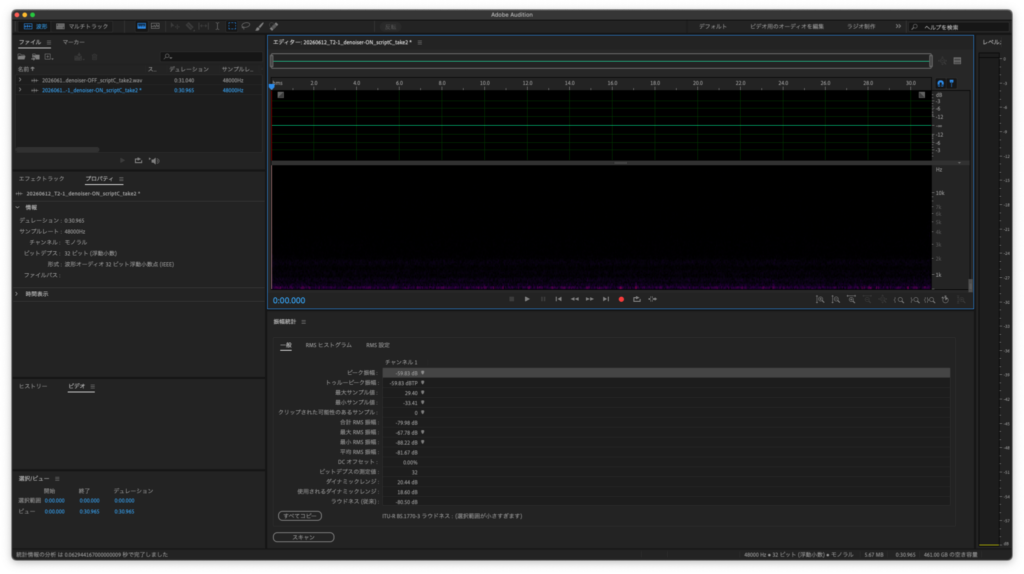
With the air conditioner and PC fan deliberately running during measurement, engaging the Denoiser improved the noise floor by -14.37 dB.
There were no negative side effects on voice quality — the air conditioning noise disappeared, but speech remained completely natural.
That said, there are two caveats.
First, the Denoiser cannot eliminate sounds that are not continuous.
Coughs, or a conversation from the next room, will still get through. The Denoiser is specifically designed to remove steady ambient noise — it is not a magic eraser for all sounds.
Second, you cannot adjust the intensity.
It is strictly ON or OFF. If you need fine control over the level of noise suppression, combine it with the noise suppression built into streaming software like OBS.
Glossary | Denoiser
A noise removal feature. It strips out environmental noise in real time while you record. Unlike post-production noise reduction, it is applied at the recording stage.
Glossary | Noise Floor
The amount of environmental noise picked up during silence. A lower number means a quieter recording environment. An improvement of -14 dB is audibly significant.
Test Conditions | Denoiser Verification
Noise source: Air conditioner + PC fan running
Measurement: Noise floor compared with Denoiser ON vs. OFF (result: -14.37 dB improvement)
Digital Popper Stopper for Plosive Protection
Gen 2 also introduces a Digital Popper Stopper to tame plosives. Plosive sounds — like “p,” “b,” and “t” — push a burst of air that hits the microphone diaphragm, producing an unwanted “thud.” Normally a physical pop filter is used to prevent this.
We positioned the mic within 5 cm of our mouth and read a script loaded with plosives. With the feature ON, the impact of the air bursts was noticeably softened. During normal speech there was no difference, and the effect kicked in only on plosive sounds.
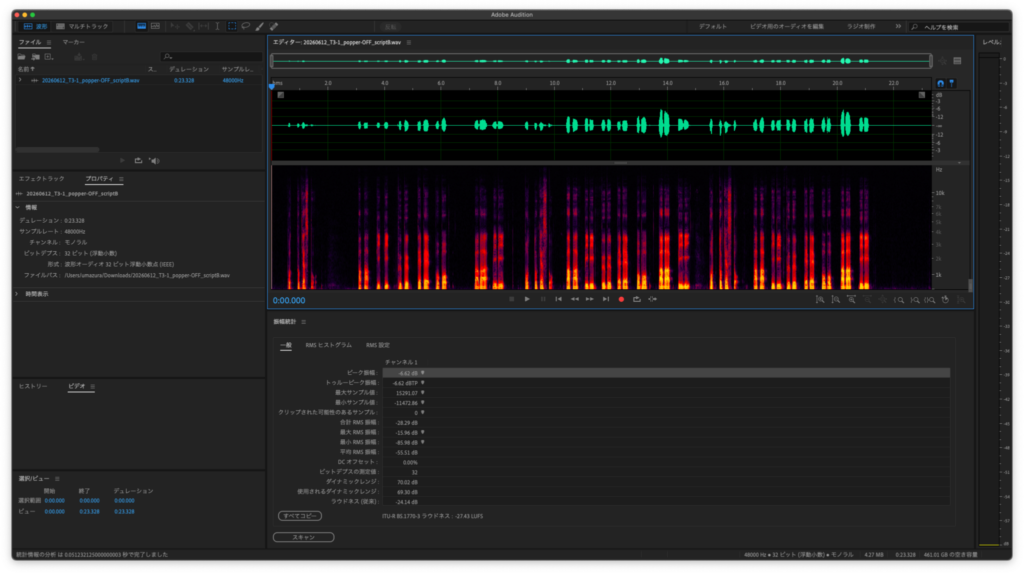
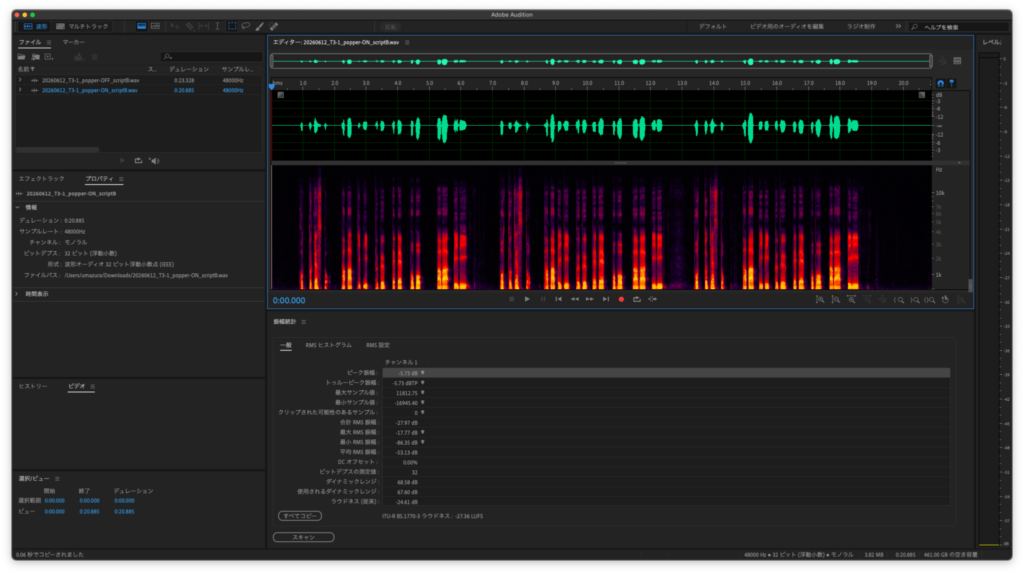
Looking at the numbers: peak sound pressure was -6.62 dBFS with the feature OFF and -5.73 dBFS with it ON. The numeric difference is small — partly because slight variations in mouth position affect each take — so treat it as a reference value. Subjectively, the improvement was clearly noticeable. For even more reliable plosive protection, pair it with a physical pop filter.
Low Noise Even at High Gain
Gen 1 was criticized for increased noise at higher gain settings. We measured this with all digital signal processing (DSP) turned OFF.
Glossary | DSP (Digital Signal Processor)
An umbrella term for digital audio processing features. It encompasses the Denoiser, compressor, equalizer, and other functions built into the device.
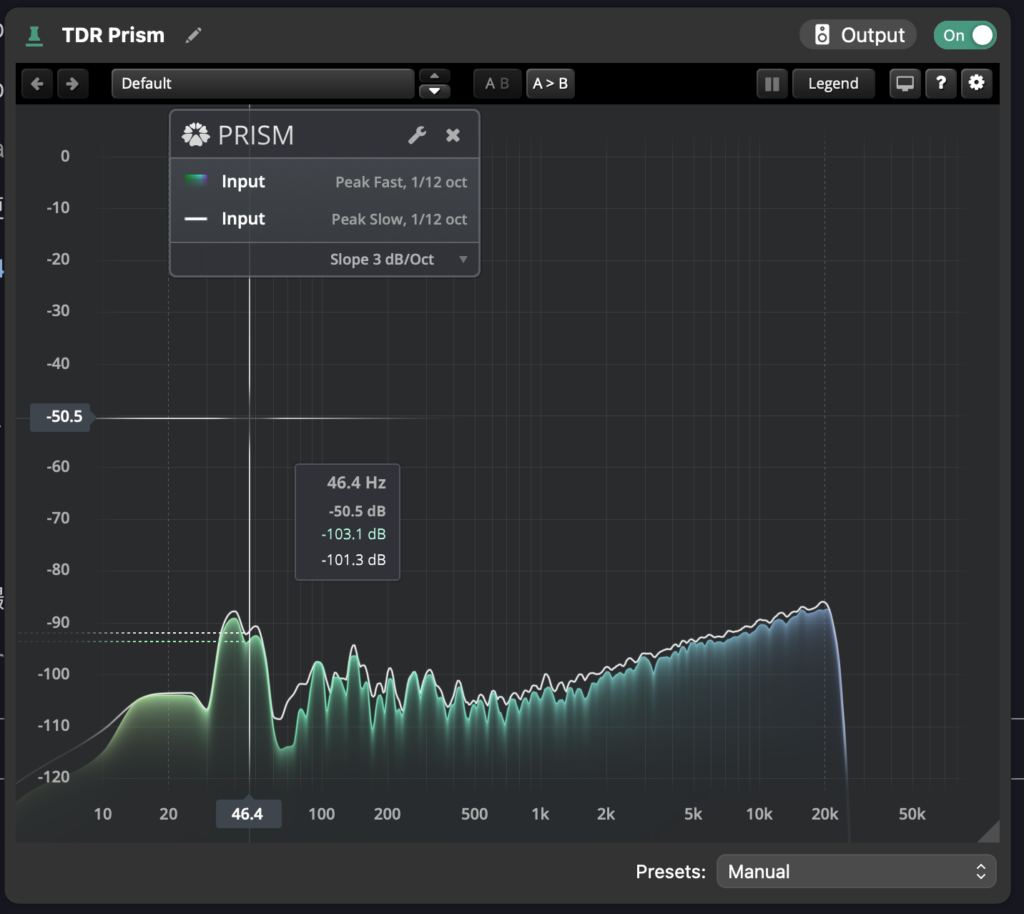
| Gain Setting | Noise Floor (Average RMS) |
|---|---|
| +40 dB | -90.62 dB |
| +60 dB | -70.01 dB |
Even at +60 dB, there was only a tiny peak around 46.4 Hz that was inaudible in practice. Noise is clearly reduced compared to Gen 1. If you do use +60 dB, combining it with OBS noise suppression will bring it to a perfectly acceptable level for streaming.
Test Conditions | Noise Floor Verification
Settings: All DSP OFF
Measurement: Average RMS compared at Gain +40 dB and +60 dB
Who Is This For?
Based on our testing, here is who will benefit most:
- Streamers who want professional audio quality from a smartphone
- Content creators who do outdoor shoots, event reports, or off-site collaborations
- Anyone bothered by air conditioning or PC fan noise at home
- Gen 1 owners who have been waiting for smartphone support
On the other hand, if you want fine-grained control over noise reduction intensity, the ON/OFF-only toggle may feel limiting. And if you want to use it with a game console (PS5 or Nintendo Switch), it is not supported.
Also keep in mind that the MVX2U Gen 2 is an audio interface — it connects an XLR mic to your phone or PC. You still need to supply the XLR microphone separately, so factor that into your budget.
Recommended Shure XLR Microphones to Pair With
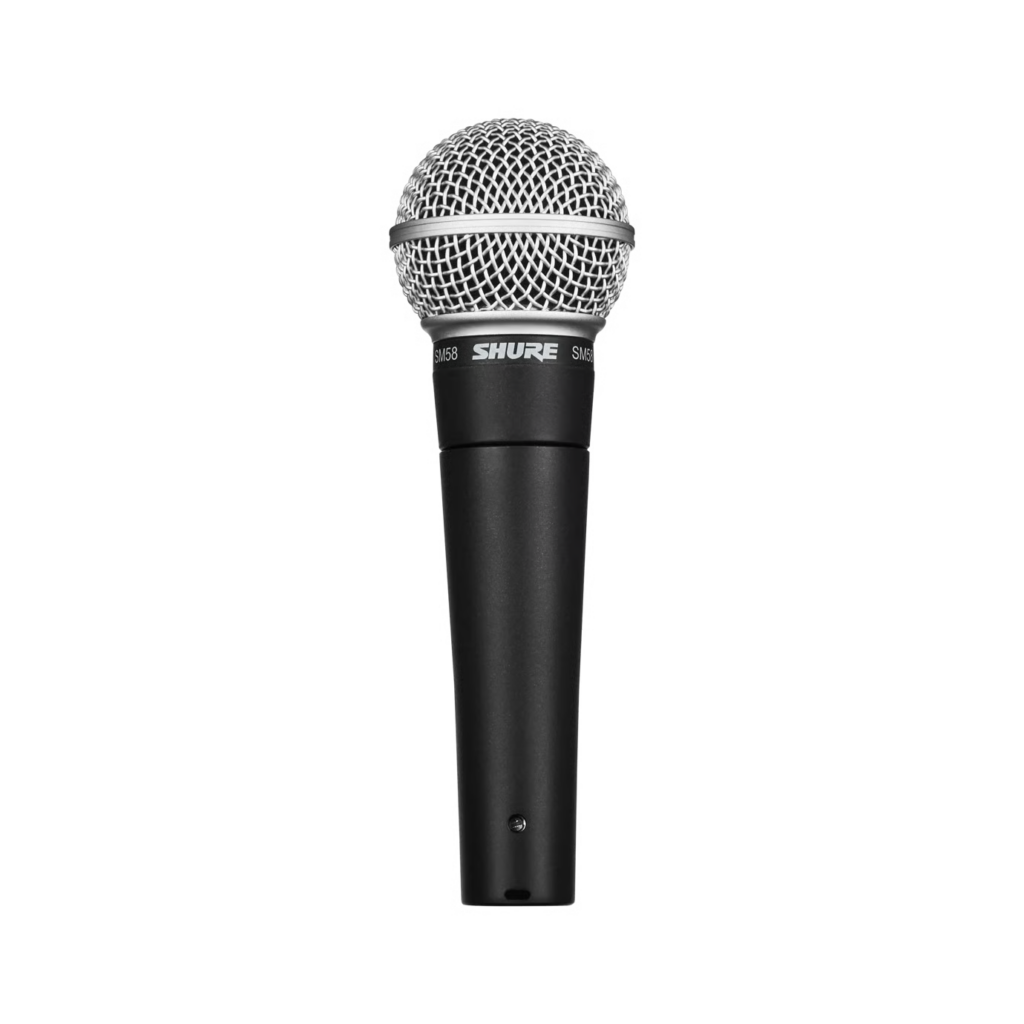
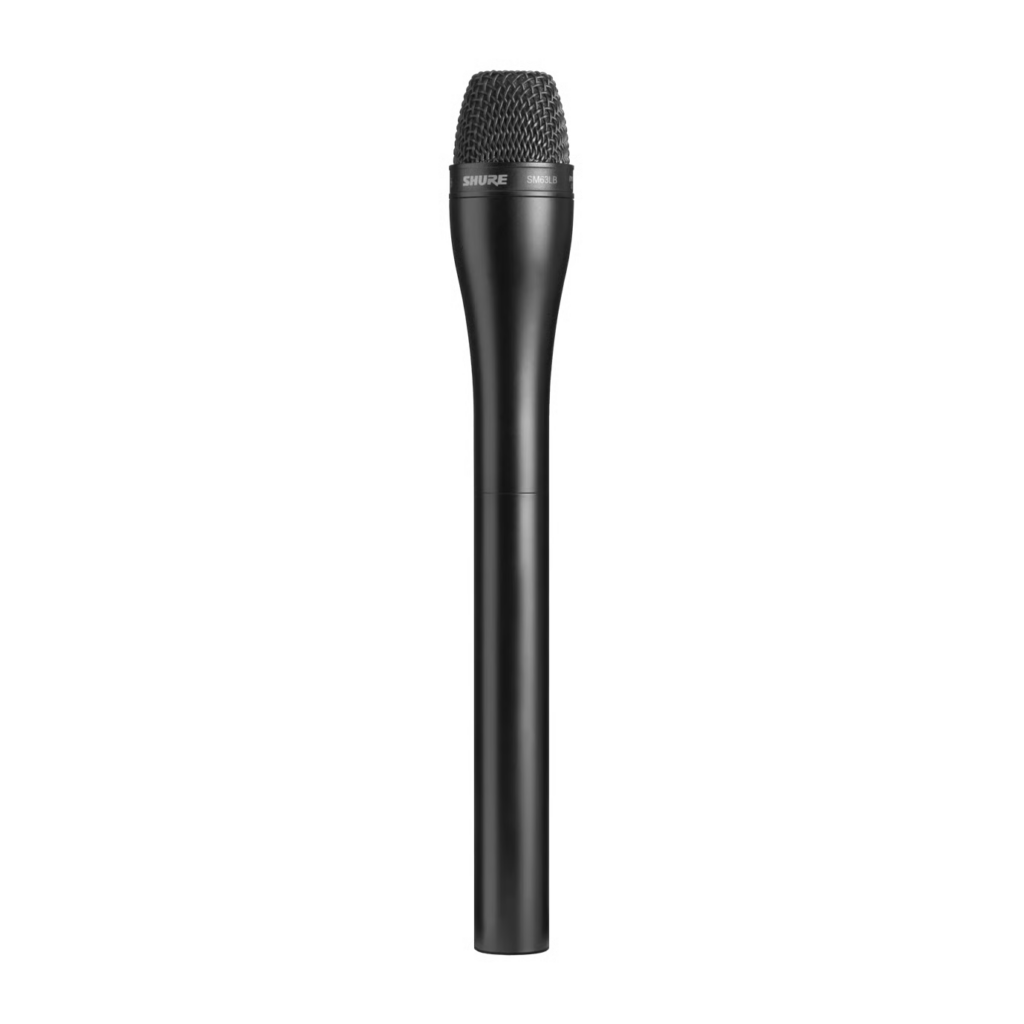
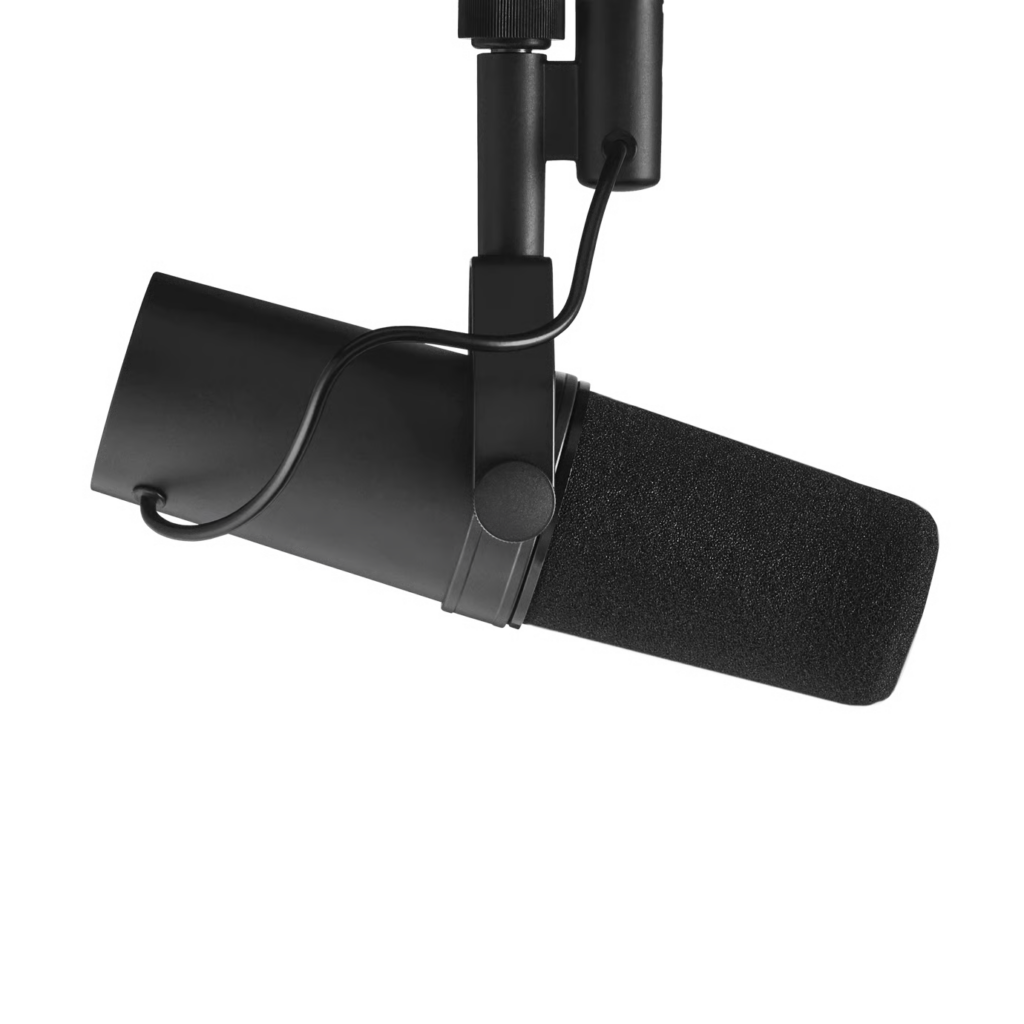
As mentioned, the MVX2U Gen 2 is an audio interface — it bridges your XLR mic and your device. The microphone itself is a separate purchase. Here are three Shure models for different use cases.
| Model | Use Case |
|---|---|
| SM58 | General purpose / entry-level. The most widely recognized mic for both streaming and live performance |
| SM63L | Interview specialist. Its omnidirectional pickup means you do not have to worry about mic angle |
| SM7B | Premium mic for home streaming and podcasting |
* Images courtesy of the Shure official website
Conclusion
The Shure MVX2U Gen 2 delivers on every improvement we hoped for after reviewing Gen 1.
Plug-and-play with smartphones, seamless settings carry-over between devices, and a Denoiser that cuts noise by over -14 dB. Each of these proved genuinely useful in real-world testing. Its compact form factor makes it a no-brainer to keep on hand for smartphone-based live streaming and recording.
There are very few devices this small that let you use an XLR microphone with a smartphone so effortlessly. If you want great audio for mobile streaming, or you have been struggling with audio setup on your iPhone, this is an easy recommendation.
For more details, visit the official product page:
Shure MVX2U Gen 2 Product Page
Equipment provided by: Shure
Review by: Umazura