

Share


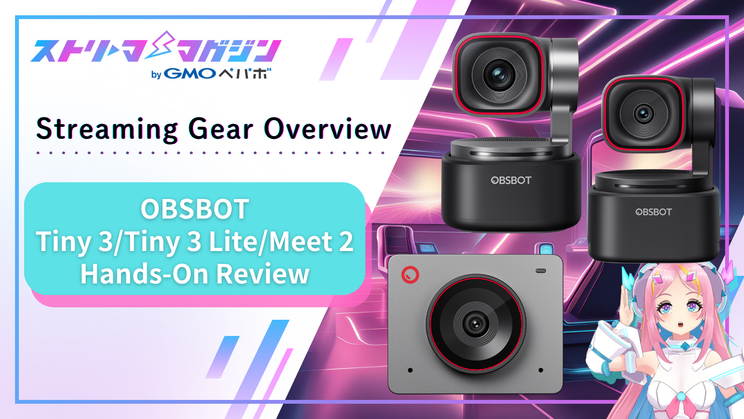
OBSBOT Tiny 3 vs Tiny 3 Lite vs Meet 2: We Tested Three AI Tracking Webcams Side by Side
You get animated mid-stream, your gestures get bigger, and suddenly your face is halfway out of frame. Or you want to show off a gadget in your hands, so you reach over and nudge the camera angle — again. Sound familiar?
A fixed webcam is great as long as you sit still and talk. Move even a little, and you drift out of the shot.
OBSBOT’s answer to that problem is simple: make the camera follow you. That’s what its AI tracking webcams do.
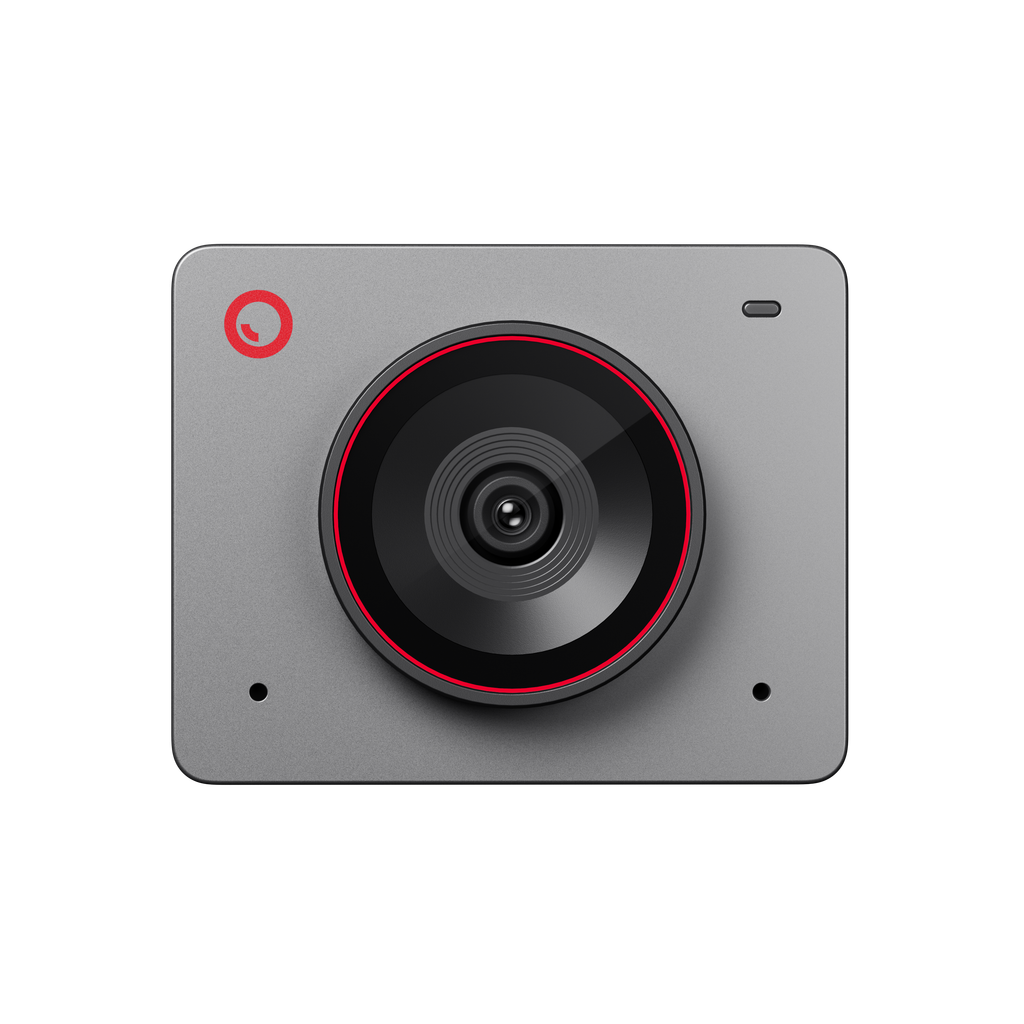
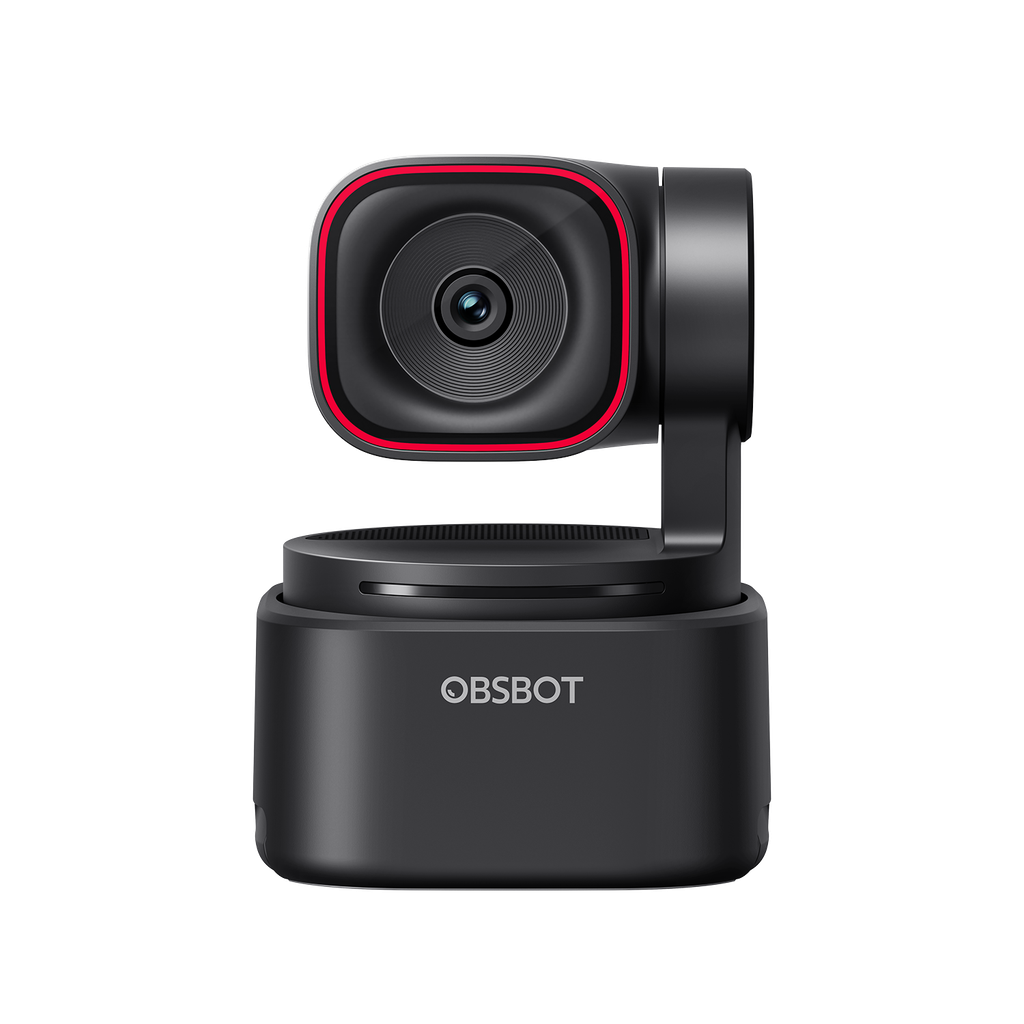
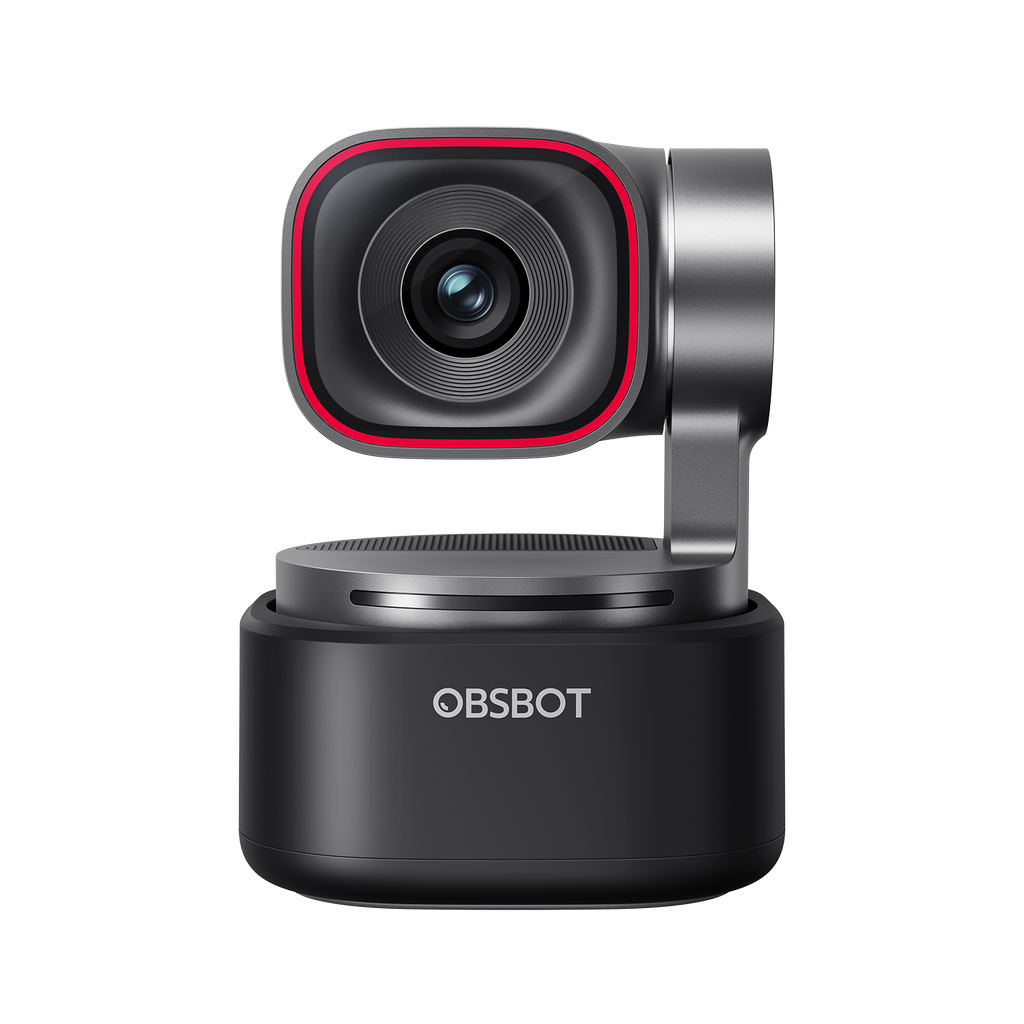
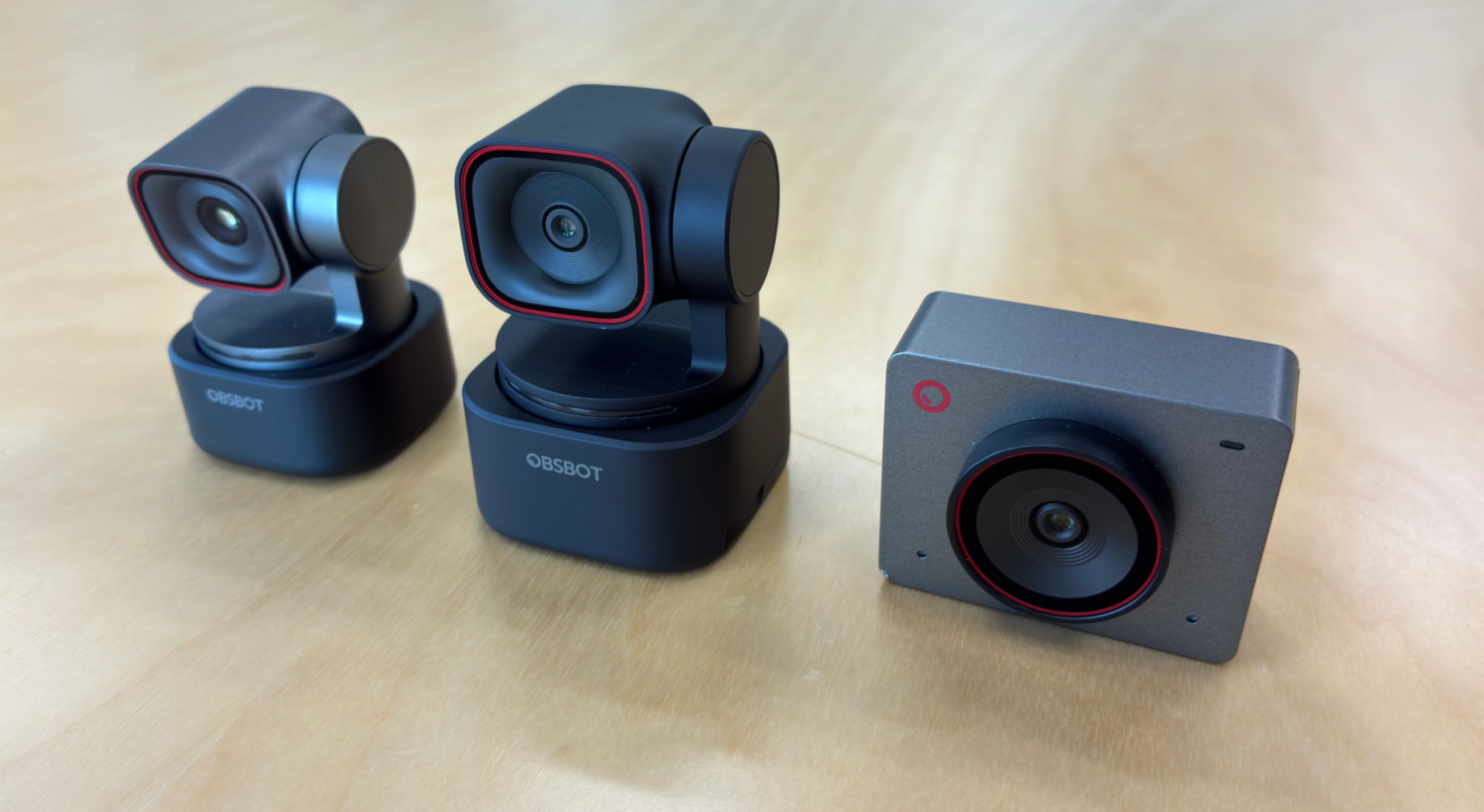
The current lineup has three models: the Meet 2 at 21,800 yen, the Tiny 3 Lite at 33,800 yen, and the Tiny 3 at 58,000 yen.
The top model costs more than twice the entry model, yet all three are marketed as “AI tracking cameras” — which makes it genuinely hard to tell what you’re paying extra for.
So we put all three side by side in the same room and tested them on tracking, desk mode, image quality, and even their built-in microphones.

Review units provided by DPSJ, OBSBOT’s distributor in Japan. All prices are official store prices (tax included) as of August 2026.
TEST CONDITIONS | Our setup for this review
Main PC: Windows desktop (GeForce RTX 5070). Some audio testing also done on macOS
Software: OBSBOT Center 2.0.14.53 (app updated to 2.0.14.64 late in testing) / OBS Studio
Firmware: Tiny 3 = 6.6.9.1 / Tiny 3 Lite = 6.5.9.1 / Meet 2 = 4.4.6.1
Shared settings: All in-app enhancements off. Windows “audio enhancements” and NVIDIA RTX Video also off
Connection: All three units on identical USB 3.0 (5Gbps) Type-C cables
Results reflect our specific test environment. Your PC configuration and room lighting may produce different outcomes.
Key Takeaways
- Step away from your desk and the camera holds the direction you left in, then recognizes your face and resumes tracking when you return.
- All three kept us in frame when standing up, sitting down, and moving side to side — but each has a distinct tracking personality.
- The Tiny 3’s desk mode corrects an angled shot of your hands so it looks like an overhead camera. No boom arm, no second camera.
- You can call the camera to turn toward you with your voice, or zoom with English voice commands.
- The price gap isn’t about camera quality. It’s about how much movement each model can handle.

OBSBOT cameras are “hardware plus app,” not hardware alone
One thing applies to all three models, so let’s get it out of the way first. Pull a Tiny 3 out of the box, plug it into your PC, and AI tracking will not work. Tracking and voice control only come alive once you install OBSBOT Center, the free companion app.
If your “AI camera” isn’t following you, check the app first. These are products designed to be used as camera plus software, not as a standalone webcam.
With that in mind, lining up the specs makes each model’s role a lot clearer.
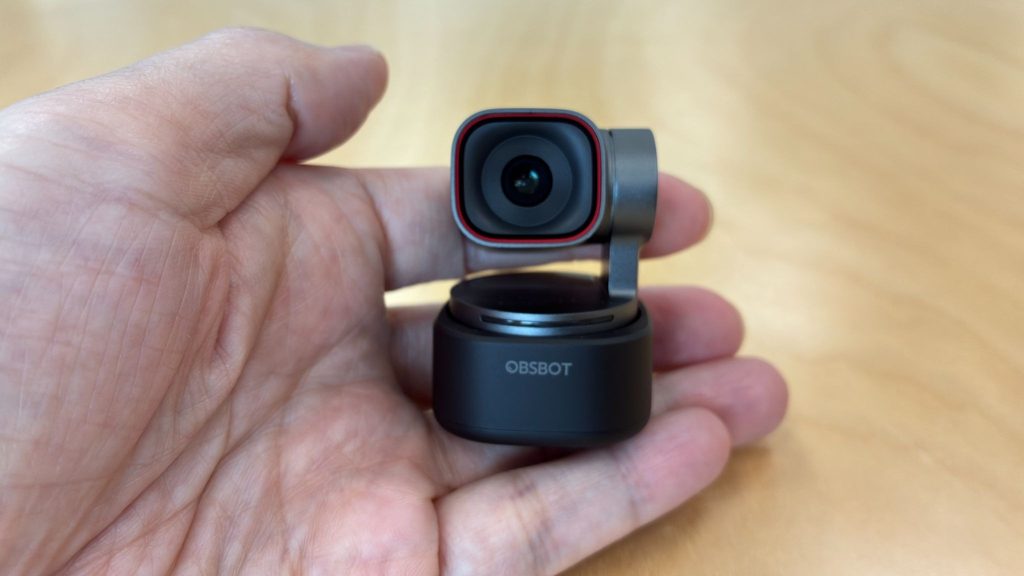
| Feature | Meet 2 (21,800 yen) | Tiny 3 Lite (33,800 yen) | Tiny 3 (58,000 yen) |
|---|---|---|---|
| Gimbal (motorized head) | None (tracks by cropping within the frame) | Yes (physically pans and tilts) | Yes (physically pans and tilts) |
| Sensor | 1/2-inch, f/1.8 | 1/2-inch, 48MP | 1/1.28-inch, 50MP |
| Resolution | 4K/30fps, Full HD/60fps | 4K/30fps, Full HD/120fps | 4K/30fps, Full HD/120fps |
| Max ISO (low-light headroom) | Not published | 6400 | 12800 |
| Microphones | 2 (omnidirectional, noise reduction) | 3 mics, 5 modes | 3 mics, 5 modes |
| Exclusive features | None | None | Desk mode, Whiteboard mode |
📘 GLOSSARY | Gimbal
A motorized mechanism that physically moves the camera head. The Tiny 3 and Tiny 3 Lite both pan ±130 degrees horizontally and tilt from +32 to -60 degrees to follow their subject. The Meet 2 has no gimbal, so it shoots wide and crops around the person inside that frame instead.
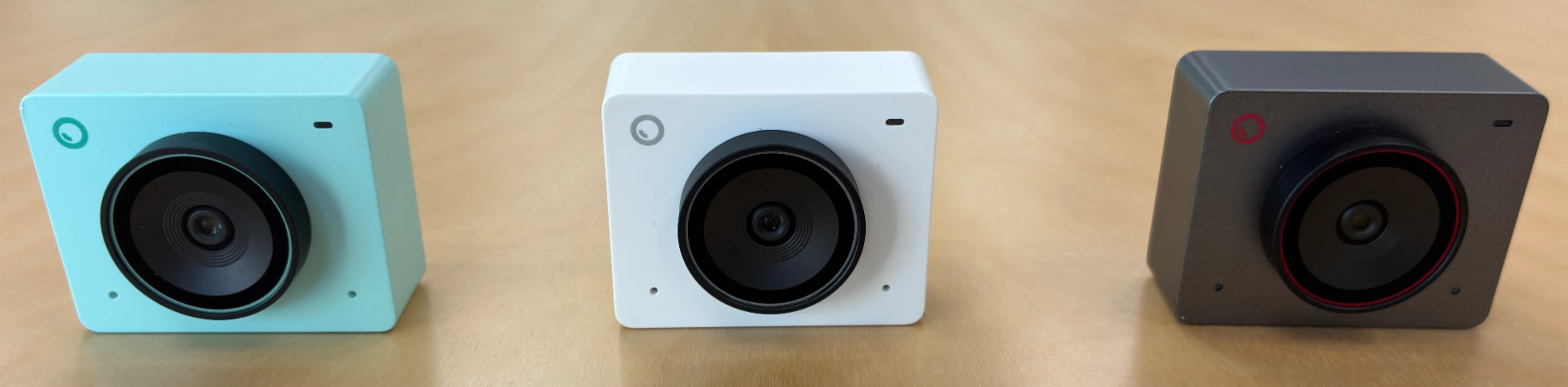
Worth noting: the Meet 2 comes in three colors — Space Grey, Cloud White, and Aurora Green. We tested the Space Grey unit, but each color has different accent tones on the logo and lens ring, so you can match it to your desk setup.
How well does AI tracking actually work?
Let’s start with the headline feature.
We mounted all three units on the same stand and recorded them simultaneously while performing identical movements.
Three scenarios: standing up and sitting down, moving from one end of the desk to the other, and the one everyone wants to know about — walking away and coming back.
Standing and side-to-side movement: three different tracking personalities
All three handled standing, sitting, and lateral movement without trouble. Move to the far edge of the desk or stand up, and none of them lost the frame. What differed was how each one followed.
The Tiny 3 Lite tracks literally — your movement becomes the camera’s movement, one to one.
The Tiny 3 holds back slightly on sudden motion, which cuts out unnecessary camera movement. Watching the two side by side, the Tiny 3’s output was noticeably calmer to look at.
And the gimbal-less Meet 2 kept up well too, within the limits of its fixed field of view.
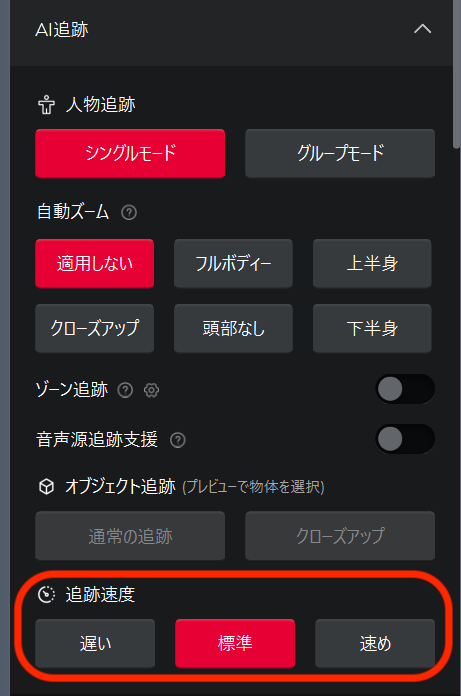
Tracking speed is adjustable in the app’s AI tracking panel, with three settings: slow, standard, and fast. We used fast as our baseline to deliberately stress the system, but standard — the default — was already quick enough for typical streaming movement. You can leave the settings alone and be fine.
Leave your desk, and the camera waits for you
The scenario we were most curious about: what happens when you step away and come back? Our assumption was that once a tracking camera loses you, that’s the end of it.
Not so. When you leave the frame, the Tiny 3 holds its head pointed in the direction you exited and waits. The moment it recognizes your face on the way back, it picks up tracking as if nothing happened. Two attempts, two successes. The Meet 2 also recovered both times using digital tracking.
Only the Tiny 3 Lite stumbled: on one of two attempts, it drifted to face a different direction while we were away and never came back. It’s not a consistent failure — more of an occasional miss — but this is exactly where the gap to the flagship Tiny 3 shows up.
Call it with your voice, control it with your voice
The Tiny 3 and Tiny 3 Lite also respond to sound. Turn on Voice Tracking and the camera uses your speech as a cue to go looking for the speaker, then hands off to face tracking once it finds you. It’s less an instant snap toward your voice and more a slow, deliberate search. It only searches horizontally, not vertically, so if you plan to use this feature, mount the camera at face height.
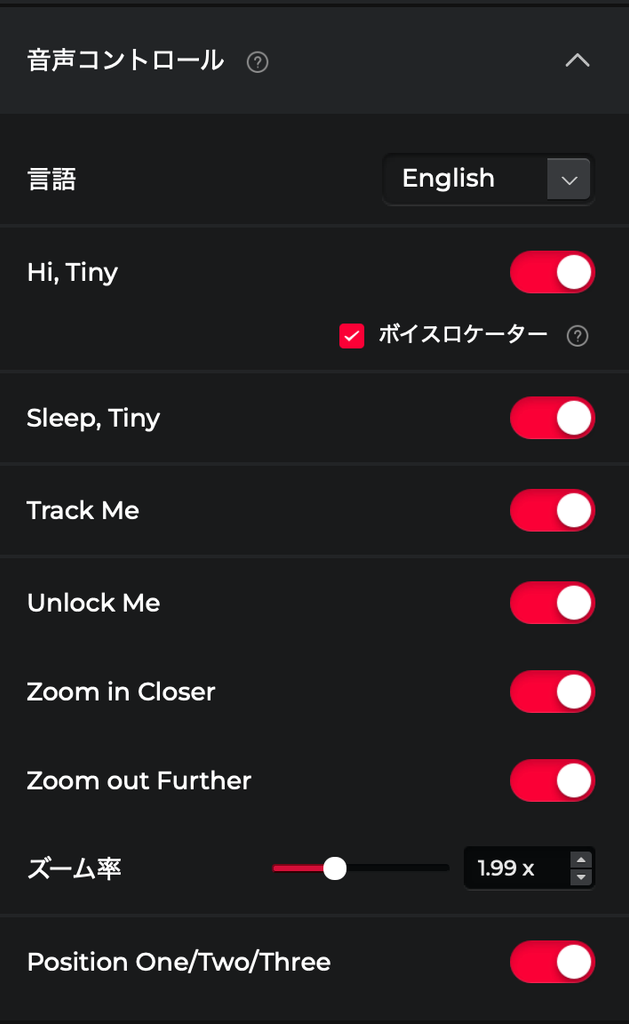
There are also voice commands, triggered by saying “Hi, Tiny.” Six fixed phrases cover waking and sleeping the camera, toggling tracking, and zooming in and out. In testing, “Zoom in Closer” actually moved the zoom, and “Sleep, Tiny” tilted the head down into standby. Even if you’re not confident about your English pronunciation, it recognized us fine as long as we were within mic range.
The catch: only English and Chinese are supported — no Japanese. Think of it as a backup for when your hands are busy rather than your primary control method during a stream.
The LED on the camera body proved handy too. It blinks to confirm a successful wake word or face detection, so you can glance at the camera instead of your stream preview to know you’ve been recognized.
TEST CONDITIONS | AI tracking
Setup: All three units fixed side by side on one stand, matched for position and height, recorded simultaneously
Scenarios: Stand/sit, edge-to-edge lateral movement, and leave-and-return — two takes each
Tracking speed: “Fast” as baseline, with all scenarios repeated on “Standard”
Desk mode replaces your overhead camera rig
If you stream traditional art, crafting, or gadget reviews — anything where viewers need to see your hands — you’d normally need an overhead boom arm and a second camera. The Tiny 3’s desk mode does the job with the single unit already sitting on your monitor.
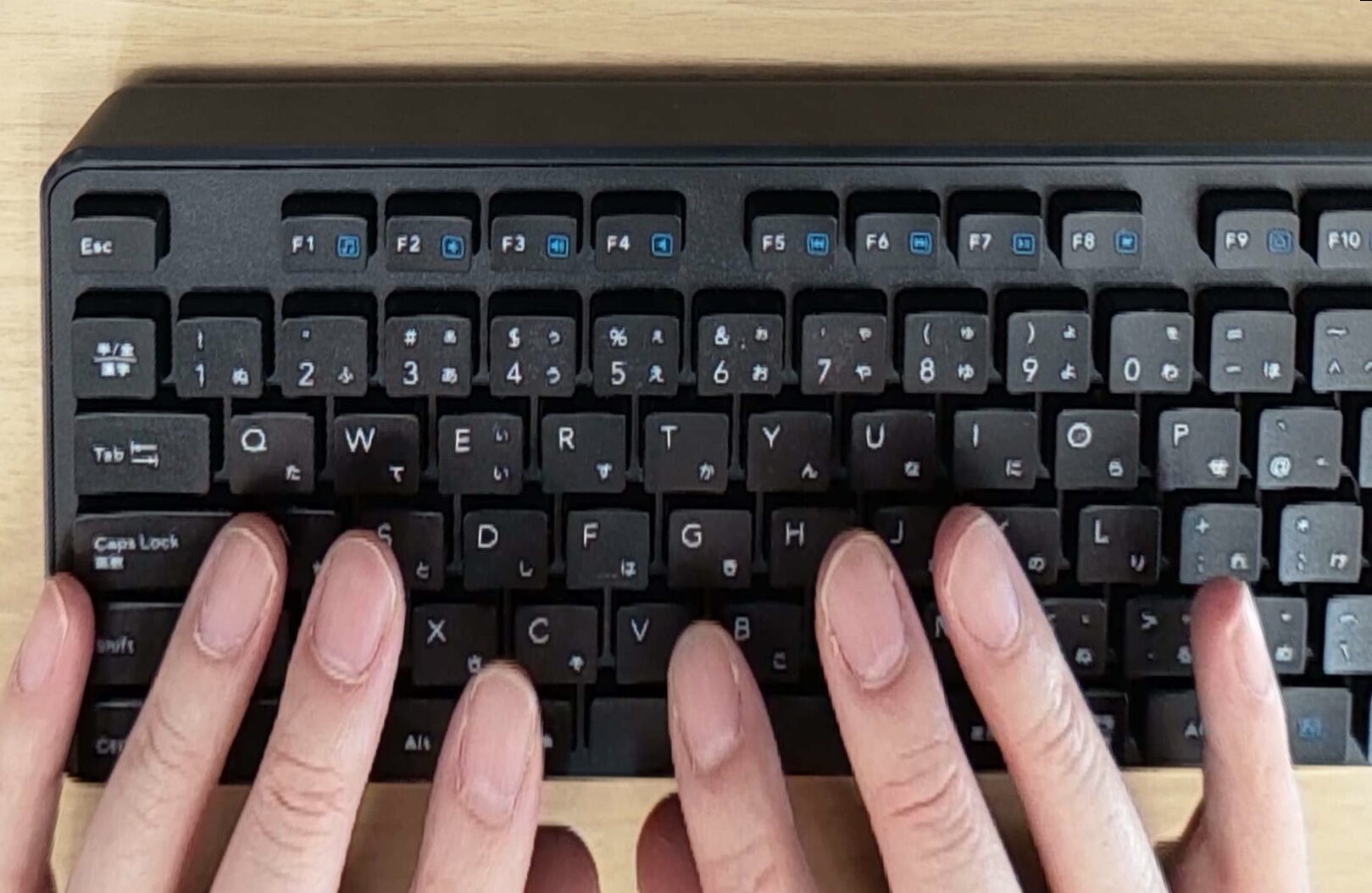
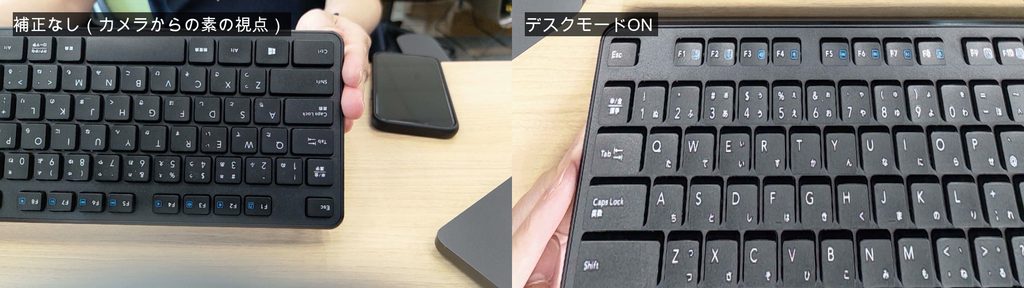
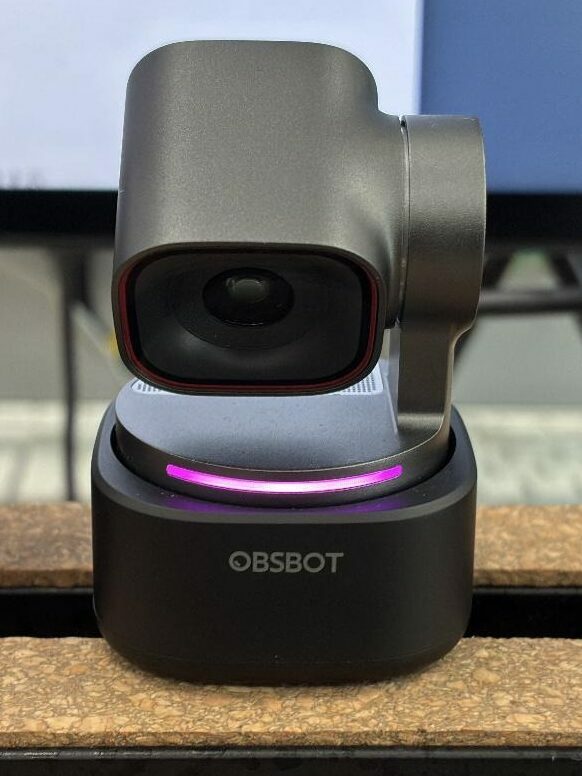
Switch it on and the head tilts down, then digitally corrects the angled view of your desk so it looks like a top-down shot. Even from a position that shouldn’t have produced a clean angle, our test footage was legible enough to read text on documents. The LED ring turns pink while desk mode is active, so you always know which mode you’re in.
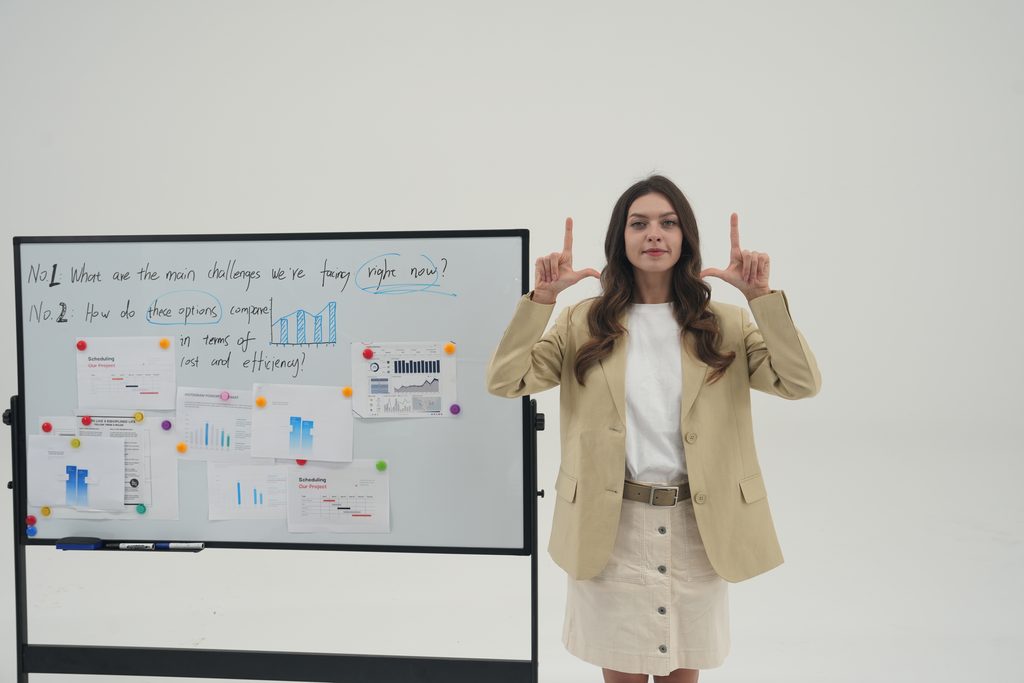
Whiteboard mode, also exclusive to the Tiny 3, detects a board with writing on it and squares up the framing — much like the scan feature in a phone’s photo app. If you stream tutorials or explainers, that’s another useful one.
If hands-on or workbench content is anywhere in your plans, desk mode alone justifies the Tiny 3. Weighed against the cost of a second camera plus an overhead arm, getting it all from one unit is a solid deal.
How far can they go without a streaming light?
Tracking and modes aside, these are still cameras — so we checked the fundamentals.
We deliberately ran the image quality comparison without any streaming light. Two conditions: normal room lighting, and lights dimmed to simulate a night stream. All in-app enhancements were off, so this is raw footage against raw footage.
The short version: in a well-lit room, we could barely tell the three apart. We zoomed in on skin pores and the weave of the wallpaper, and fine detail was equivalent across the board. With enough light, the sensor size difference simply doesn’t translate into anything you’d notice.
The night condition is where they separated. Zooming in on the same patch of wall, each model behaved differently.
- Tiny 3: Cleanest of the three, with little enough noise that the wallpaper texture stays visible
- Tiny 3 Lite: Visible red and green chroma noise
- Meet 2: Clamps down on exposure to avoid noise, leaving the whole image darker
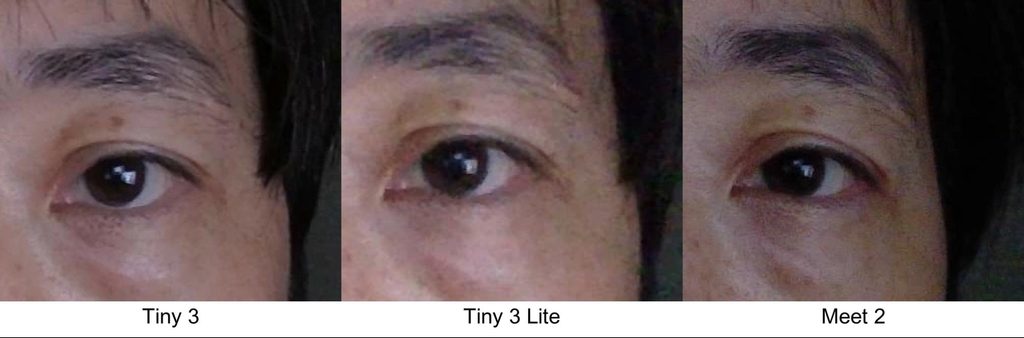
This lines up with the published ISO ceilings: 12800 on the Tiny 3 versus 6400 on the Tiny 3 Lite. A higher ceiling leaves more room to brighten a dark scene before grain takes over.
Color rendering differed too. The Tiny 3 gave the most neutral skin tones, the Tiny 3 Lite leaned slightly red-purple, and the Meet 2 was the warmest of the three — all in the same room under the same lights.
📘 GLOSSARY | ISO sensitivity
How much a camera amplifies its signal to brighten an image in low light. Higher values mean a brighter picture, but also more grain (noise). A camera with a higher ceiling has more headroom in the dark.
If you often stream at night without a light, this is where the Tiny 3 earns its price. If you already own lighting or stream during daylight hours, either of the cheaper models is plenty on image quality alone.
💡 On an NVIDIA GPU, your live stream gets a quality bump
On PCs with an NVIDIA GPU, an enhancement called RTX Video is applied automatically to webcam feeds, so your actual stream may look better than the comparison images we published. You can spot it by the logo watermark in the top-left corner. We turned it off for this review in order to compare the cameras themselves.
TEST CONDITIONS | Image quality
Lighting: Two conditions — normal room light, and ceiling spots off to simulate a night stream
Capture: Identical framing and auto exposure on all three, recorded at 4K/30fps and Full HD/60fps, compared at 1:1 on the same region
Processing: All in-app enhancements and NVIDIA RTX Video off. Color space fixed to Rec.709
Can you stream on the webcam mic alone?
Webcam microphones don’t have much of a reputation. Most streaming guides tell you to buy a separate mic and move on, and the whole category is usually discussed on the assumption that you’ll never actually use it.
But the Tiny 3 and Tiny 3 Lite pack three microphones and five modes into the body, and even the Meet 2 has two with noise reduction. That’s a serious amount of effort for what’s normally a throw-in feature. So we checked how far you can actually get without an external mic.
The Tiny series holds up on audio too
The two design philosophies here are interesting in themselves. The Tiny 3 and Tiny 3 Lite are preset-based: you pick from five modes like Pure and Spatial. The Meet 2 is parameter-based, letting you dial in noise reduction strength and pickup distance yourself.
Listening through headphones, the five Tiny 3 modes have clearly distinct characters.
- Pure: The rawest of the set, with the hiss of the room left intact
- Spatial: Natural sound with a faint sense of room reflection
- Smart Omni: Slightly muffled
- Dual Direction: Not muffled, with an open, spacious feel
- Directional: The easiest to listen to if you’re speaking solo
Here’s the curious part: Directional measures quieter than Spatial, yet it’s the mode where your voice comes through most clearly. It wins on focus, not volume.
The Tiny 3 Lite offers the same five modes, but you can hear a bit more processing artifact in its noise reduction.
The Meet 2 is intelligible at close range, though for better or worse it sounds like a webcam microphone.
One Meet 2 setting is worth changing immediately.
Pickup distance ships set to “near,” which makes it the quietest of the three out of the box. At a standing distance of one meter, the level is uncomfortably low. Switching it to “far” raised our measured recording level by roughly 19dB — close to four times the perceived volume. If you stream standing up, or use it in a meeting room, change this first.
📘 GLOSSARY | dB (decibel)
A unit for measuring loudness. As a rough guide, every 10dB increase roughly doubles perceived volume.
We also tried talking while typing. All three struggle here — even with noise reduction engaged, keystrokes come through. For game streams with constant keyboard noise, an external mic is still worth considering.
TEST CONDITIONS | Microphones
Recording: Same phrase captured at 50cm and 1m, evaluated on measured level and headphone listening
Settings: Windows “audio enhancements” off. All five Tiny 3 modes recorded
Noise: Speech recorded while typing, all three at default settings
Stable over long sessions, and all three can run at once
To simulate a real stream, we ran a 30-minute continuous OBS recording with Tiny 3 tracking enabled — with all three cameras still connected to a desktop PC running an RTX 5070, which is close to a demanding multi-camera setup.
Result: zero dropped frames, no tracking breakdown, and identical GPU temperatures at the 15- and 30-minute marks. The camera bodies do get noticeably warm, but it doesn’t affect operation. We also confirmed that all three can be connected simultaneously and run at 4K/30fps each.
Startup is a quirk worth knowing about. From power-on to picture takes more than ten seconds on all three: roughly 16 seconds for the Tiny 3 and Tiny 3 Lite, and 11 to 12 seconds for the Meet 2. That’s slower than the plug-in-and-go feel you might expect, so leave them connected rather than scrambling right before you go live.
One more thing to watch: some OBSBOT Center features, including beauty effects and avatars, require a free OBSBOT account. Buying the camera and plugging it in doesn’t unlock everything, so sign up if you need those features.
TEST CONDITIONS | Real-world use
PC: Windows desktop (GeForce RTX 5070). All three connected, recording from the Tiny 3 only
Recording: 30 minutes continuous in OBS with tracking on, load logged at 15 and 30 minutes
Simultaneous use: All three connected to OBS at once, each verified at 4K/30fps
What an AI tracking camera changes about solo streaming
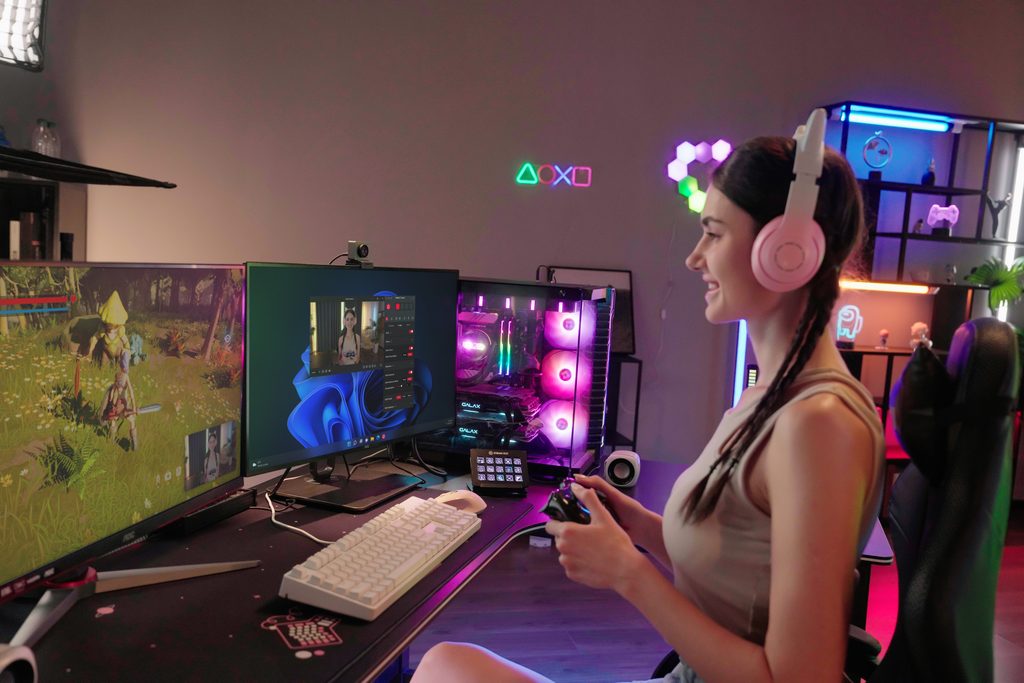
After living with all three, the strongest impression is this: an AI tracking camera isn’t a tool for staying in frame. It’s a tool for expanding what one person can do alone.
Because the camera follows you, you can stand up and use your whole body while you talk. Flip to desk mode and the shot becomes an overhead view of your hands — two cameras’ worth of coverage from one unit. When your hands are busy, you can zoom with your voice. And there’s room to add cameras and switch between them later.
Leaving any of these — especially the Tiny 3 — parked on video-call duty would be a waste of what they can do. The more of your stream you run single-handed, the more these cameras give you.
Which one should you buy? It comes down to how much you move
Testing them side by side made one thing clear: the price difference isn’t about camera performance, it’s about the range of movement each model can handle. If you sit and talk in a well-lit room, the Meet 2 is honestly enough. Standing, moving, showing your hands, streaming at night — the more of that you do, the more the higher models are worth.
| If this is you | Pick | Why |
|---|---|---|
| Mostly video calls, occasional seated just-chatting streams | Meet 2 (21,800 yen) | Auto-framing is plenty for seated use. Its data connection is designed to push 4K/30fps over USB 2.0 bandwidth, so it plays nicely with older PCs |
| Mainly seated streams, but you want standing and sitting tracked | Tiny 3 Lite (33,800 yen) | Physical tracking, voice features, and all five mic modes are shared with the Tiny 3. If you can live with occasional lost tracking after stepping away and some chroma noise at night, the value is strong |
| You want to show your hands, stream at night without a light, or move a lot | Tiny 3 (58,000 yen) | Desk mode removes the need for a second camera. Low-light cleanliness and return-from-away reliability put it a clear step ahead |
The hard call is Tiny 3 Lite versus Tiny 3. Based on our testing, the price gap buys you three things: night-time image quality, desk and whiteboard modes, and tracking reliability. Put another way, more of the headline features made it into the Lite than you might expect.
One factor cuts across all price tiers: the app.
Beauty correction and background blur are OBSBOT Center features, so even the cheapest Meet 2 gets them. Center also has an avatar feature that maps your movement onto a character, and that one works on the Tiny 3 and Tiny 3 Lite. If avatar streaming interests you, stepping up to the Tiny 3 Lite opens more doors. Just check the terms of use for the preset assets before you stream with them.
Whichever of the three you choose, you get to experience a camera that follows you. And once you’ve had that, a fixed webcam starts to feel a little limiting. Picture how much movement your own streams actually involve, and start with the model that fits.
ーーーーー
If any of the gear we tested caught your eye, here are the official product pages.
>>OBSBOT Tiny 3 / Tiny 3 Lite official site
>>OBSBOT Meet 2 official site
In Japan, they are also available from the Rakuten store run by distributor DPSJ.
>>OBSBOT Tiny 3 (DPSJ Rakuten store)
>>OBSBOT Tiny 3 Lite (DPSJ Rakuten store)
>>OBSBOT Meet 2 (DPSJ Rakuten store)
Equipment provided by: DPSJ (OBSBOT distributor in Japan)
Shooting assistance: Staff U
Review by: Umazura