


Share


RØDE NT1 Signature Series + AI-1 Review: Measuring the “World’s Quietest Microphone”
Listen back to a stream archive and you can often hear a faint hiss sitting behind your voice. You never notice it while you are talking, but the moment you go quiet, there it is. Sound familiar?
When people shop for a microphone, they tend to focus on how good it sounds. But the impression you get on playback is shaped by more than tone — it also depends on the noise sitting behind your voice. How quiet a microphone is matters more than most people expect.
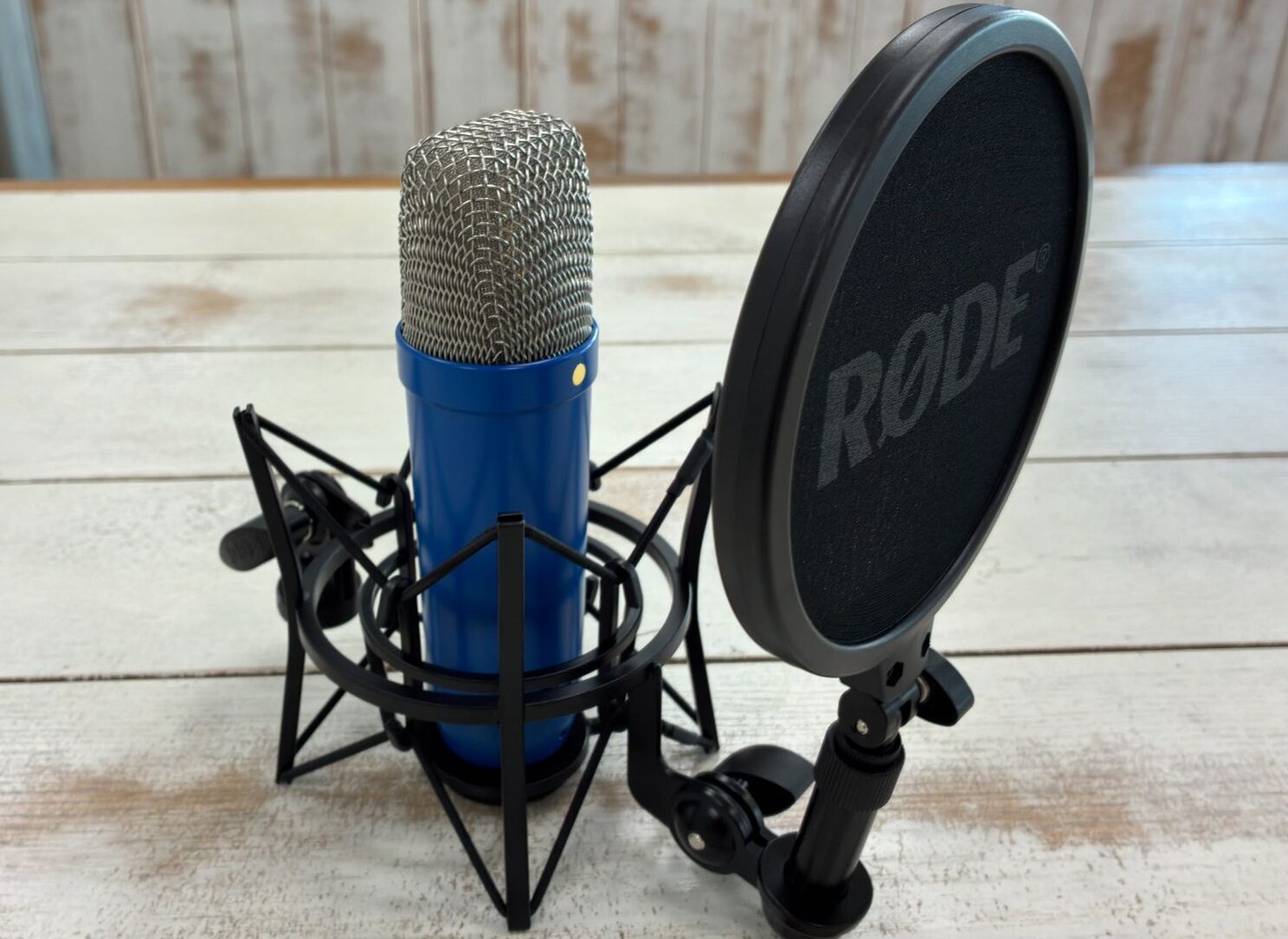
The mic we tested here, the RØDE NT1 Signature Series, is marketed by its maker as the world’s quietest studio condenser microphone. We paired it with RØDE’s own AI-1 audio interface and measured how much that quietness actually shows up in stream audio.

Key takeaways
- Thirty seconds of silence measured −59.9 dBFS RMS. The waveform is close to a flat line, which cuts down on noise cleanup in editing.
- Turn the gain up and even a whisper reaches a −12.2 dBFS peak, with almost no extra noise.
- The tone is neutral and uncoloured (about 1.7 dB more low end at 10 cm).
- The NT1 plus the SM6 shock mount weigh 995 g combined. Check the load rating before you pick an arm or stand.

The gear we tested
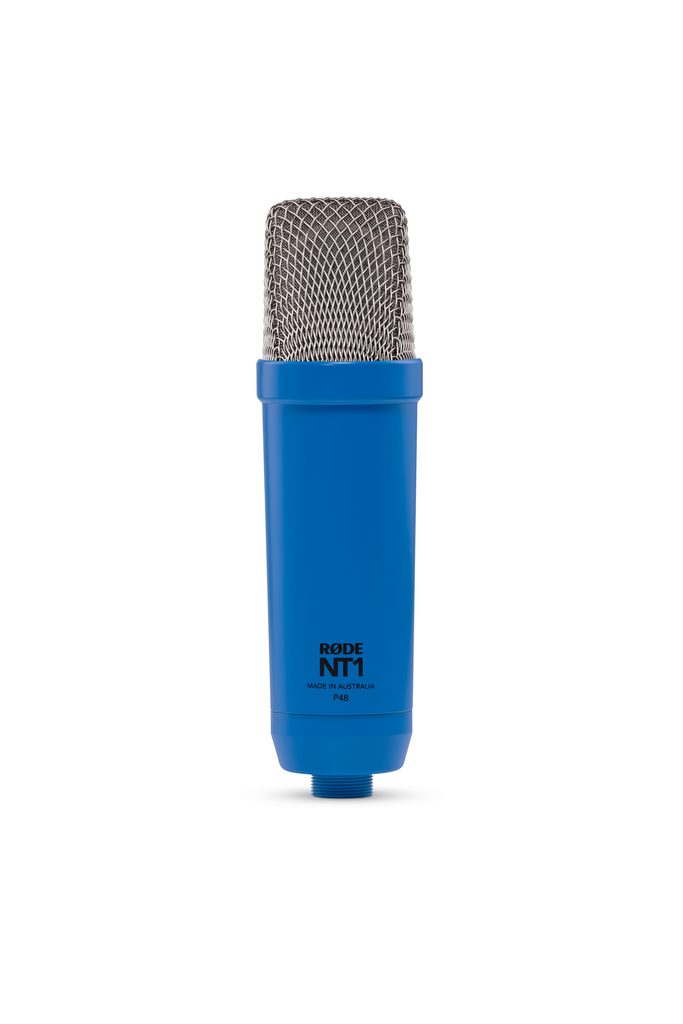
| Spec | NT1 Signature Series |
|---|---|
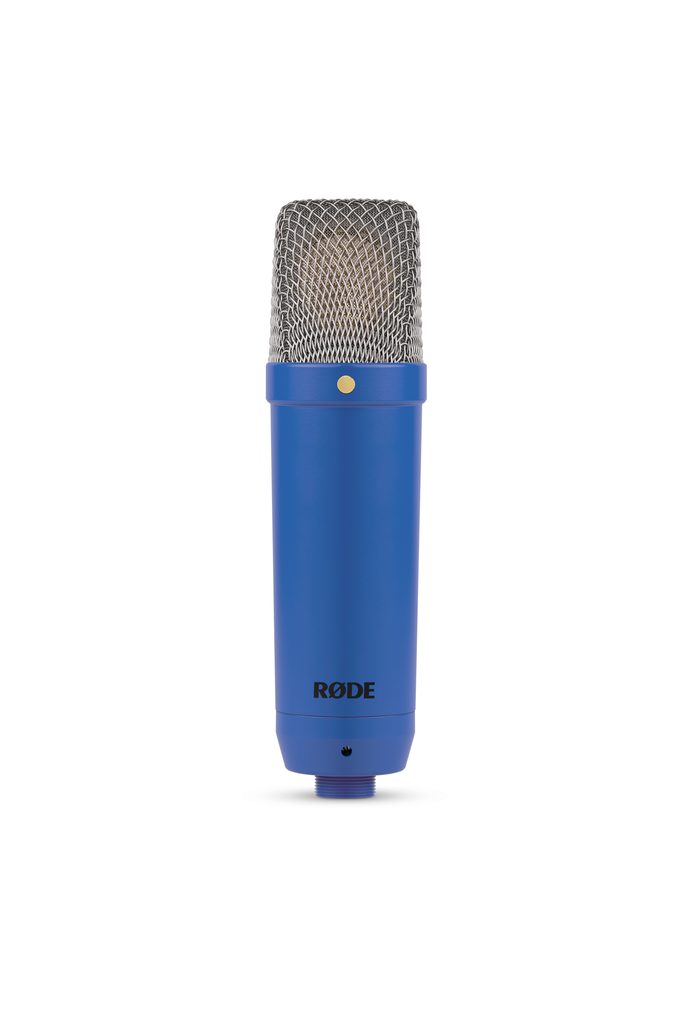
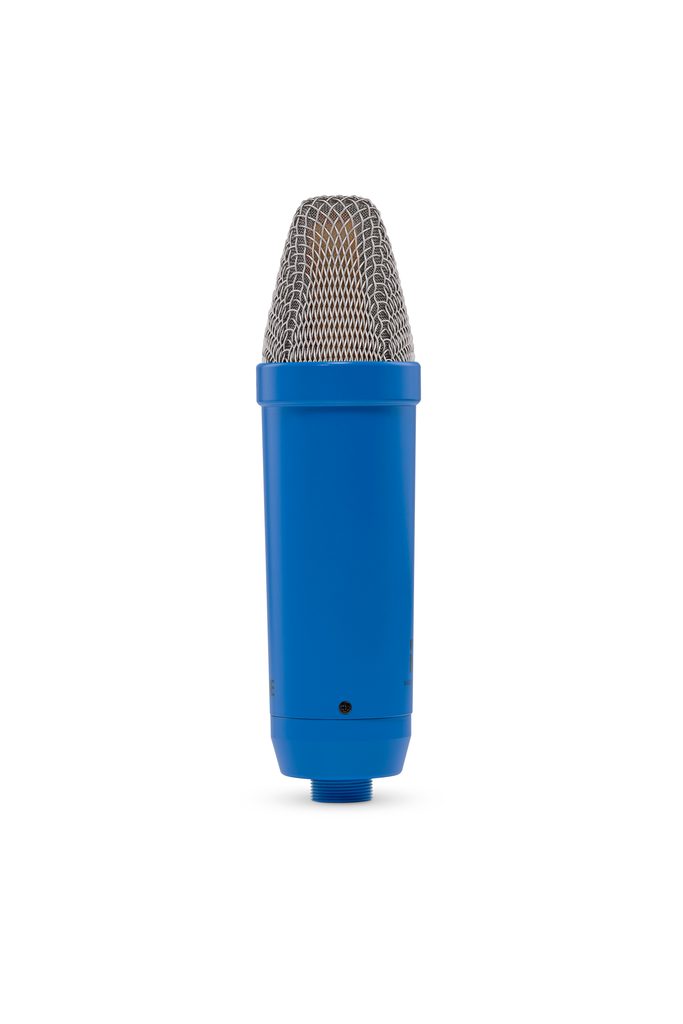
| Type | 1-inch condenser microphone |
| Polar pattern | Cardioid (unidirectional) |
| Audio | Sensitivity −32 dB (re 1V/Pa) / Max SPL 142 dB / Self-noise 4 dBA |
| Power & connection | 48V phantom power, XLR |
| In the box | SM6 shock mount (with pop filter), 6 m XLR cable |
| Weight & warranty | 313 g, 10-year warranty (registration required) |
Because this is an XLR microphone, you need an audio interface to connect it to a PC. If you already own one, the mic alone gets you going. If you don’t, adding the AI-1 (RØDE’s audio interface) completes the setup.
📘 Glossary | Condenser microphone
A type of microphone that picks up even very quiet sounds. It needs 48V phantom power to operate.
Setup: add an arm and you’re ready to record
The NT1 Signature Series is the first model in the 30-year-old NT1 line to come in colour options. We tested the Cobalt finish. It isn’t a loud blue — it’s a muted tone that sits well against the aluminium body.
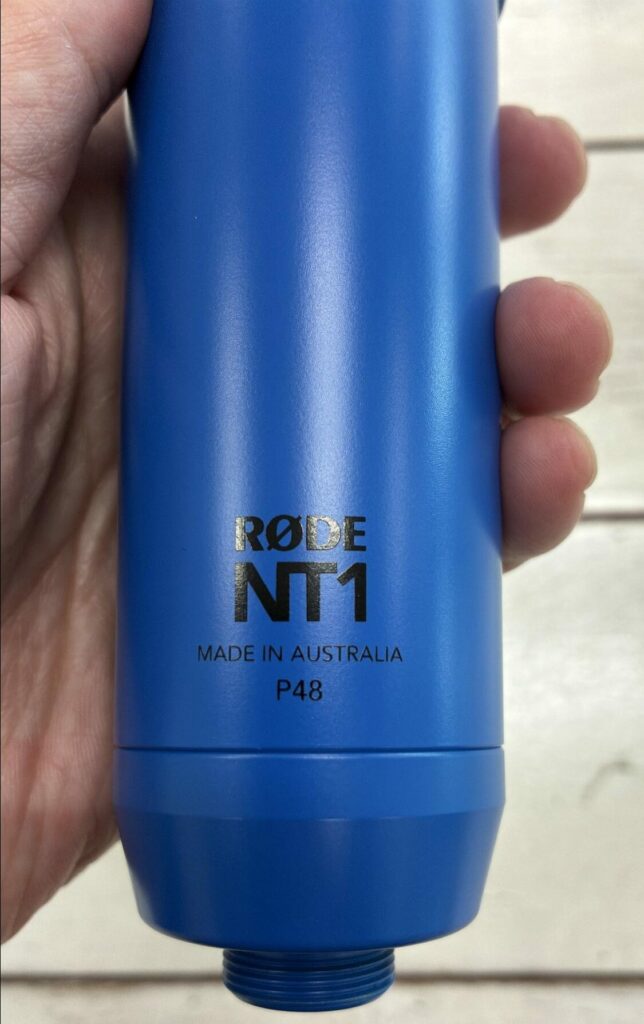
The NT1 logo and the MADE IN AUSTRALIA / P48 engravings are visible
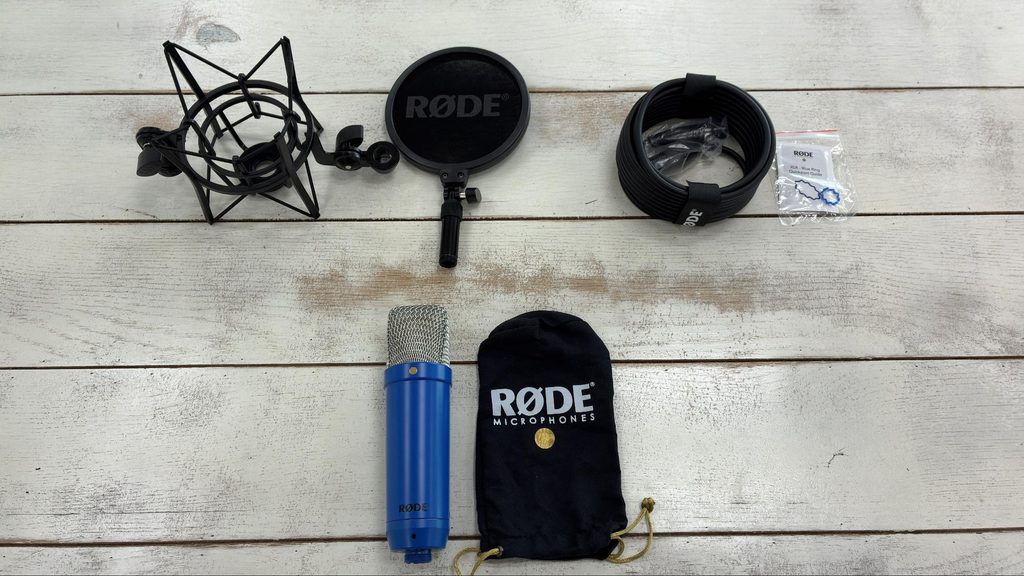
Inside the box you get the NT1 itself, the SM6 shock mount with its pop filter, and a 6 m XLR cable to connect the mic to an interface. The AI-1 comes with its own USB cable. Add an arm or stand to hold the mic and you can start recording right away.
📘 Glossary | Shock mount
The part that attaches a microphone to its stand. Rubber elements absorb vibration — a knock on the desk, a wobble in the arm — so it never reaches the mic.
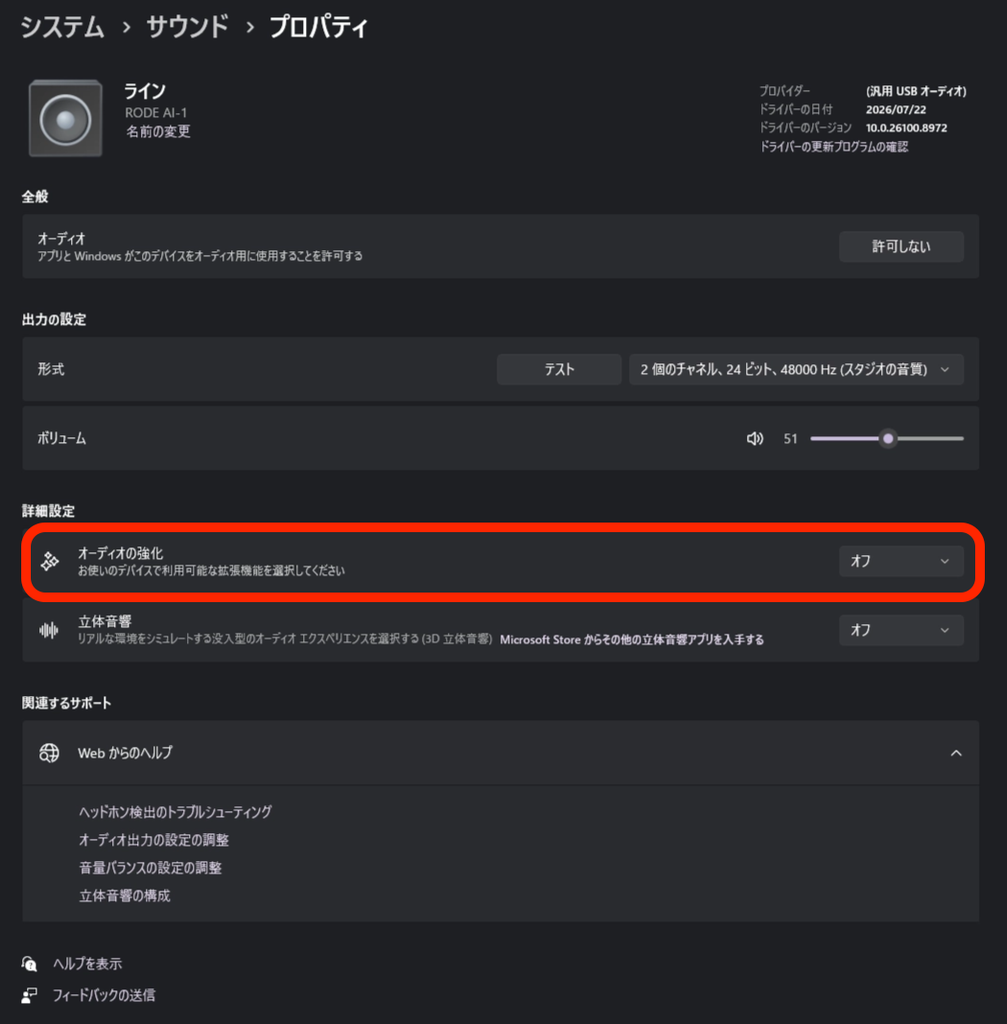
One Windows setting is worth checking before you start, though. During testing, recordings came back with no waveform at all. Switching off “Audio enhancements” in Windows fixed it, so that appears to have been the culprit.
You’ll find the toggle in the microphone properties under Sound settings. It can quietly flip back on after an update, so if nothing is recording, check here first.
Getting recording with the AI-1
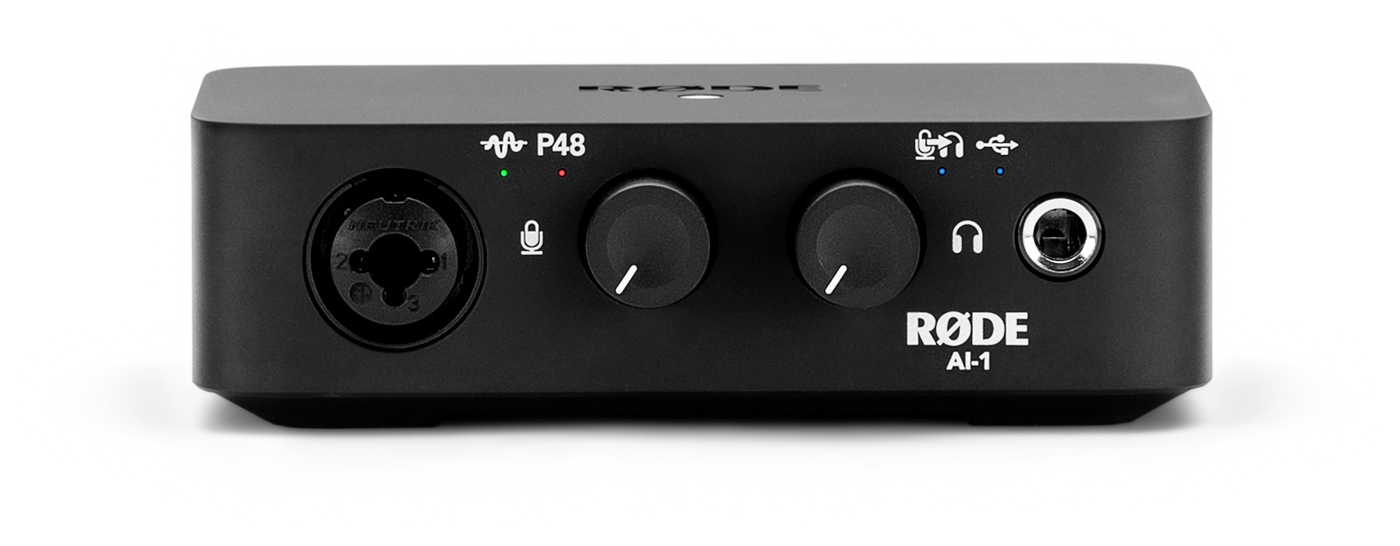
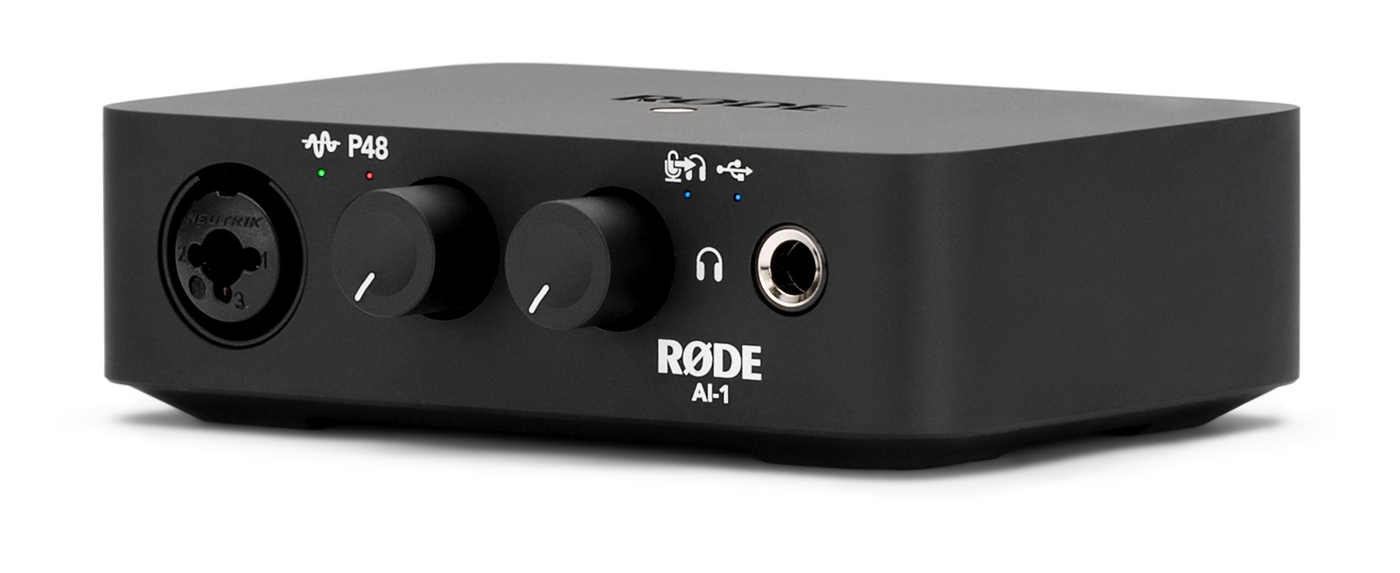
The AI-1 we used is a single-input audio interface. It supplies 48V phantom power, handles 24-bit/96 kHz, and includes a headphone amp. It ships with a USB cable and Ableton Live Lite.
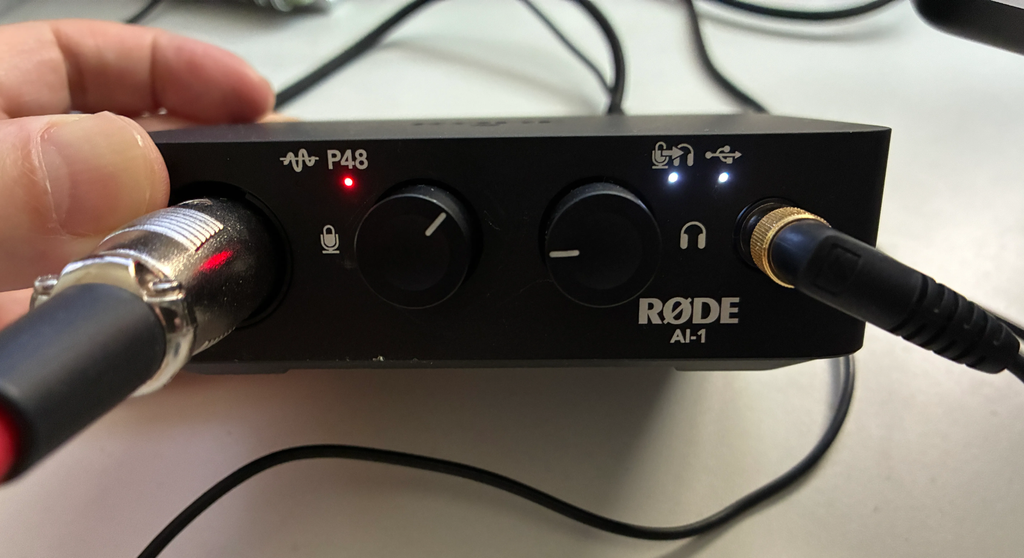
XLR can look intimidating — all those cables and settings. But the AI-1 has exactly two knobs, gain and headphone volume, plus a 48V indicator. Push a knob in and it switches to direct monitoring so you hear your own voice straight through. In practice, plugging in and setting the level was all it took to start recording.
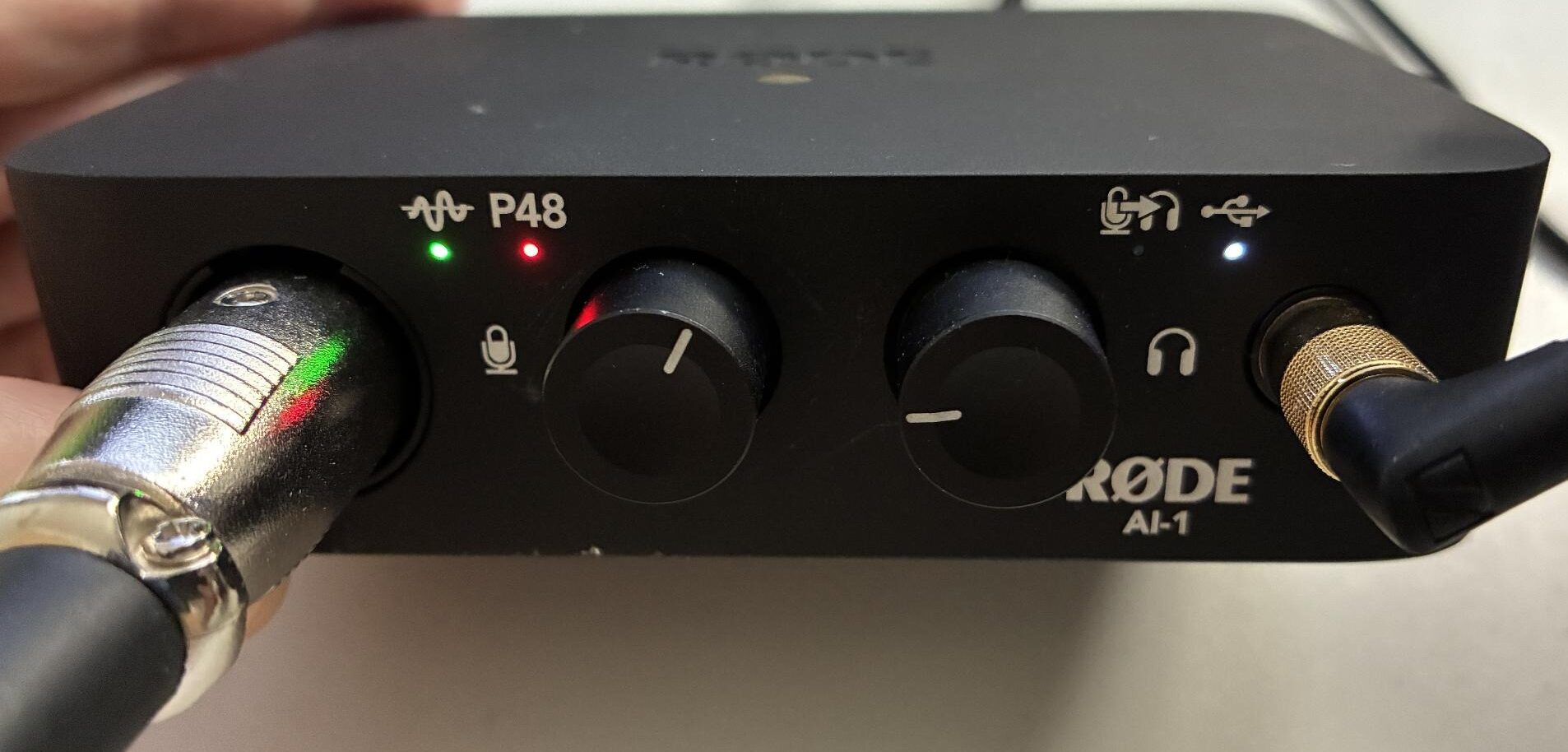
The 48V indicator and signal LED are lit
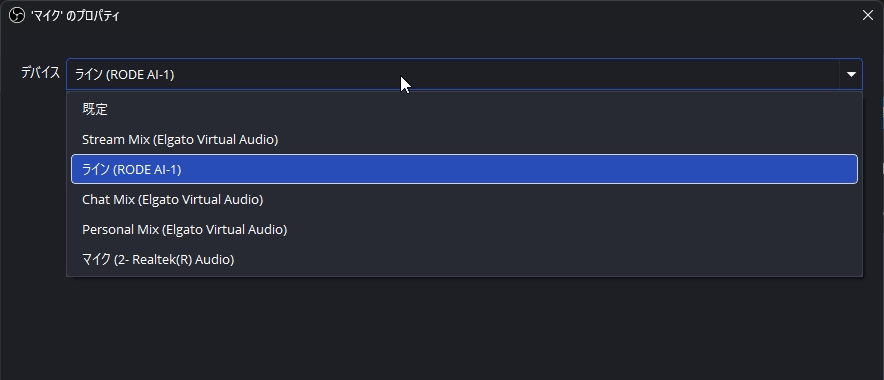
One quirk: once the AI-1 is connected, OBS and Windows list it as “Line (RODE AI-1)” rather than a microphone. If you can’t find a “Microphone” entry, just pick “Line (RODE AI-1)” and it works as expected.
Is it really the world’s quietest?
RØDE’s official page for the NT1 Signature Series calls it “the world’s quietest studio condenser microphone.”
Is that true? Ideally we’d verify it, but measuring other microphones under identical conditions would require something like an anechoic chamber.
So instead we measured how much that quoted 4 dBA self-noise figure actually shows up in audio recorded in an ordinary streaming setup.
📘 Glossary | Self-noise
How loud the hiss generated by the microphone itself is. The lower the number, the quieter the mic.
TEST CONDITIONS | SHARED SETUP
Room: air conditioning off, PC fans kept low
Gain position: AI-1 gain knob at the 1 o’clock position as the baseline (2 o’clock for the whisper test only)
Mic distance: 20 cm (except in the distance comparison section)
Audio clips: trimmed at the head and tail only, no processing
* What we measured here is the combined noise of the NT1, the AI-1 and the room. It is not a re-measurement of the quoted 4 dBA figure, which applies to the mic alone under anechoic conditions.
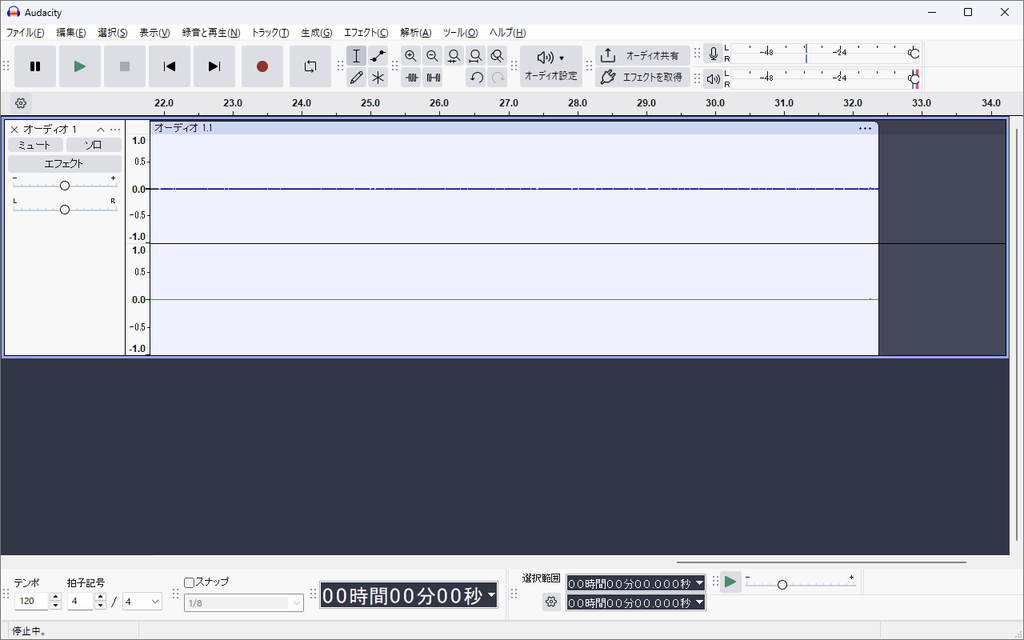
Noise floor: 30 seconds of silence, almost a flat line
With the air conditioning off and PC fans kept down, we recorded 30 seconds of silence. The average level came out at −59.9 dBFS RMS and the waveform was close to a flat line. When the space behind your voice is this quiet, noise cleanup in editing largely stops being a chore.
Whispers: lifting a quiet voice without lifting the noise
To make quiet sounds like whispers audible on stream, you have to raise the gain. Normally the noise comes up along with the voice — with this mic, it barely did.
📘 Glossary | Gain
The setting that determines how much the signal coming from the microphone is amplified. On the AI-1 you adjust it with the knob on the unit.
Moving the gain knob from the 1 o’clock baseline up to 2 o’clock pushed whispers to a peak of −12.2 dBFS — plenty loud enough for streaming. And there was still room left on the knob.
Great with quiet sources — good for ASMR, but it catches mouth noise too
Because it captures even very quiet sounds, it suits content where the sound itself is the point, such as ASMR.
Recording actual whispers, though, the wet mouth sounds — lip noise — came through alongside the voice. For voice-based ASMR, drink some water before you record, or plan on running noise reduction in the edit.
How it sounds
Tone and distance: neutral, with low end you can add by moving closer
We recorded the same script twice, once in a casual-chat delivery and once in a play-by-play delivery, then compared them. The impression was of a neutral, uncoloured sound.
RØDE describes the mic’s character as warm and silky. The silky part held up: sibilance never stabbed at the ear, and the top end did sound smooth. The warmth — the weight in the low end — was average to slightly light. It recorded a straightforward, narration-style voice rather than a thick radio-DJ tone.
That said, this is our impression with the voice we tested. Someone with a naturally bass-heavy voice may get different results. If you want a fuller sound, moving closer to the mic adds low end.
Comparing recordings at 10 cm, 20 cm and 30 cm, the low end got stronger the closer we got. This is the proximity effect: at 10 cm there was roughly 1.7 dB more low end than at 30 cm, which thickens the voice.
But 10 cm pushed the peak to −0.03 dBFS — a hair away from clipping. At 30 cm, the peak dropped to −12.4 dBFS and more of the room crept in. The middle distance, 20 cm, peaked at −6.2 dBFS with no clipping risk and no noticeable room noise, making it the easiest distance to work with.
Distance: 10 cm
Distance: 20 cm
Distance: 30 cm
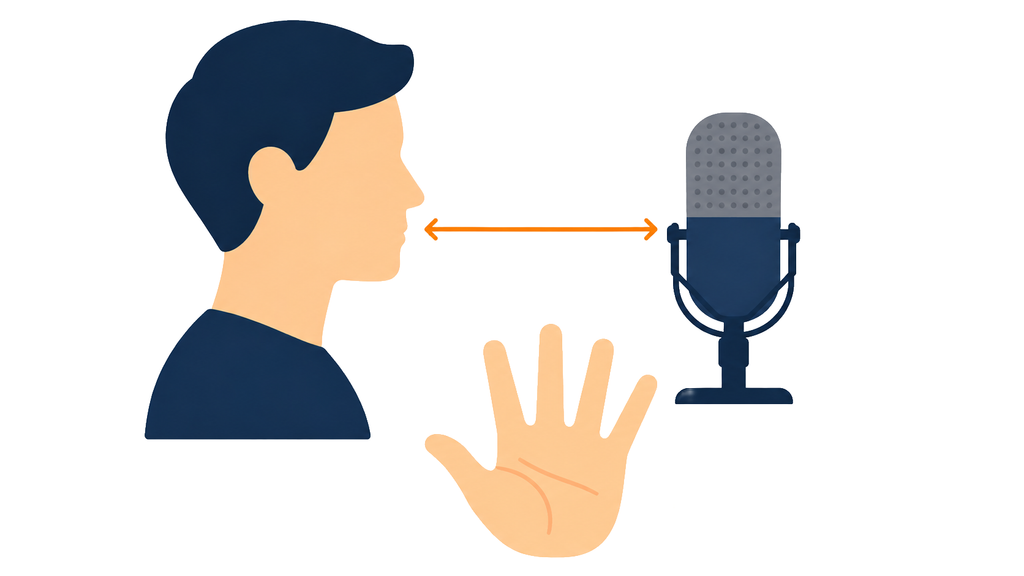
As a rough guide, the span from thumb to little finger with your hand spread wide is about 20 cm for most people — individual hands vary, but it works as a reference.
Pop filter: the bundled one cut breath noise by about 7.8 dB
Testing phrases loaded with plosives, recordings without the pop filter hit the ceiling of the recordable range. With it, they stayed at −1.7 dBFS, suppressing the thump of breath hitting the capsule by about 7.8 dB. Leaving the bundled pop filter on is the safe choice.
Pop filter on
Pop filter off
Polar pattern: speak into the front and it holds back the room
We recorded the same delivery at the same level from three directions: front, 90 degrees to the side, and rear.
At 90 degrees the sound got slightly muffled; from the rear it turned nasal, like talking with your nose pinched. The cardioid pattern is clearly doing its job.
Front / 90 degrees / rear comparison
Position the mic so it faces your mouth head-on and it will hold back the surrounding room on its own.
Note that the front is the side with the gold dot below the grille. That dot marks the capsule position, so that is the side to speak into. The face engraved with RØDE NT1 is the back — worth remembering when you mount it.
One caveat: a cardioid pattern only rejects sound arriving off-axis. Anything happening on your desk still gets in.
Even a quiet keyboard put audible key clicks into the recording, so with a loud mechanical board you’ll want a noise gate (a feature that automatically cuts quiet sounds).
📘 Glossary | Cardioid
The most common unidirectional pattern: it picks up sound in front of the mic well while reducing what arrives from the sides and rear.
What it’s like to stream with
Monitoring: no perceptible latency
Talking while listening to ourselves through the AI-1’s direct monitoring, there was no sense of latency at all. On earphones, the volume knob reached a comfortable level before it was even a quarter turn in. There is plenty of headroom on the headphone output.
The flip side is that this mic sends back sounds you normally tune out.
Shouting: drop the gain a notch for peace of mind
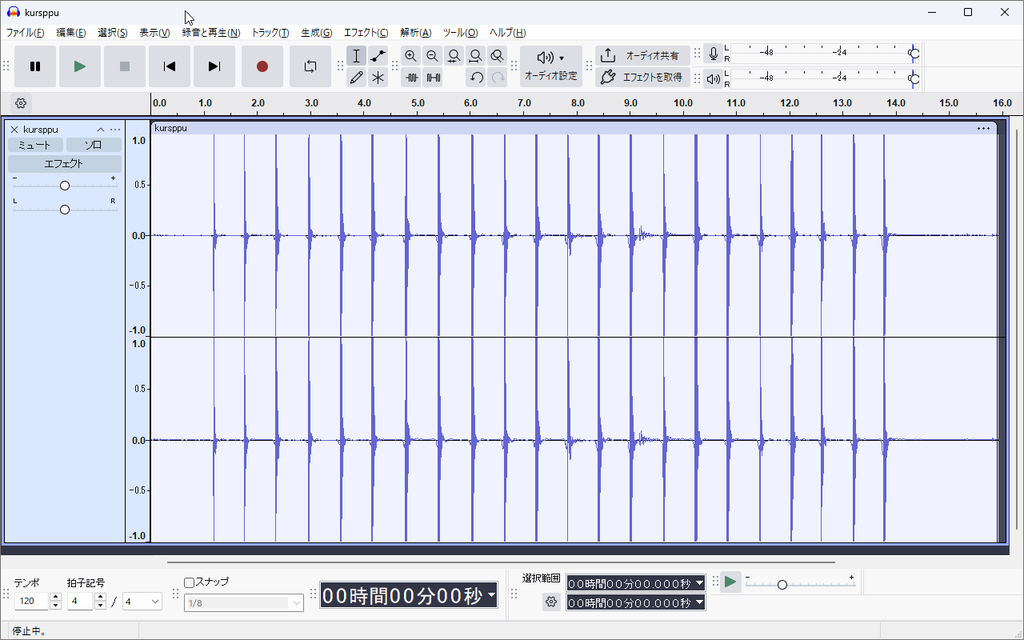
With loud shouts and hand claps, the waveform repeatedly hit the ceiling of the recording level. We couldn’t hear distortion, but it was clipping the limit. If your streams involve a lot of shouting, dial the gain back a notch from your usual setting to leave some headroom.
We also ran a 10-minute mock stream on a VTuber setup with VSeeFace and OBS. There was no audio drift or dropout — it recorded steadily throughout.
For streaming, it looks like you can set the gain once and then leave it alone.
Choosing an arm that can hold 995 g
The one place this setup might trip you up is the load rating of your arm or stand. The mic body is 313 g and the bundled SM6 shock mount is 682 g, for a combined 995 g. Think of it as two 500 ml bottles — heavier than it looks.
We mounted it on a gas-spring boom arm rated for about 3 kg (the type you move with light pressure and that stays where you leave it). There was no sag or tilt; it held steady. With a gas-spring arm that has headroom on its rating, the weight isn’t much of a concern.
RØDE’s own PSA1+ boom arm is rated to 1.2 kg, so it handles the 995 g NT1 and SM6 combination without trouble.
Whichever arm you use, the joint at the tip that holds the SM6 — the part that sets the mic angle — needs its screw tightened properly. Tightened down, it held well: the angle never drifted while we were talking.
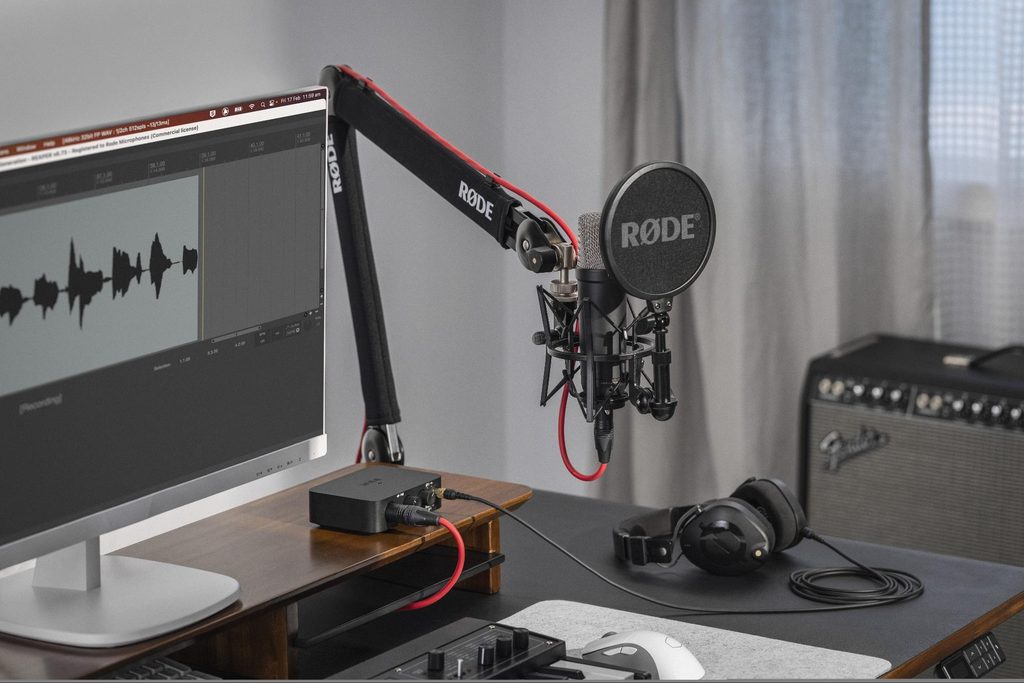
The SM6 combines a shock mount and a pop filter in one part. That covers both vibration and plosives, so you don’t need to source anything extra at setup time.
The pop filter is removable, but it is designed around RØDE’s large-diaphragm mics. If you want to try a different one, you’ll be sourcing it yourself. The filter element is a gauze-like fabric; we couldn’t judge its durability over a test period this short.
The same load-rating check applies if you use a desk stand. RØDE has also announced the DS3, a new desktop studio arm rated to 1.5 kg, with a ball head for angling the mic. It is slated for release in Japan at the end of September. At the time of writing it hadn’t shipped in Japan and we haven’t handled one, so the load rating is the manufacturer’s figure.
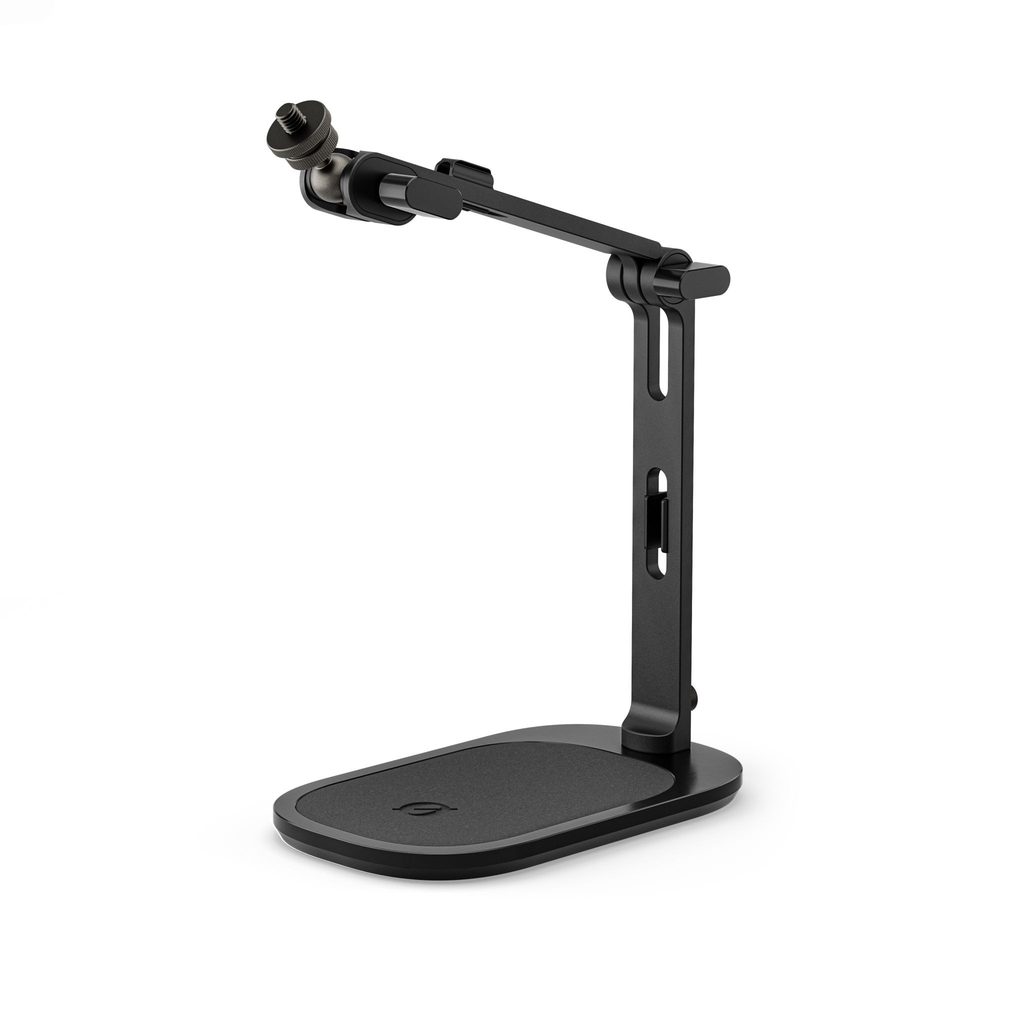
A ball head lets you adjust the mic angle (image supplied by the manufacturer)
Verdict
Who it’s for
After testing, these are the people we think this mic suits:
- Anyone recording audio, uploading videos or making podcasts who wants less noise cleanup in the edit
- Narrators, readers and anyone whose stream is built around the voice itself
- ASMR and whisper-based creators
- Anyone who wants a complete first XLR microphone kit in one go
Conversely, if you’d rather never think about gain or settings at all, a USB mic is the easier life. It also isn’t at its best in a room where household noise gets in — though closing a window or drawing the curtains changes the result more than you’d expect.
An easy first XLR microphone
We couldn’t confirm the “world’s quietest” claim in our own room, but the noise level made it clear why RØDE makes it. Thirty seconds of silence came back almost flat, and whispers recorded without noise creeping in. With the space behind your voice this quiet, noise cleanup in editing should drop off sharply.
It is also priced within reach: the NT1 Signature Series is ¥23,980, and adding the AI-1 at ¥18,700 keeps the pair in the low ¥40,000s (both tax included, at the time of writing). The mic side includes the shock mount, pop filter and XLR cable, so all you need to add is an arm.
Keep the mic 20 cm in front of your mouth, leave the pop filter on, and cut down household noise before you hit record. Handle those three and the rest is just talking. As a first XLR microphone, this is an easy one to live with.
Credits
If the gear we tested caught your interest, the manufacturer’s official pages are below.
>>RØDE NT1 Signature Series — official site
>>RØDE AI-1 — official site
In Japan, both are also available from Ginichi, RØDE’s Japanese distributor, through its online shop.
>>NT1 Signature Series Cobalt (Ginichi Online Shop)
>>AI-1 (Ginichi Online Shop)
Equipment provided by: Ginichi Corporation (RØDE’s distributor in Japan)
Review: Umazura