


Share


Elgato Wave Mic Arm Pro vs. LP vs. Desk Stand: Which Mic Mount Fits Your Streaming Desk?
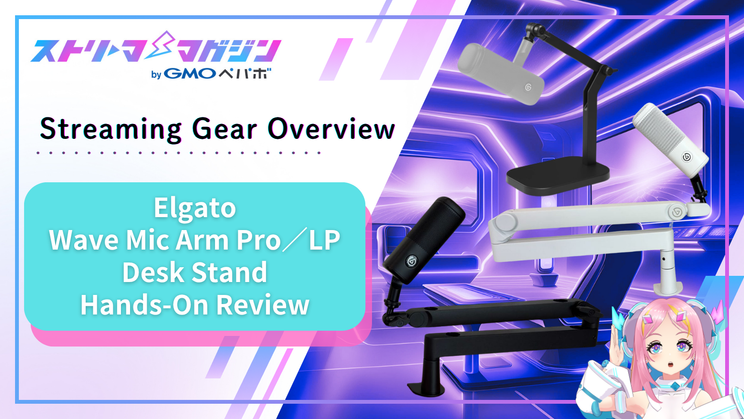
You probably spent a lot of time choosing your streaming mic. But how much thought did you give to where it sits?
It’s common to compare specs carefully to find the right microphone, then grab whatever cheap arm or stand is on hand to hold it. Later, the regrets creep in: the height never feels quite right, the mic wobbles at the slightest touch, or your desk suddenly feels cramped.
So this time, we put Elgato’s Wave series mic arms and desk stand head to head.
We tested three models: the Wave Mic Arm Pro and Wave Mic Arm LP, two low-profile arms that support the mic from below, and the Wave Desk Stand, which simply sits on your desk. We mounted the same microphone on all three and broke down the differences so you can pick the one that fits your desk.

Key Takeaways
- The Pro and LP arms both use a clamp, which officially opens up to 60mm.
- Beyond desktop thickness, the clamp also needs roughly 60mm of clearance under the desk edge to slide in.
- The Pro holds its height automatically with a gas spring, while the LP locks in place with knobs. Choose based on how often you adjust your mic.
- The Desk Stand just sits on your desk, so it works even where a clamp won’t fit.

The Test Mic: Elgato Wave DX
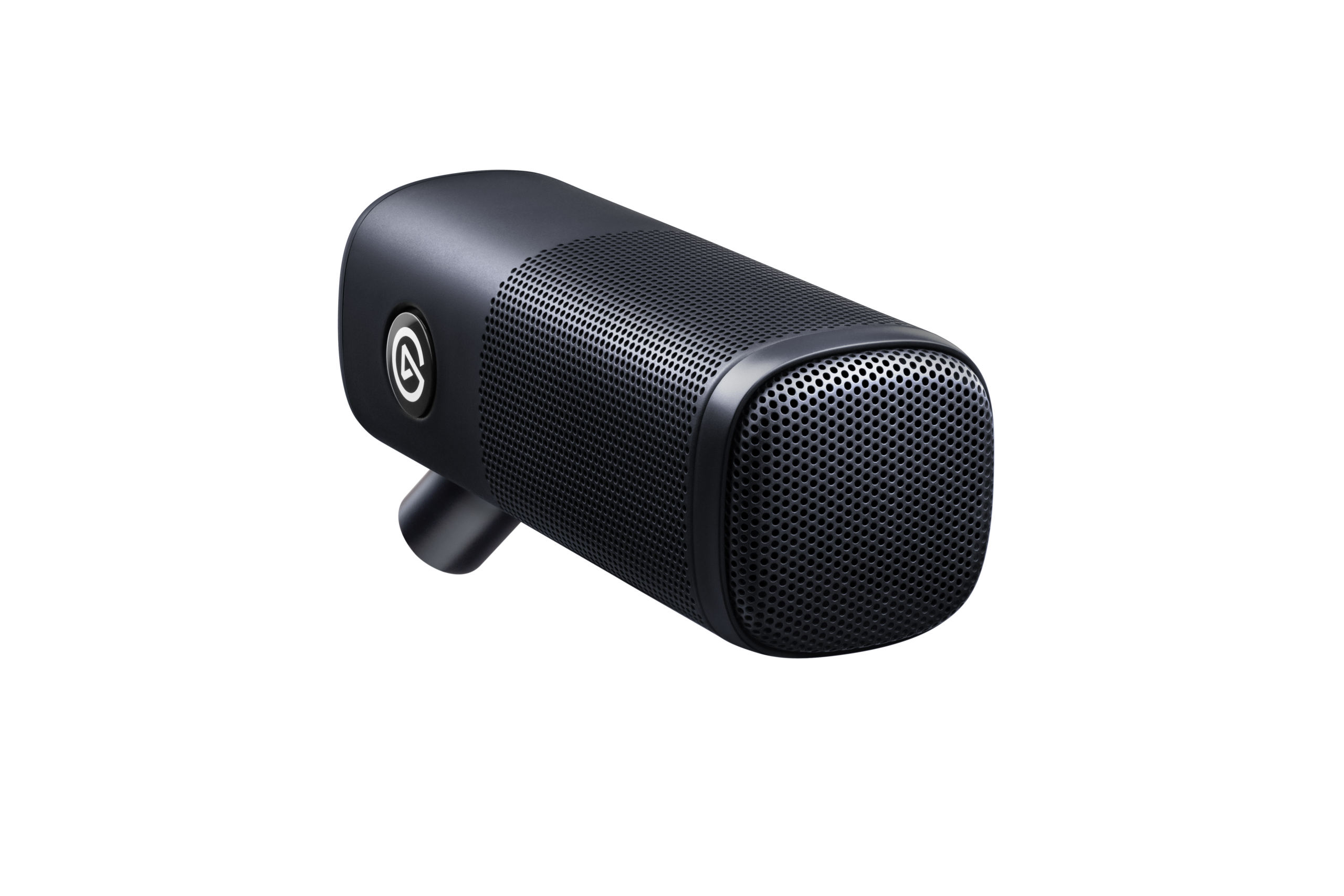
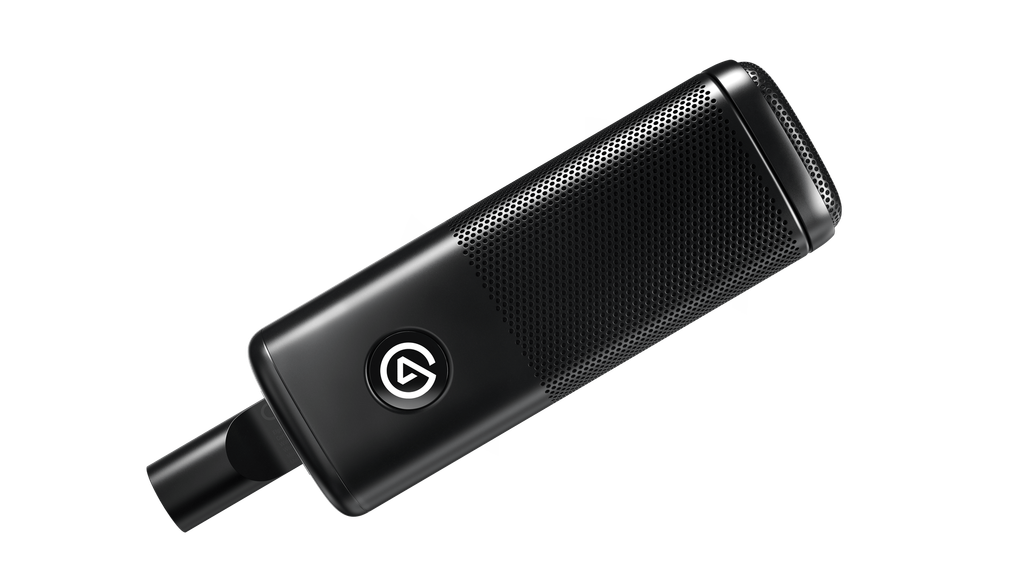
For all three mounts, we used the Wave DX, a microphone from the same Elgato lineup.
It’s an XLR dynamic mic with a cardioid pickup pattern, so it focuses on the voice directly in front of it. Its big selling point is capturing fine detail the way a condenser mic would, despite being a dynamic. It retails for 16,480 yen (tax included, as of September 2026).
At a fairly light 440g, it was well within what all three mounts could comfortably support.
The mic has a 5/8-inch thread, but it attached directly to all three without us having to buy an extra adapter.
We used the mic in both black and white, paired with the Elgato Wave XLR Pro audio interface. The mic and interface stayed the same throughout; only the mount changed.
We’ve reviewed the Wave XLR Pro before, so check it out if you’re curious.
>> Elgato Wave XLR Pro Review: All-in-One Audio Control for Serious Streamers
Test Conditions | Common Setup
Mic: Elgato Wave DX (black and white / XLR dynamic microphone)
Audio interface: Elgato Wave XLR Pro
Test desk: desktop thickness approx. 50mm (measured)
Testing period: July 2026
How the Three Compare
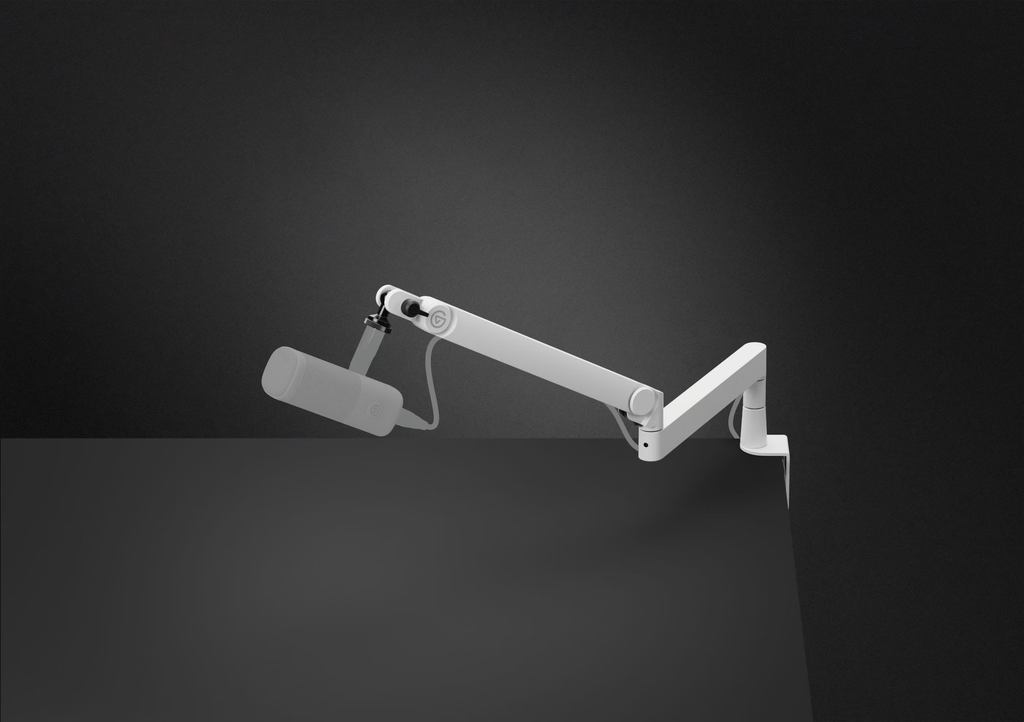
Here’s a quick side-by-side of the key features.
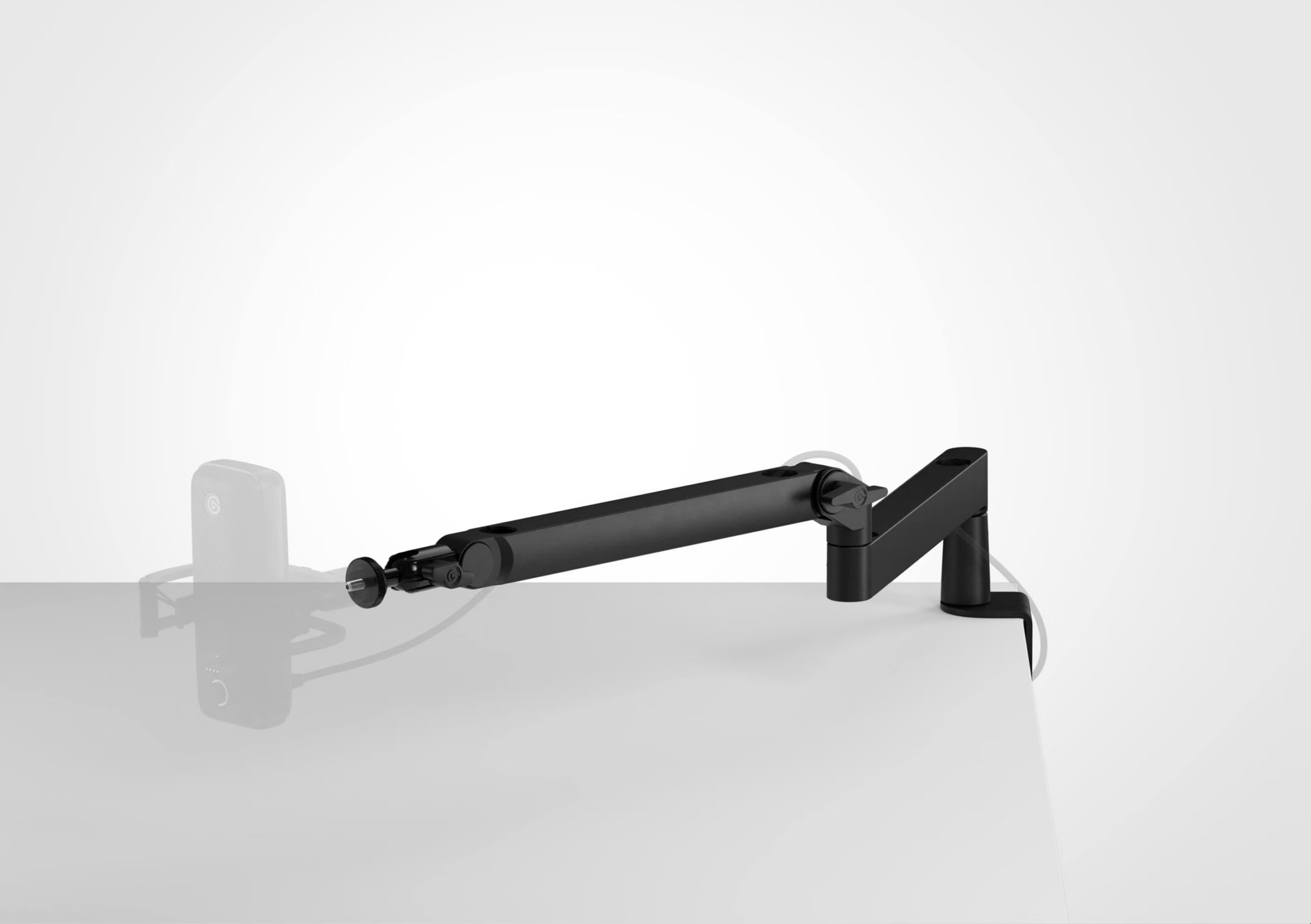
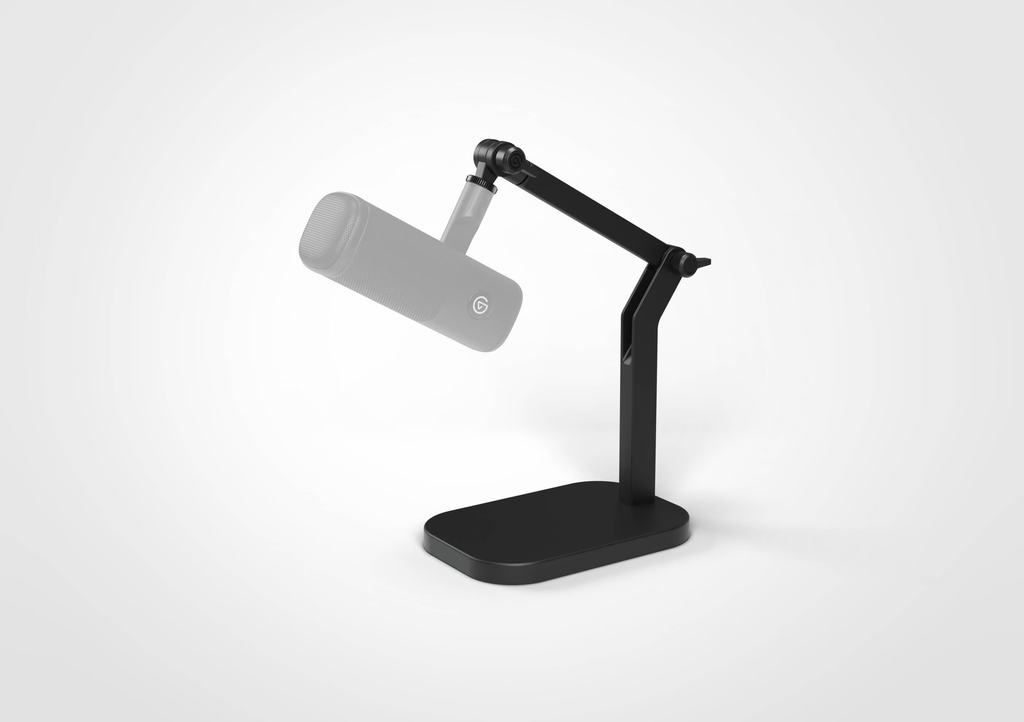
| Product | Type | Desk Mounting | Height & Angle Adjustment | Best For |
|---|---|---|---|---|
| Wave Mic Arm Pro | Low-profile arm | Clamp (opens up to 60mm) | Holds position automatically via gas spring | Frequent adjusters who want smooth movement |
| Wave Mic Arm LP | Low-profile arm | Clamp (opens up to 60mm) | Locked with manual knobs | Set-it-and-forget-it users |
| Wave Desk Stand | Desktop stand | Sits on the desk | Locked with manual knobs | Anyone who doesn’t want holes or clamps on their desk |
Laid out like this, the Pro and LP share the same design and mounting method. The only real difference is how you set the height. The Desk Stand, on the other hand, mounts in a completely different way. In other words, your first decision is simple: can you attach a clamp to your desk or not?
📘 Quick Glossary | Clamp
A fastener that grips the desktop from above and below. You tighten it with a screw to lock it in place. Both arm models (Pro and LP) use this clamp-style mount.
Will the Pro or LP Fit Your Desk?
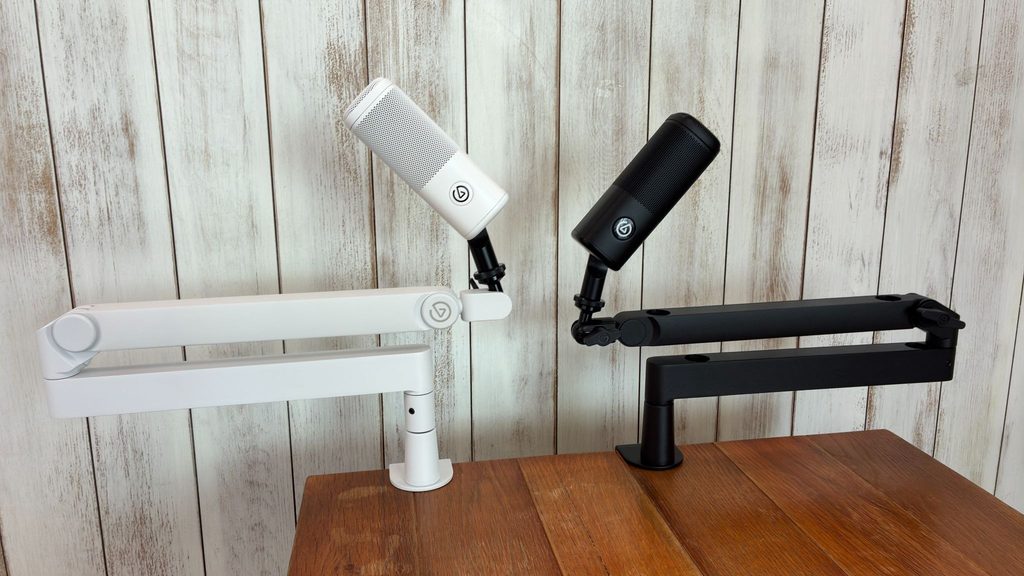
Both arms support the mic from a low position
The Pro and LP arms attach by clamping onto your desktop. According to the official specs, both clamps open up to 60mm. On our test desk (about 50mm thick), both locked in firmly with no issues.
What people tend to overlook isn’t thickness, but depth. Without enough clearance under the edge of the desktop, the clamp jaws won’t slide in properly.
You’ll need roughly 60mm. If your desk is pushed flush against a wall or has a support rail under the edge, check whether the clamp will fit before you buy. Glass desktops are also a risk, since they may not handle the clamping pressure well, so don’t force it.
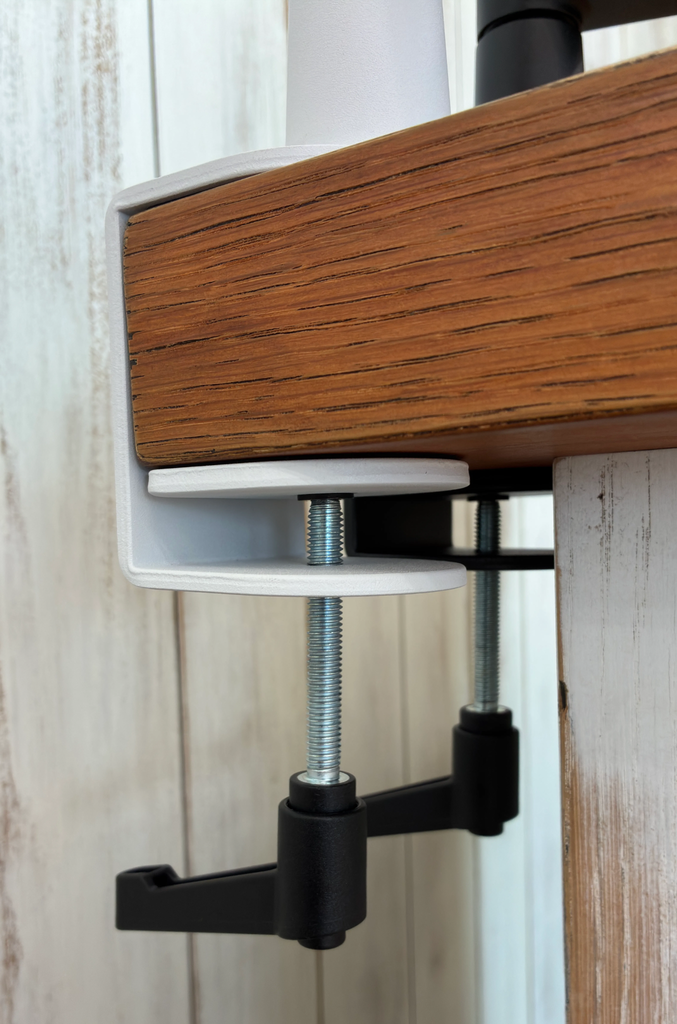
Test Conditions | Clamp Mounting
Desktop thickness: approx. 50mm (measured)
Clamp opening: up to 60mm (official spec)
Test: opened each clamp (Pro and LP) to its maximum and mounted it on the desktop
Result: both the Pro and LP held securely
*We did not test desktops close to 60mm thick or glass desktops.
Pro vs. LP in Daily Use: Height Adjustment and Cable Management
Both arms (Pro and LP) share one key trait. Instead of hanging the mic from above like a traditional boom arm, they run below shoulder height and reach up toward your mouth (Elgato calls this a “low-profile” design).
Since the arm never crosses in front of your face or screen, your view stays clear.
If you stream on camera, your face is framed more cleanly. And if you use a webcam for face tracking, the arm is far less likely to get in the way of detection.
Assembly is easy across the board. Both the LP and Pro took about five minutes to set up. You barely need tools; the included hex key only comes out for fine adjustments. There’s a manual, but we were able to put everything together without it.
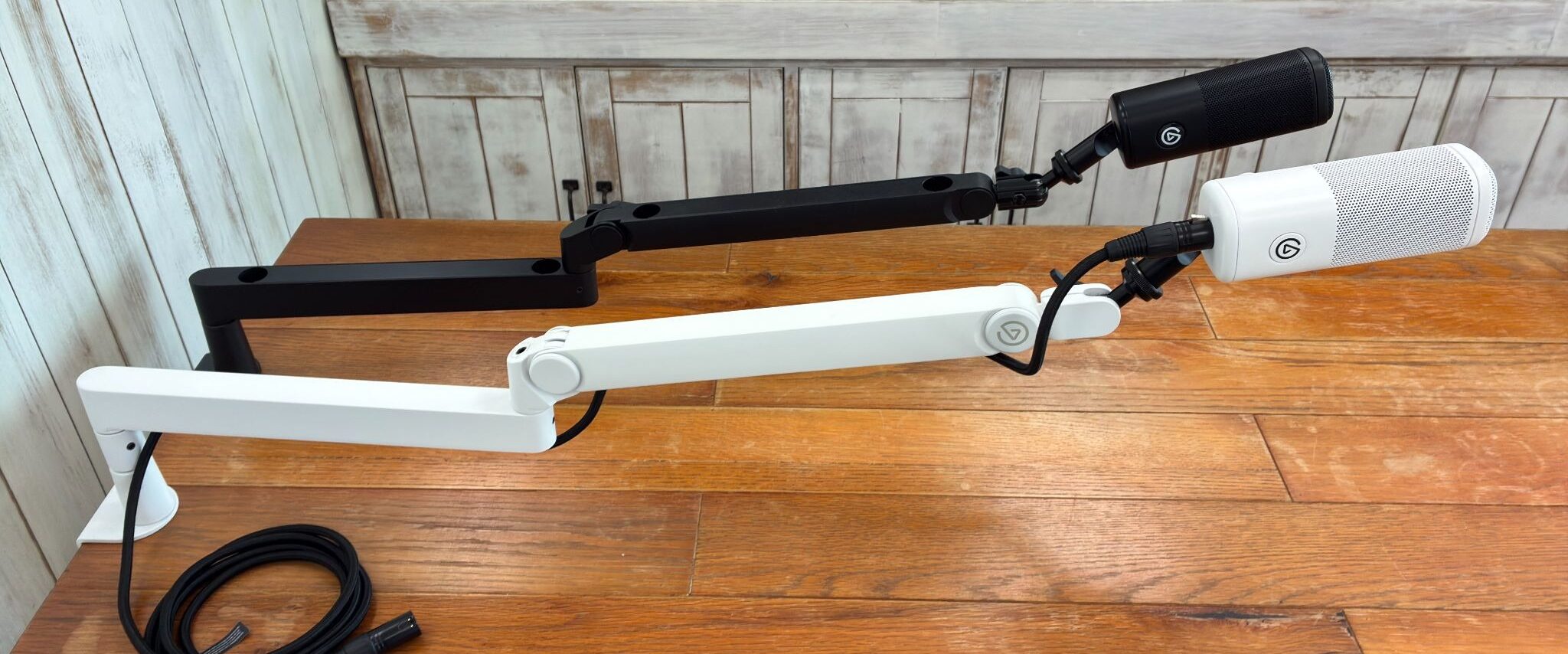
Once everything is installed, the real difference comes down to how easy it is to move day to day. You’ll likely adjust your mic arm every time you go live, so this matters more than you might think.
The Pro and LP take opposite approaches to height adjustment.
The Pro has a built-in gas spring, so it stays exactly where you let go. There’s no need to loosen and retighten anything, which makes adjusting it feel intuitive.
The LP locks in place with knobs each time. It’s an extra step, but the knobs have a satisfying bite that gives you confidence they’re fully tightened.
If you move your mic often, go with the Pro. If you set it once and rarely touch it, the LP is more than enough.
The Pro also lets you adjust how much resistance it has when moving. If your mic is light and the arm drifts up on its own, or it slowly sinks down, you can fine-tune the tension with the included hex key.
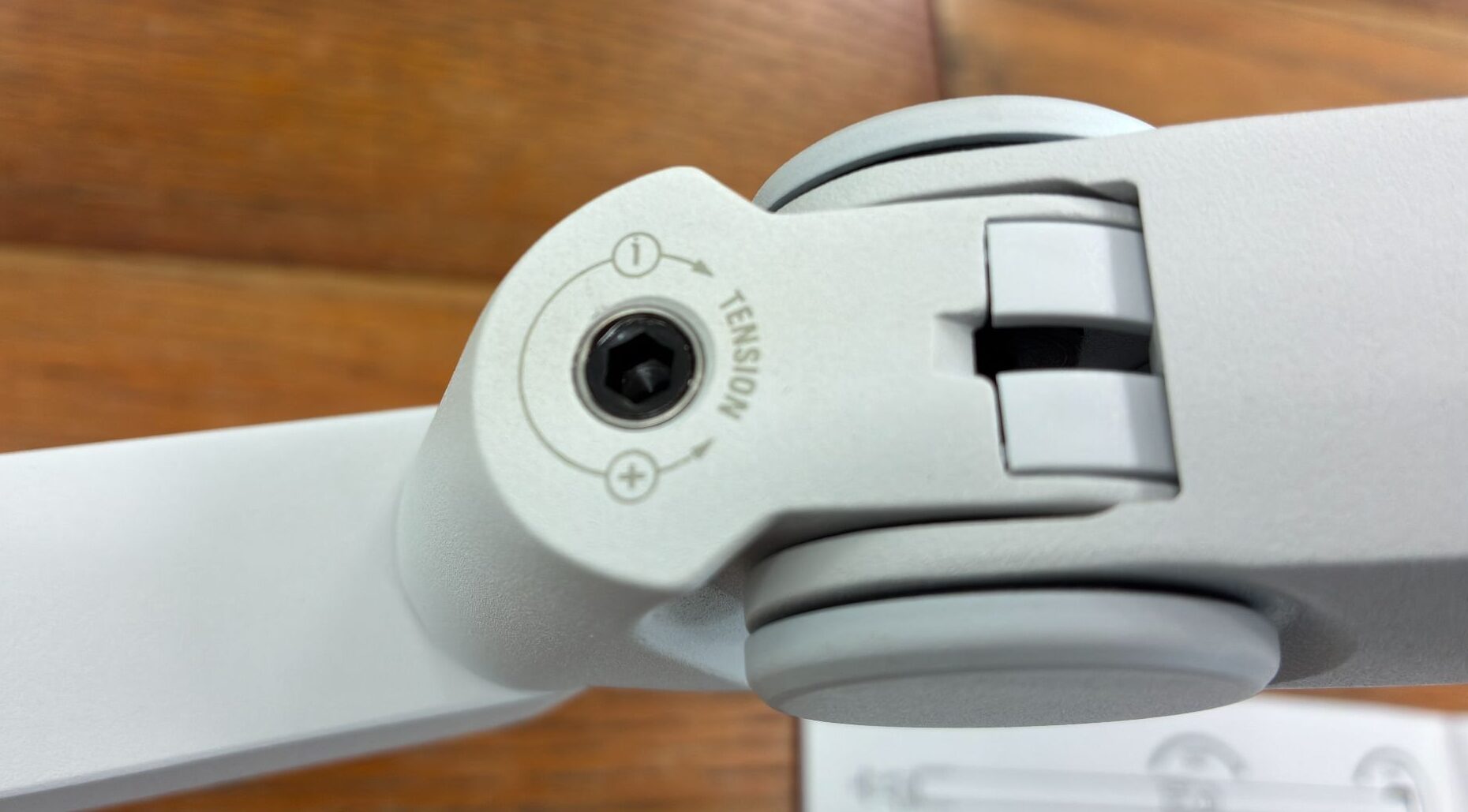
📘 Quick Glossary | Gas Spring
A mechanism that uses gas pressure to support extension and compression. It’s common in PC monitor arms, letting you move things with a light touch and have them stop right where you let go.
We also listened for noise when changing the angle.
Neither the Pro nor the LP made the creaky, grinding sounds common with cheap arms, so repositioning your mic mid-stream shouldn’t send arm noise to your audience. That’s a big plus when you don’t want your mic picking up anything extra.
Cable management is well thought out, too.
Both the Pro and LP let you route the mic cable through the inside of the arm to keep it hidden, and the magnetic covers make it easy to open and close. The LP also has a cable opening on the underside of the arm, so you can feed the cable in from above or below. Being able to match the routing to your desk setup is a nice touch.
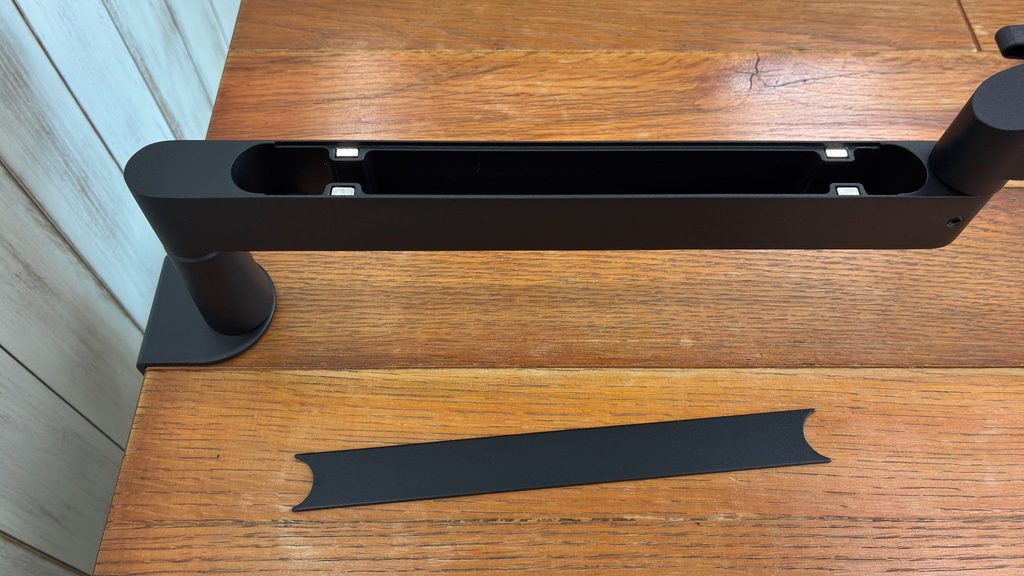
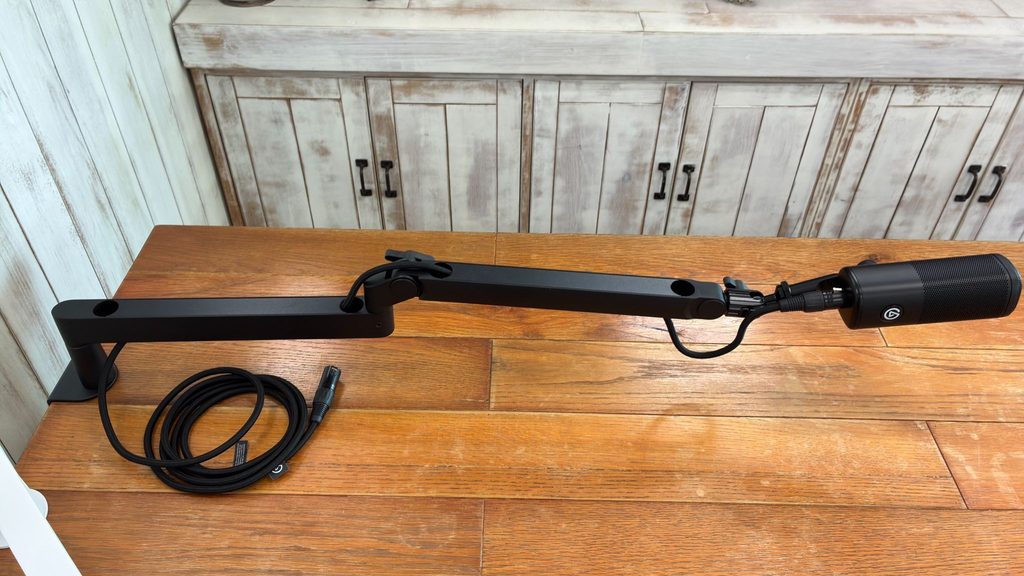
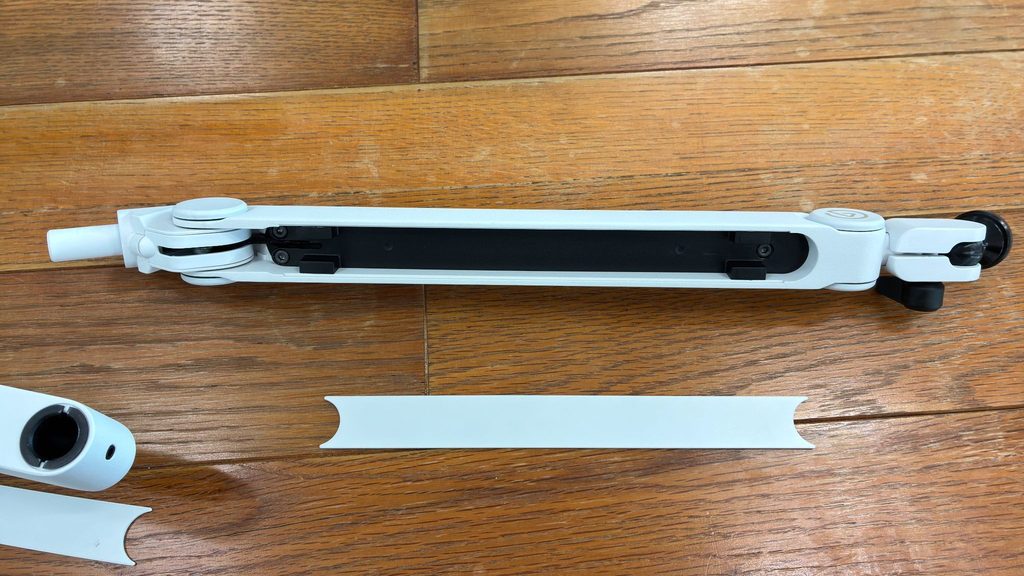
💡 Tip: Use a Mic Cable of 2m or Longer
When you route the cable through the Pro or LP, about 1m of it is taken up inside the arm. A mic cable of 2m or longer gives you plenty of slack to reach your mouth comfortably.
Test Conditions | Height Adjustment and Noise
Position: seated in a normal streaming posture, bringing the mic up to mouth level
Test: moved each of the three mounts in height and angle to check how they held position and whether they creaked
Result: all three easily reached mouth level. The Pro and LP produced no noticeable creaking
*We did not measure the distance to the mouth in centimeters.
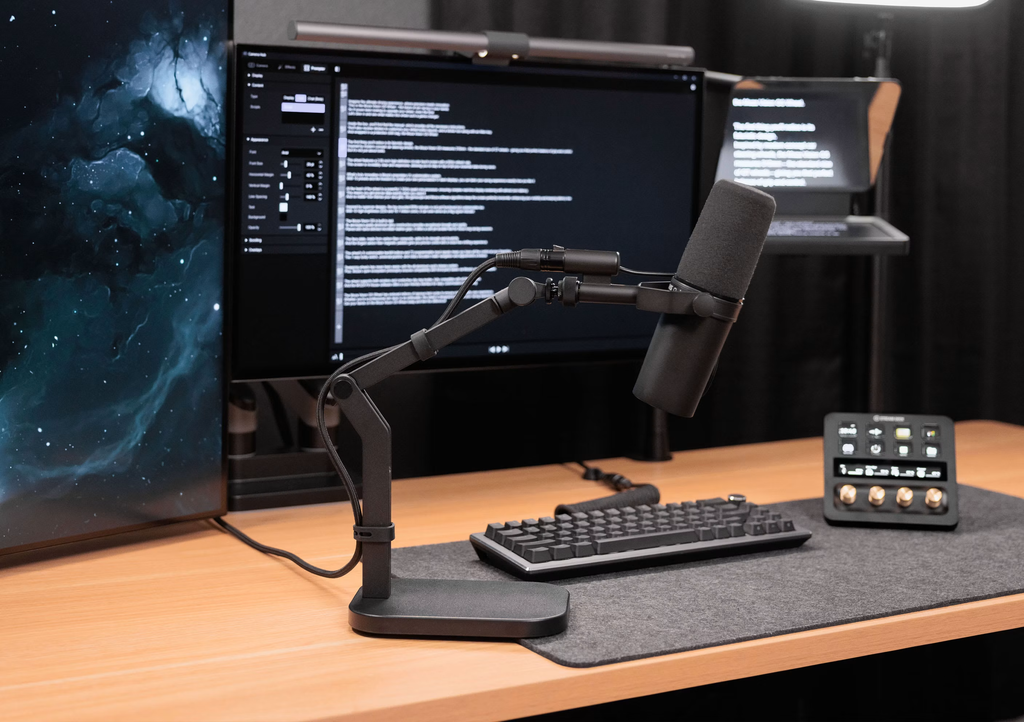
Desk Stand: Easy to Set Up, but the Swivel Is Loose
The Desk Stand doesn’t use a clamp at all; you just set it on your desk.
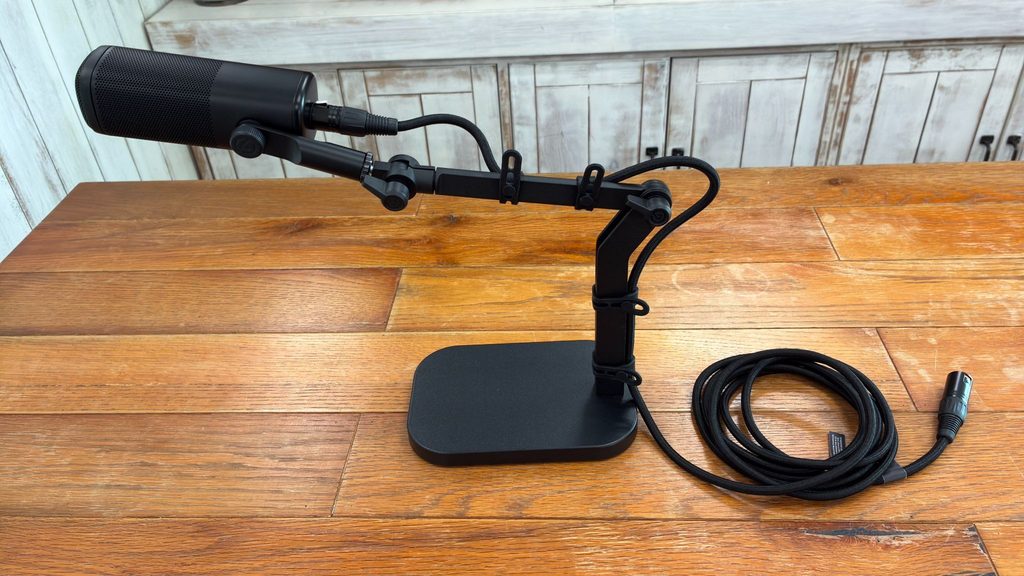
It’s made of metal with good weight balance, and it felt very stable once in place. If you don’t want to scratch your desk, or your desk simply can’t take a clamp, this should be your first choice.
The convenience of a freestanding mount is a big draw, but there’s one thing worth knowing before you buy.
Vertical (up-and-down) locking is solid, and it held the mic firmly in a horizontal position. The head’s rotation (swivel), however, is less secure. Even with the knob tightened hard, the mic occasionally turned on its own. If you want to lock in an exact angle and never touch it again, keep this in mind.
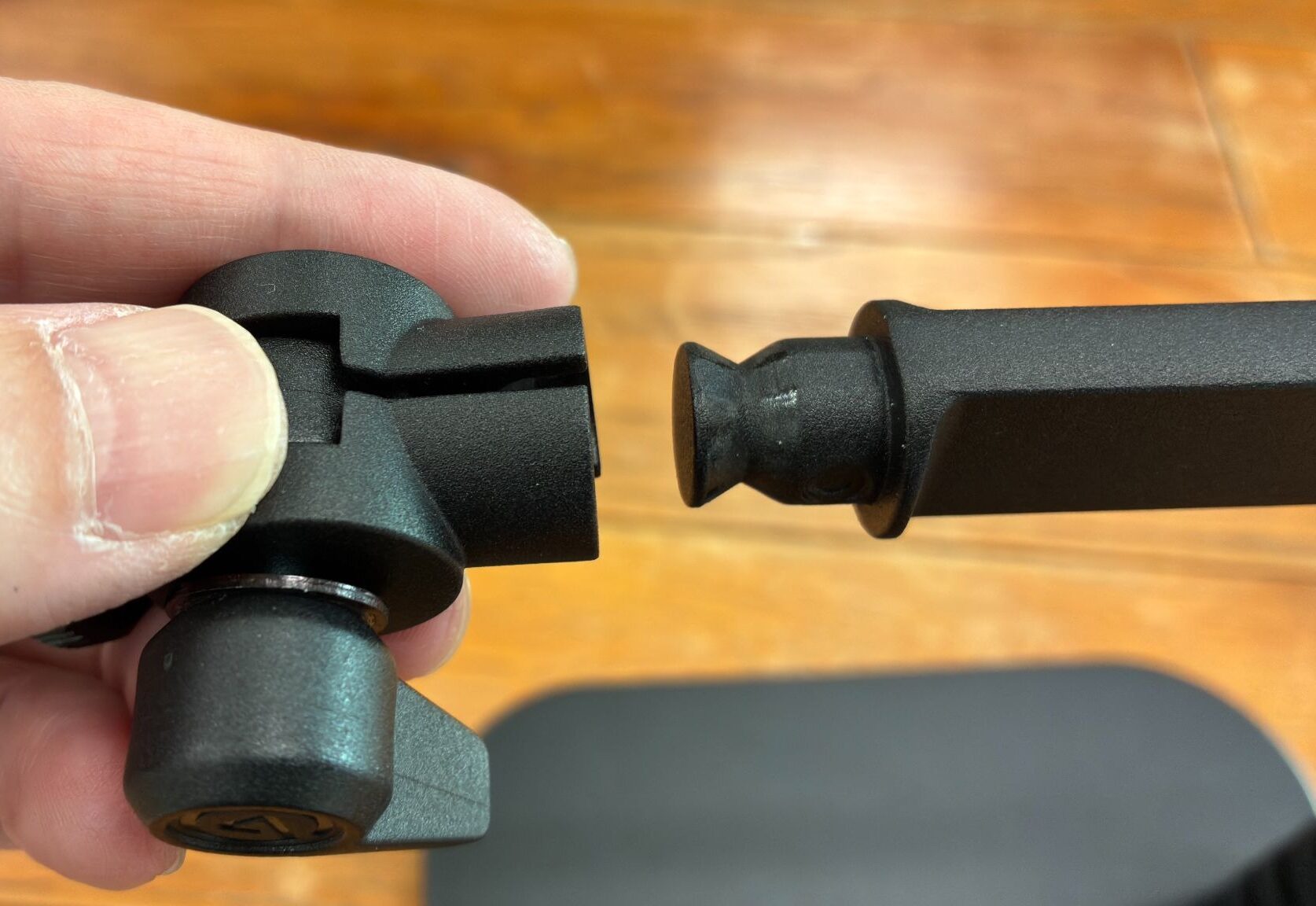
Instead of internal routing like the arms, the cable is bundled on the outside with the included silicone bands. They only hold about 50cm of cable, so if you want to neatly bundle more than a meter, you might find them a bit lacking.
💡 Using a Heavy Mic? Check the Load Capacity
The official maximum load is 3kg for the Wave Mic Arm Pro, 2kg for the Wave Mic Arm LP, and 1kg for the Wave Desk Stand. All three handled the Wave DX without issue, but the Desk Stand has the lowest rating. If you plan to use a larger mic with a shock mount, check the weight of your gear first.
Test Conditions | Desk Stand Holding Strength
Test: with the Wave DX held horizontally, checked how well it held vertically and in head rotation
Result: vertical hold was good. The head sometimes rotated even with the knob tightened firmly
Cable: the included silicone bands held about 50cm of cable
Verdict: Match the Mount to Your Desk and You Can’t Go Wrong
All three belong to the same Wave series, and there’s little difference in build quality or finish. Each uses a 1/4-inch mounting thread and comes with 3/8-inch and 5/8-inch adapters, so you can use them with mics other than the Wave DX as long as the weight is within range. Sticking with the Wave series keeps your setup looking cohesive, but the real deciding factor isn’t performance. It’s how the mount attaches to your desk and how often you plan to move it.
Which One Is Right for You?
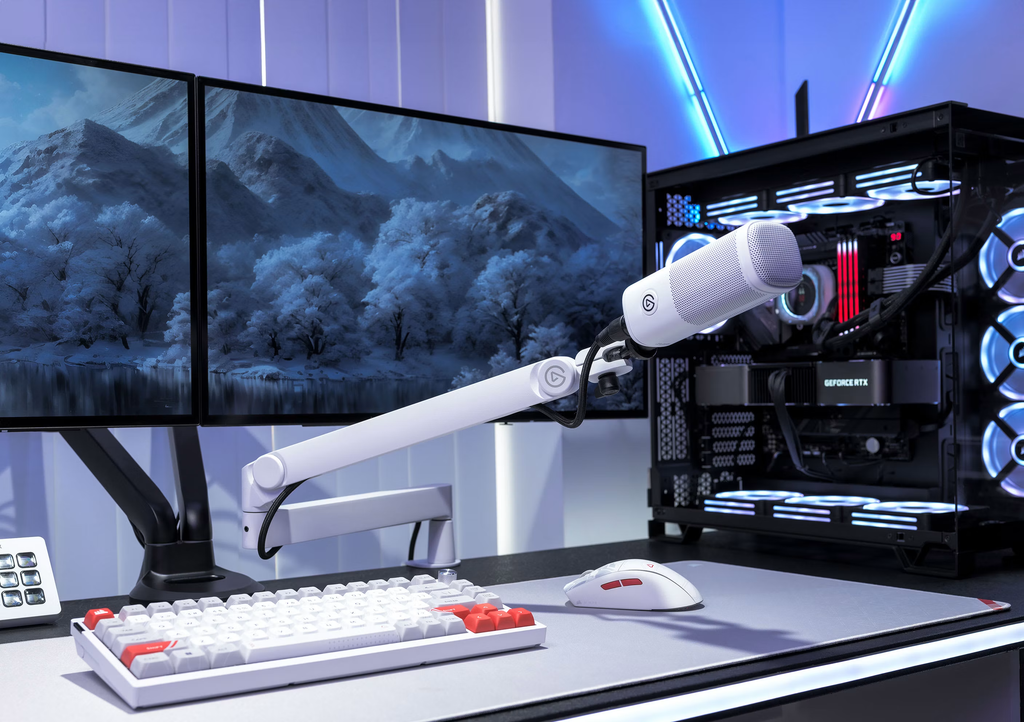
Wave Mic Arm Pro
- You move your mic around a lot while streaming
- You readjust the height often and want smooth, effortless movement
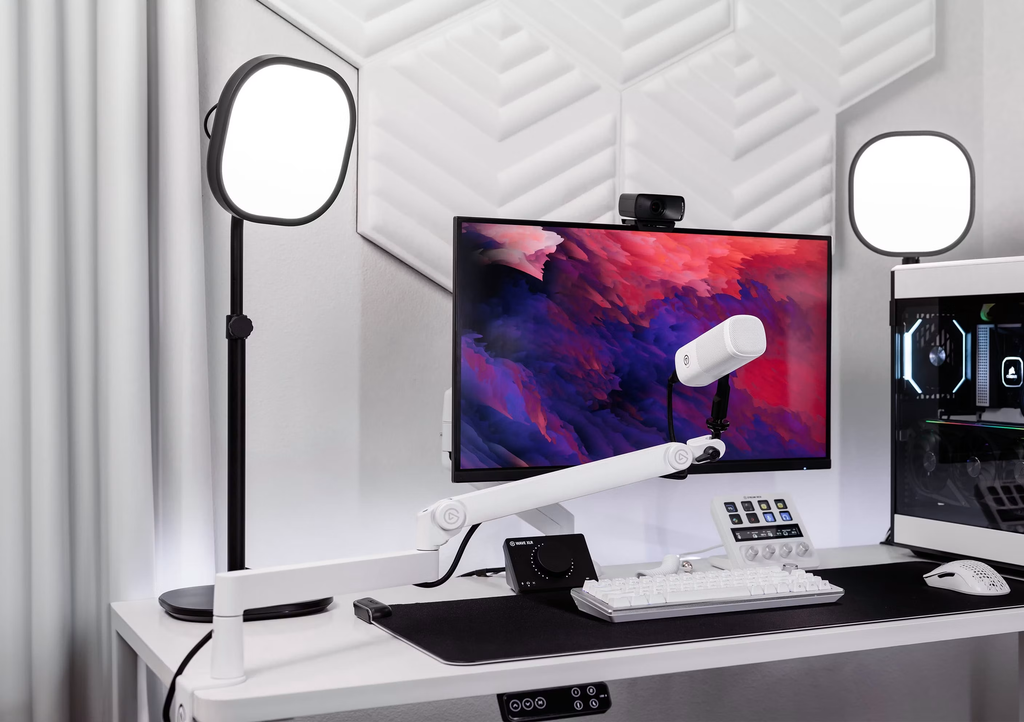
Wave Mic Arm LP
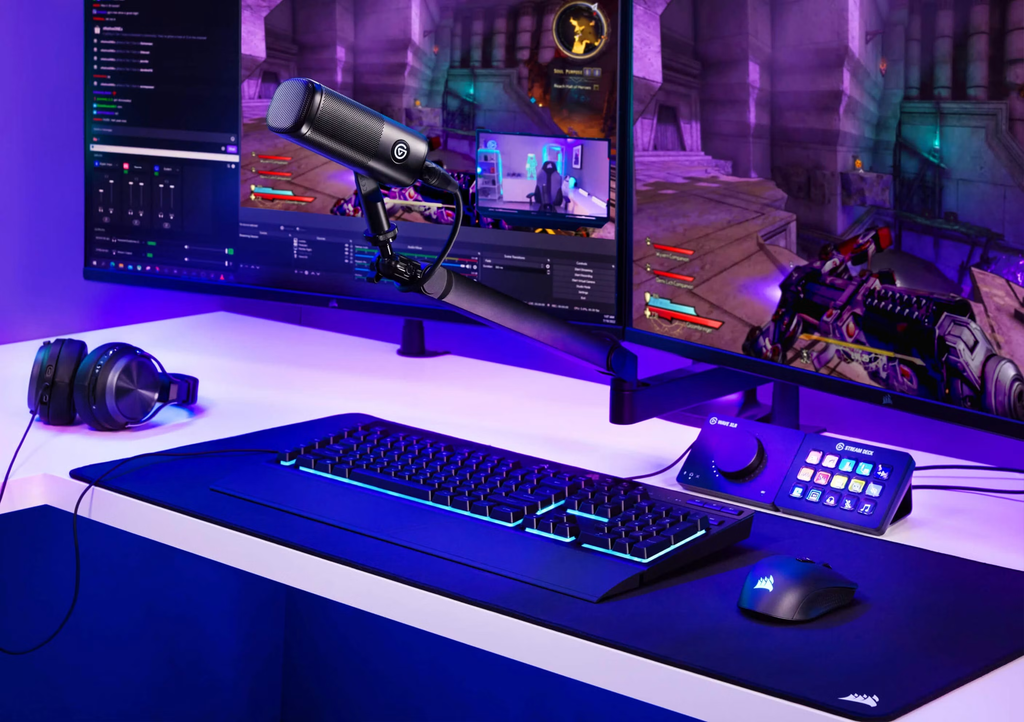
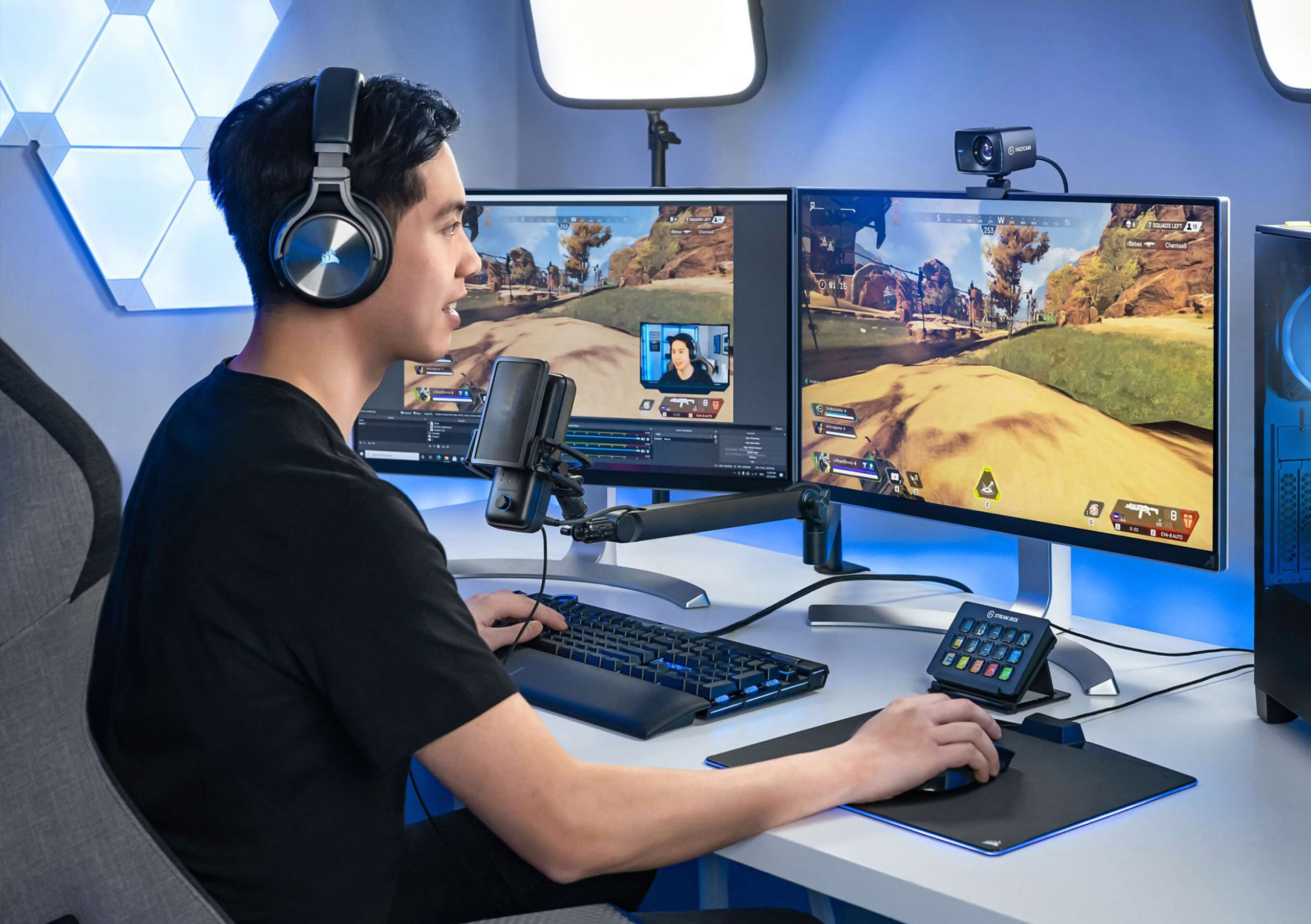
- You set your mic position once and rarely change it
- You want the certainty of a mount that stays exactly where you tightened it
Wave Desk Stand
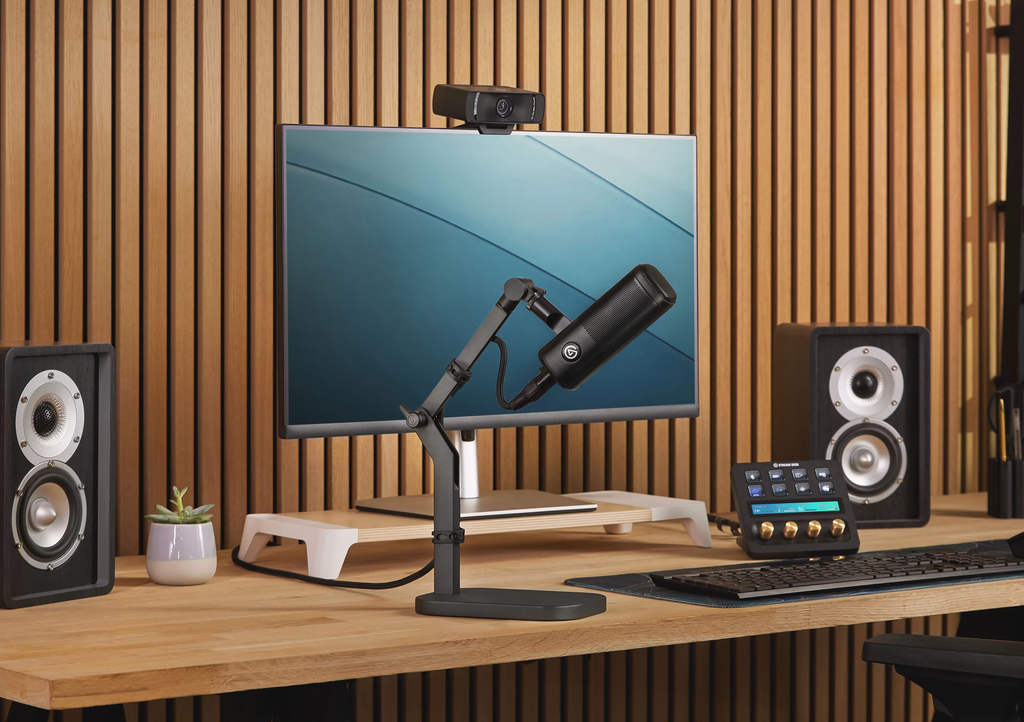
- You can’t drill into your desk or attach a clamp
- Your desktop is too thin or too thick, or there’s not enough clearance for a clamp
- You want to move your mic to different spots easily
On Elgato’s official Japanese store, the Wave Mic Arm Pro is 29,980 yen, the Wave Mic Arm LP is 15,680 yen, and the Wave Desk Stand is 10,480 yen (all tax included, as of September 2026).
The more often you move your mic, the more the Pro’s gas spring pays off. If you plan to set your position and leave it, the LP or Desk Stand will do the job just fine.
Just Two Things to Check First
Does your desk have enough clearance under the edge for the clamp? And can you live with the Desk Stand’s slightly loose swivel? Answer those two questions up front, and you can choose based on what fits your desk without any regrets.
Credits
Interested in the gear we tested? Check out the official product pages below.
>> Wave Mic Arm Pro Official Site
>> Wave Mic Arm LP Official Site
>> Wave Desk Stand Official Site
>> Wave DX Official Site
Equipment provided by: Corsair Gaming, Inc. (Elgato)
Review: Umazura