

Share


Elgato Facecam Neo vs. Facecam 4K: How Much Better Is the Picture? Tested with Key Light Neo and Key Light Air MK.2
Does your face look a little dark and blurry on stream? You’re not alone.
Shadows that hide your expressions, skin that looks dull under ordinary room lighting, a face that turns soft and smeary the moment you cut a clip. Almost every new streamer runs into this wall sooner or later.
The first things worth rethinking are your camera and your lighting.
Elgato makes several cameras and key lights, which means plenty of possible combinations.
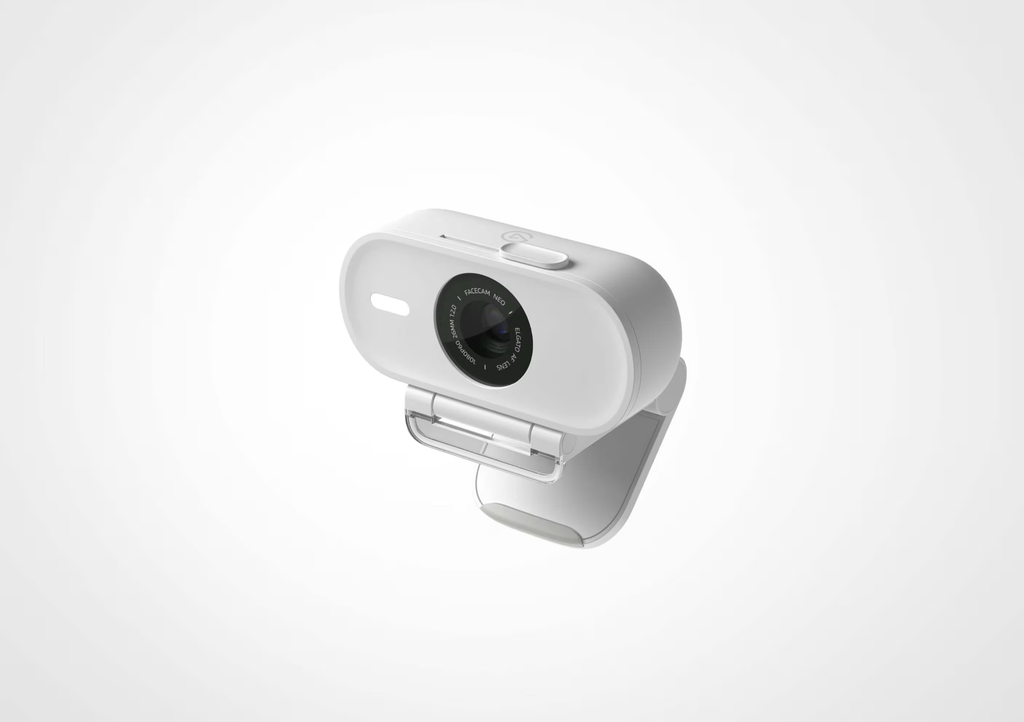
For this test, we picked four products: the Facecam Neo and Facecam 4K on the camera side, and the Key Light Neo and Key Light Air MK.2 on the lighting side. In each category, we paired a budget model with a pricier one, then shot them side by side from a streamer’s point of view.

Key Takeaways
- The Facecam Neo costs 10,180 yen. Its bright lens keeps noise low even in a dark room, and it’s more than enough for everyday Full HD streaming.
- The Facecam 4K costs 31,980 yen. Its strength is detail sharp enough to show pores, making it a good fit for 4K streams and recordings where your face fills the frame.
- Surprisingly, the cheaper Facecam Neo produced less noise in low light. Lens brightness mattered more than sensor size.
- The Key Light Neo costs 14,980 yen and the Key Light Air MK.2 costs 23,780 yen. The Air MK.2 can’t reach its rated 2,100 lumens unless you connect a 30W-class USB PD power supply.

Introduction: The Four Products and How We Tested Them
We tested two Elgato cameras and two Elgato key lights. Instead of comparing full combinations, we swapped one variable at a time: both cameras under the same light, and both lights with the same camera. That way, we could tell whether a difference in the image came from the camera or from the lighting.
We focused on three things: image detail, noise in a dark room, and how bright each light actually gets.
| Product | Type | Price | Key Specs |
|---|---|---|---|
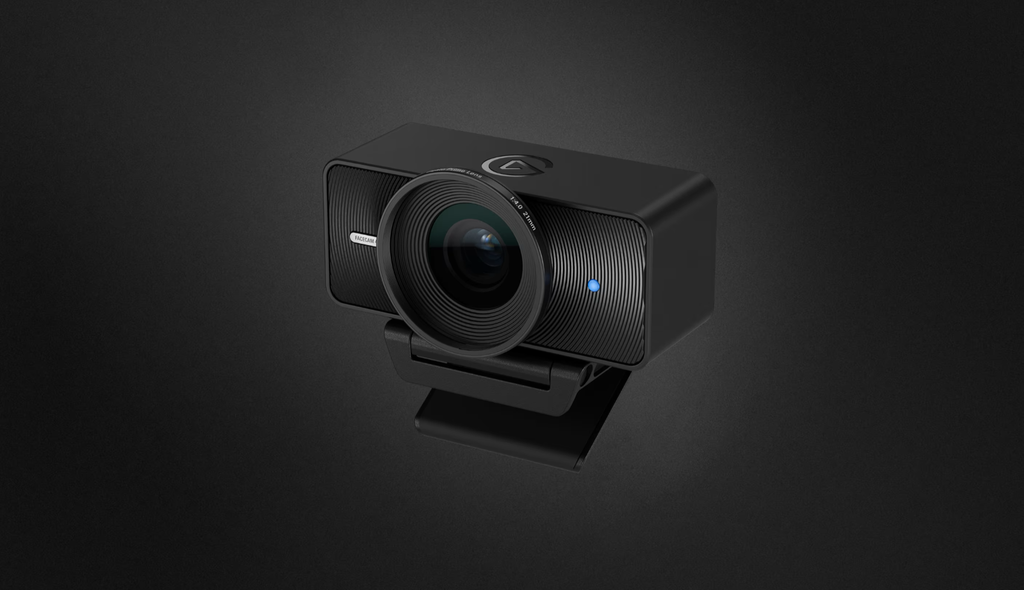
| Facecam Neo | Camera | 10,180 yen | Up to Full HD/60fps, f/2.0 lens |
| Facecam 4K | Camera | 31,980 yen | Up to 4K/60fps, f/4.0 lens |
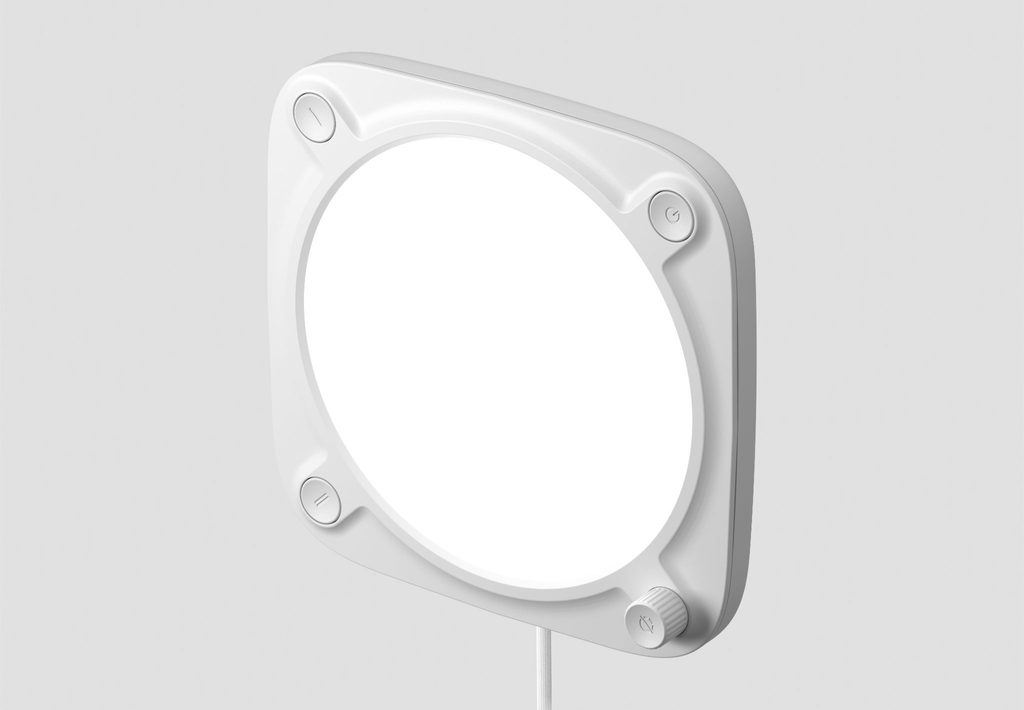
| Key Light Neo | Key light | 14,980 yen | Up to 1,000 lumens |
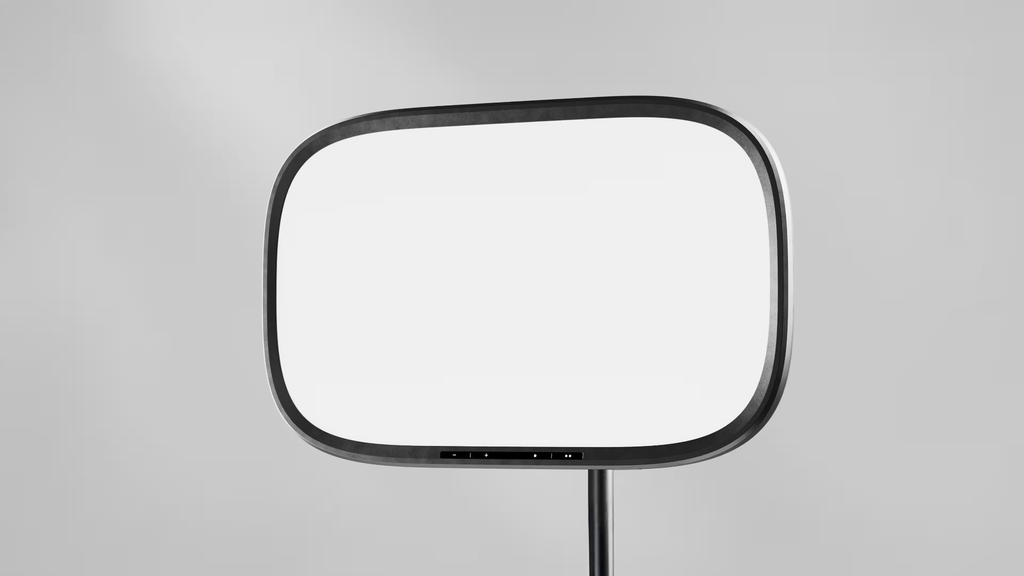
| Key Light Air MK.2 | Key light | 23,780 yen | Up to 2,100 lumens |
📘 Quick Glossary | MJPG
A video compression format. The Facecam 4K can only shoot 4K/60fps in this format.
Setup was simple for both cameras.
Plug the camera in via USB-C, launch Elgato Camera Hub (Elgato’s official app for adjusting image settings), and it shows up in the device list right away. Both cameras could also be added straight into OBS as a source. No hunting for drivers, no confusing settings.
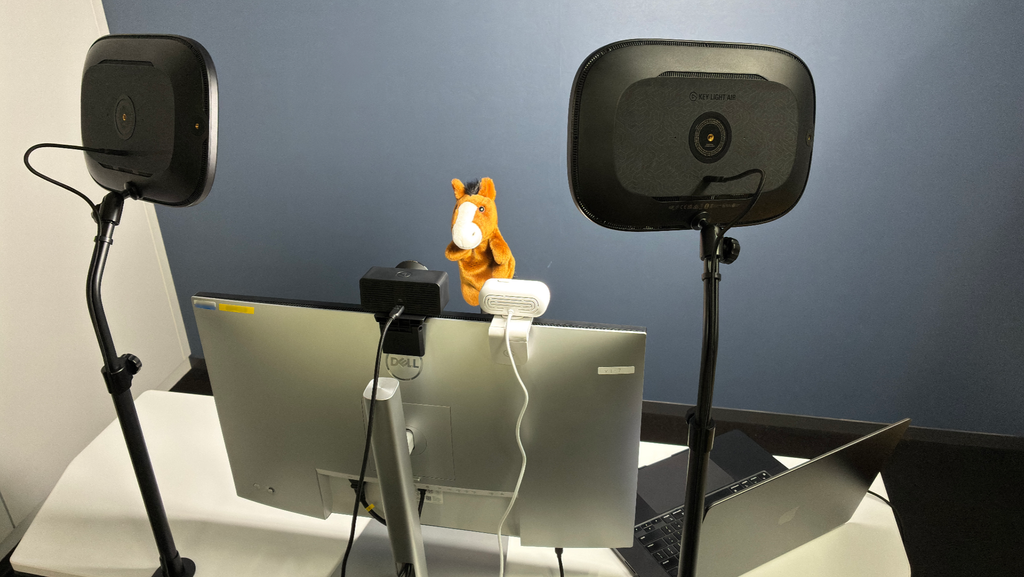
The two lights mount differently. The Key Light Neo sits on top of your monitor using the included monitor mount, while the Key Light Air MK.2 attaches to the edge of your desk with the included clamp. Neither needs tools; you just decide where to put them.
Test Conditions | Common Setup
Test dates: July 27–29, 2026
Test PC: MacBook Pro 16-inch, M3 Max
Software: Elgato Camera Hub (snapshots for image comparison) / OBS Studio (adding sources and checking output) / Elgato Control Center (light output settings)
Firmware: Facecam 4K 2.32.0000 / Facecam Neo 1.79.0162
Environment: a room that blocks outside light, shot at the same time of day with the same subject and background
Prices are as of the time of testing and may change.
How Different Is the Picture Quality?
At 100% Zoom, the Difference in Detail Is Obvious
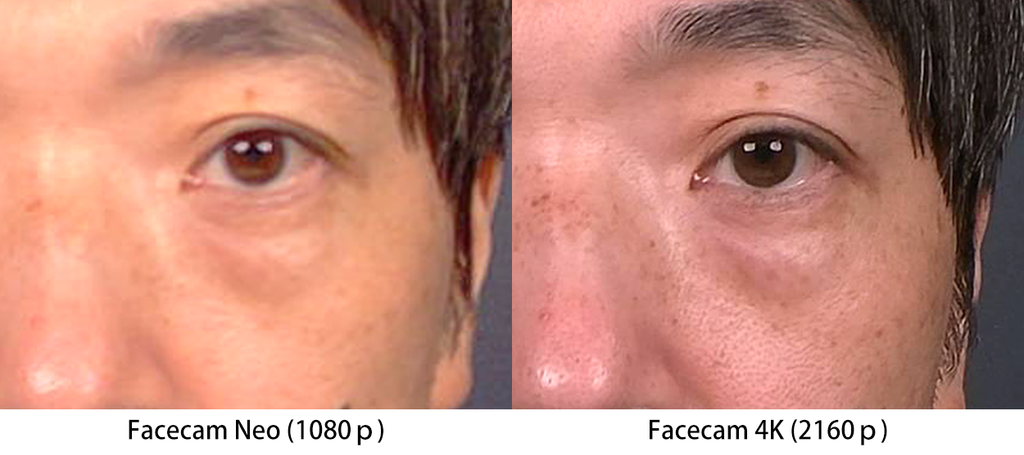
We shot the same framing on the Facecam Neo at Full HD/60fps and the Facecam 4K at 4K/60fps, then zoomed into the same spot at 100%. The 4K is detailed enough to capture pores, fine facial hair, and skin texture, and even the tiny catchlights in the eyes stay crisp. The Neo looks smooth, but it holds noticeably less information.
At normal stream size, though, we found it hard to tell which was which. The difference really shows when your face fills the screen, like in clips or thumbnails. That’s where individual strands of hair and skin texture either survive or don’t.
One note: turning on HDR on the Facecam 4K drops it to 4K/30fps. If you want to stay at 4K/60fps, leave HDR off.
The Cheaper Facecam Neo Handled Low Light Better
Keeping the lighting and shutter speed identical, we compared the ISO each camera needed to reach proper exposure.
📘 Quick Glossary | Proper Exposure and ISO
Proper exposure means the image is neither too bright nor too dark. ISO is how much the camera amplifies the signal to brighten the picture: higher numbers let you shoot in darker places, but at the cost of more grainy noise.
| Condition | Facecam Neo | Facecam 4K |
|---|---|---|
| Normal lighting | ISO 100 | ISO 603 |
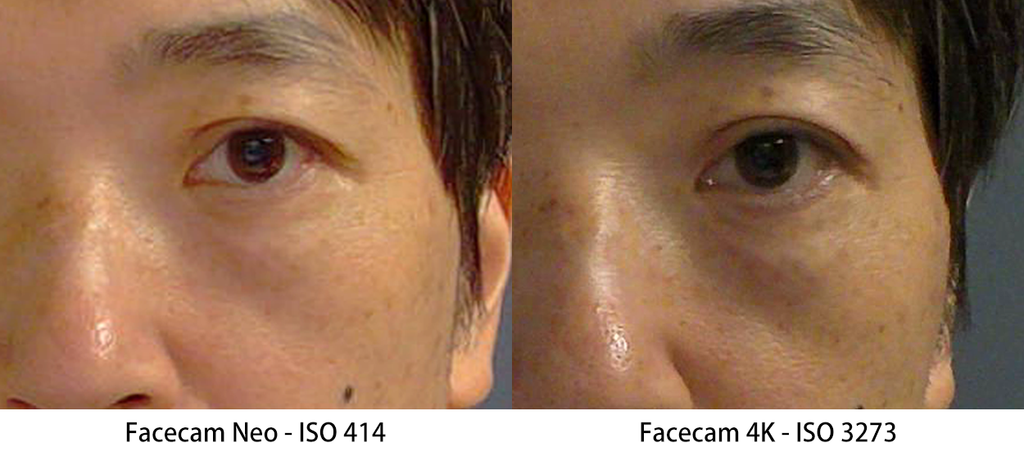
| Lights off | ISO 414 | ISO 3273 |
The darker it got, the wider the gap. At 100% zoom, the Facecam 4K at ISO 3273 showed obvious grain on the skin and background, while the Neo stayed at ISO 414 and looked much cleaner.
The Facecam 4K actually has the larger sensor: 1/1.8-inch versus the Neo’s 1/2.9-inch. Yet the Neo produced less noise.
The likely reason is the lens. The Neo’s lens is f/2.0, while the 4K’s is f/4.0. That’s four times the light, or two full stops in photography terms. Apparently, those two stops are enough to outweigh the difference in sensor size.
Color: The 4K Is a Bit More Vivid, the Neo More Natural
Under the same light, the 4K rendered slightly more saturated colors and a rosier skin tone, while the Neo leaned toward a more subdued look.
If you archive 4K streams or recordings, you’ll likely notice the extra detail. If Full HD streaming is your main thing, the difference shouldn’t bother you much.
Test Conditions | Camera Image Comparison
Lighting: fixed on the Key Light Air MK.2; both cameras shot at the same brightness and position
Camera settings: manual and locked. Shutter 1/60s, white balance 5300K, sharpness 50%
Resolution: Facecam Neo at Full HD/60fps, Facecam 4K at 4K/60fps (MJPG)
Method: captured the same framing with Camera Hub snapshots and compared the same area at 100% crop
Brightness comparison: changed only ISO and recorded the value that gave proper exposure
Contrast and saturation in the picture settings were not perfectly matched between the two cameras. We couldn’t strictly separate whether the color differences come from the cameras themselves or from those settings, so treat them as a reference only.
Key Lights: The Differences Are in Max Brightness and Power
Next up, the lights: the Key Light Neo and the Key Light Air MK.2.
| Spec | Key Light Neo | Key Light Air MK.2 |
|---|---|---|
| Brightness | 1,000 lumens | 2,100 lumens |
| Color temperature | 2,900–7,000K | 2,900–7,000K |
| Power consumption | Up to 15W | Up to 30W |
| Price | 14,980 yen | 23,780 yen |
Both brightness figures are official ratings, and they depend on how much power you feed the light.
The Key Light Neo’s 1,000 lumens assumes a 3A (up to 12W) power adapter, and the Key Light Air MK.2’s 2,100 lumens requires an input of 27W or more.
📘 Quick Glossary | Lumens
A unit of light output. The higher the number, the brighter the light.
With Matched Settings, They Look Almost Identical
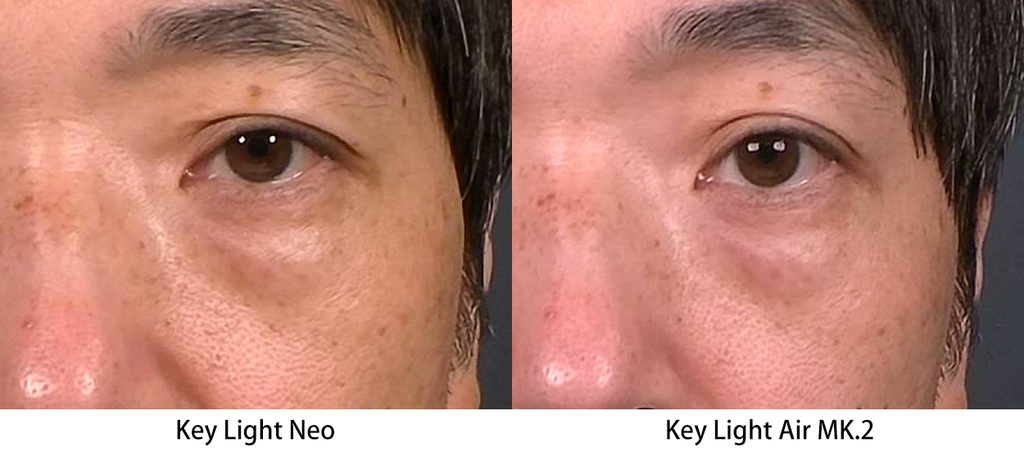
Using the same Facecam 4K with the camera position and settings locked, we swapped only the lights. Each light was placed 60cm away at 45 degrees to either side of the face, slightly above eye level and angled down, set to 60% brightness and 5400K.
At these settings, the difference was minimal. You’d only notice it with the shots side by side; skin tone and brightness were very close.
The Key Light Air MK.2 Needs USB PD Power to Shine
That said, this test didn’t show what the Air MK.2 can really do.
We set the lights to maximum brightness, changed only the power source, and measured the ISO needed to expose the face at the same brightness. The dimmer the light, the higher the ISO required, so a lower number means the light is actually putting out more.
Plugged into a laptop’s USB-C port, it took ISO 603. Plugged into a 30W+ USB PD power supply, it took ISO 347. That’s roughly a 1.74x difference, meaning the light was noticeably brighter on PD power. Plugged into a PC alone, it simply can’t reach its rated 2,100 lumens.
Elgato’s own specs say 2,100 lumens requires 27W or more of input, and the product page recommends a 30W+ power supply. If you go with the Air MK.2, plan on getting a power supply to go with it.
📘 Quick Glossary | USB PD Power Supply
A power supply that supports USB Power Delivery, a standard that sends higher wattage over USB-C. High-output USB-C chargers and power banks made for smartphones and laptops fall into this category.
Faces Still Look Good in a Room with Window Light
We also tried both lights in a room with window light and ceiling lights still on. Both softened the shadows on the face, and neither made skin look yellowish or washed-out blue.
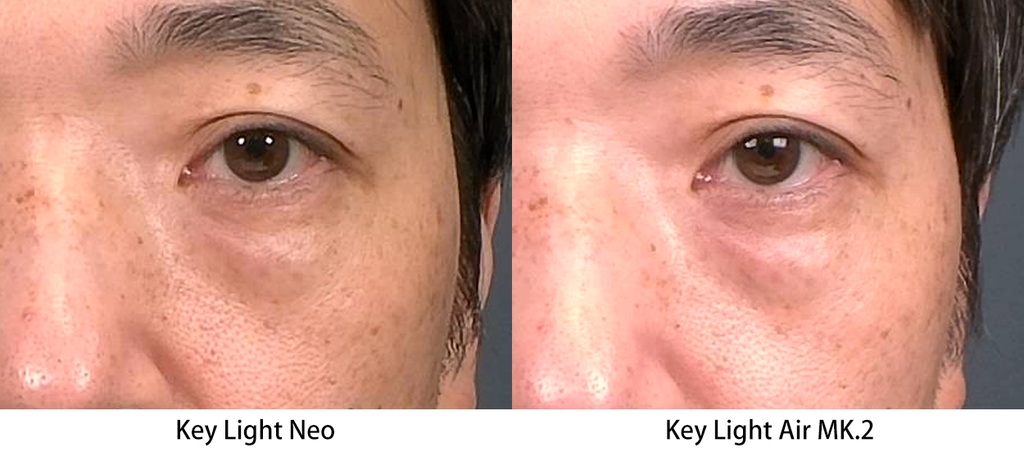
The roughly 9,000 yen price difference shows up in maximum brightness and panel size. But to unlock it, you need the extra step of buying a separate PD power supply.
In short: if you want an easy start, go with the Key Light Neo. If you want to fine-tune your setup and use every bit of performance, go with the Key Light Air MK.2.
Test Conditions | Lighting Comparison
Camera: fixed on the Facecam 4K
Light placement: 45 degrees to either side of the face, slightly above eye level and angled down, about 60cm away
Light settings: 60% brightness, 5400K color temperature
Power comparison: output set to 100% in Elgato Control Center, measured with one light on at a time
For the power comparison, we used two Key Light Air MK.2 units: one connected to a laptop’s USB-C port and the other to a 30W+ USB PD power supply.
Wrap-Up
Who Each One Is For
Based on our testing, here’s who each product suits best.
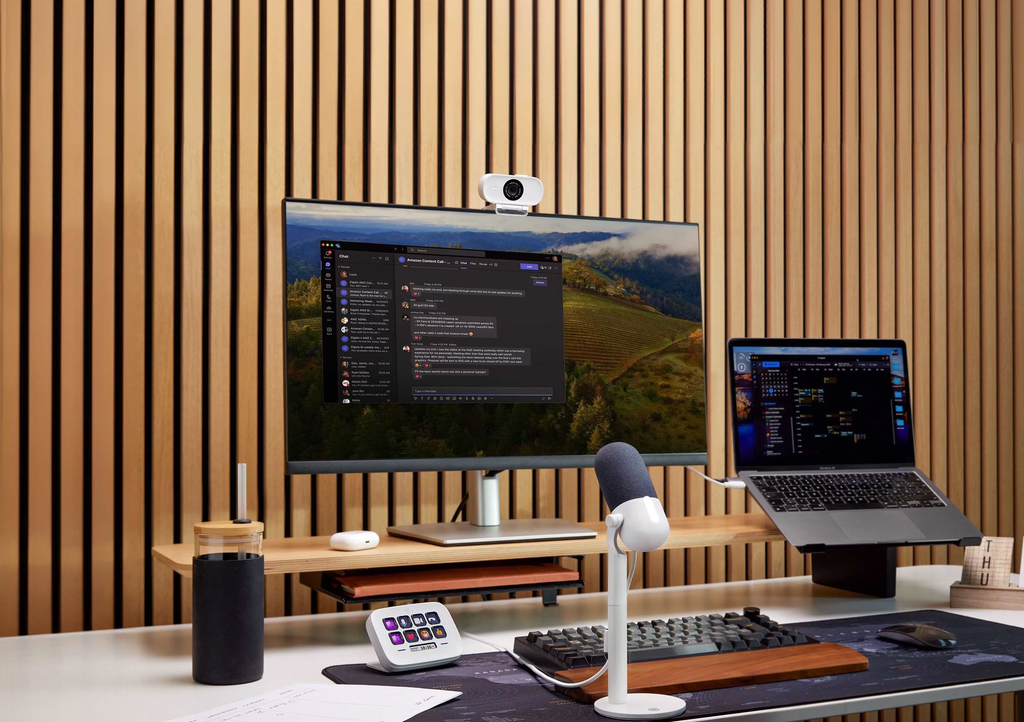
Facecam Neo
- Streamers who mainly stream in Full HD and want an easy way to look better on camera
- Anyone who often streams in a dark room and wants a cleaner, low-noise image
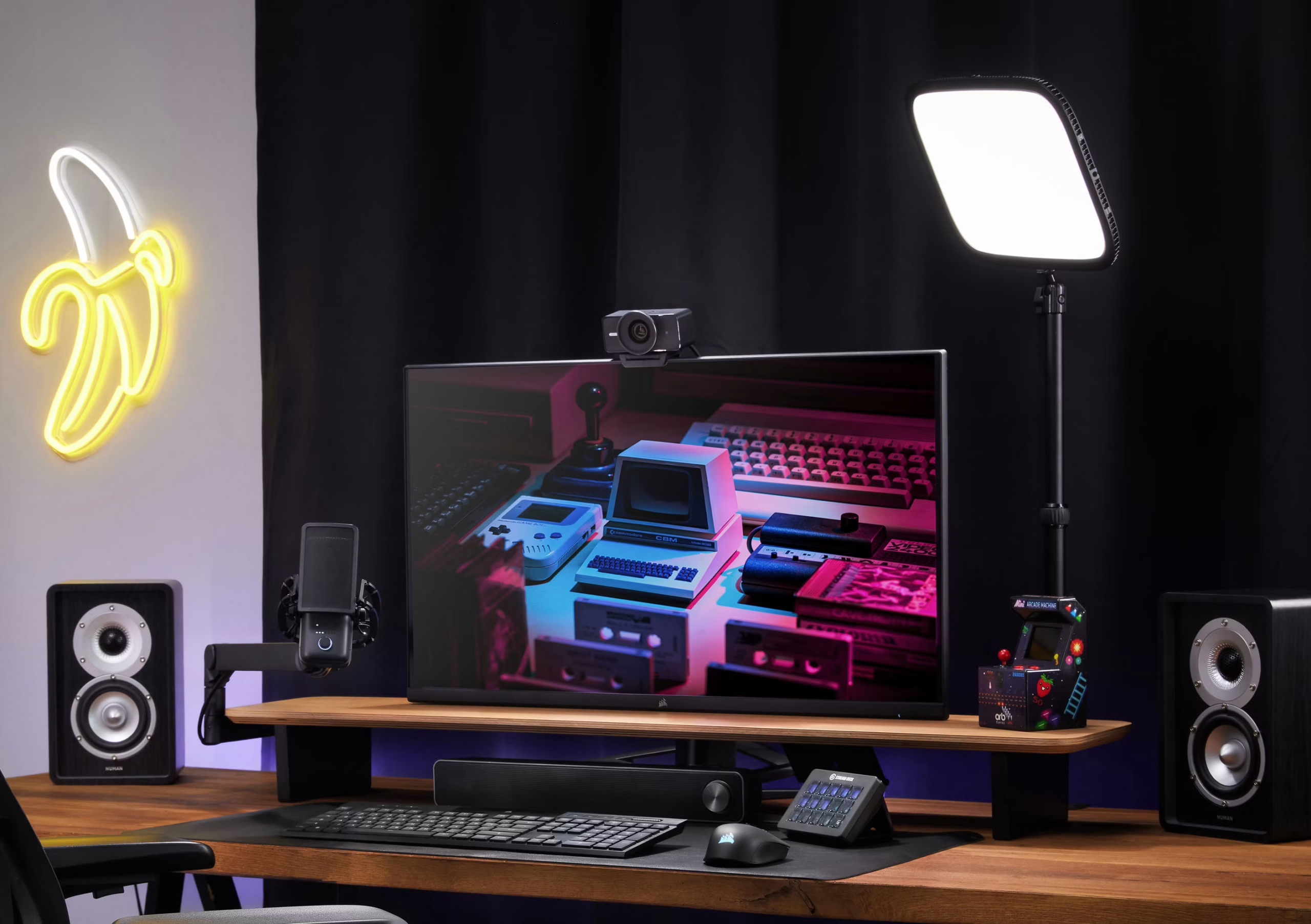
Facecam 4K
- Creators who use their face big in clips and thumbnails
- Anyone who wants to stream or archive in 4K
Key Light Neo
- Streamers who want a light that sits on the monitor without taking up extra desk space
- Anyone who wants to just plug it into a PC and go
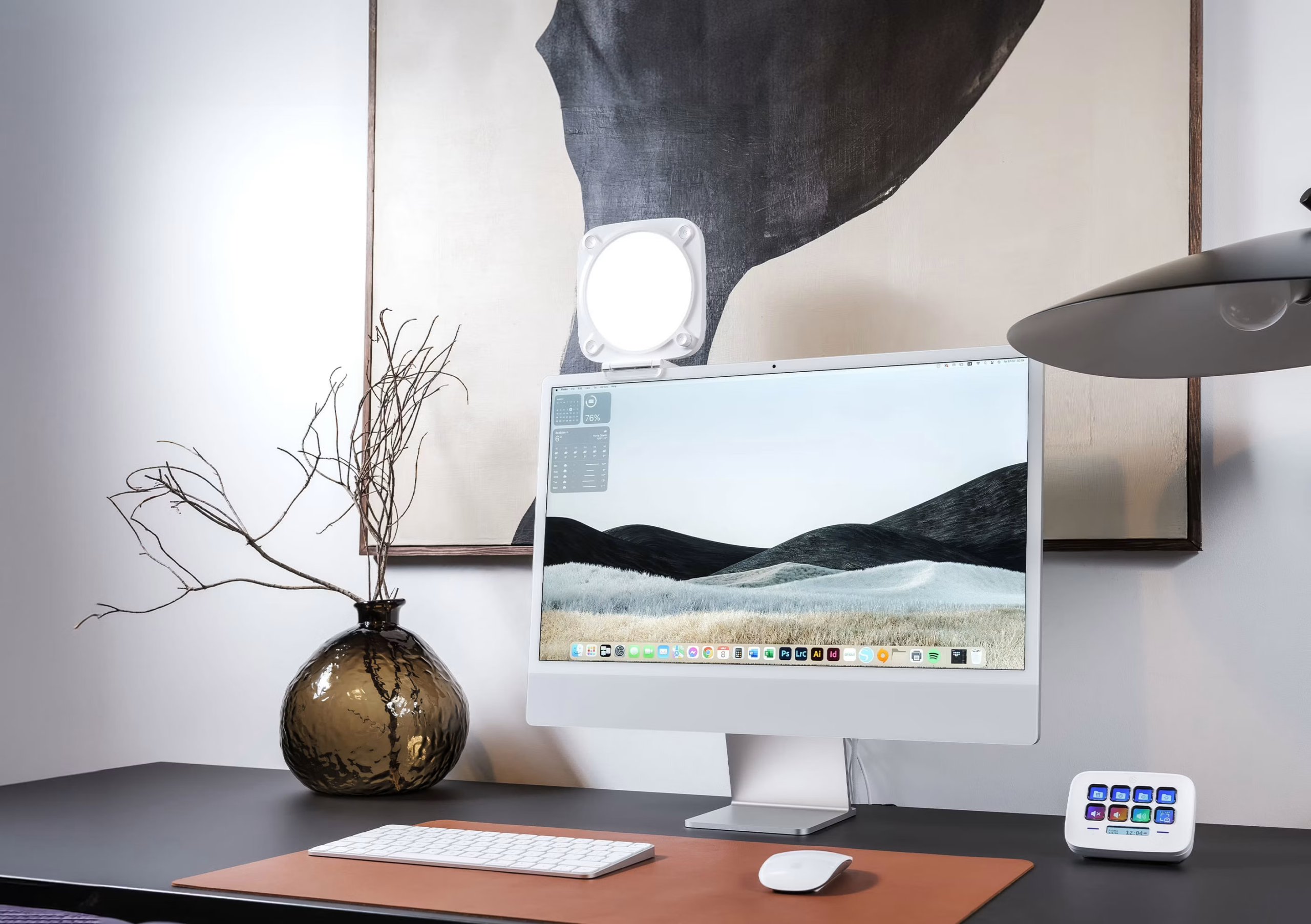
Keep in mind that when powered from a PC, it tops out at around 700 lumens. To get the rated 1,000 lumens, you’ll need the separately sold 3A power adapter.
Key Light Air MK.2
- Streamers willing to set up a 30W+ USB PD power supply to get maximum brightness
- Anyone who wants to clamp a light to the edge of the desk and adjust its height
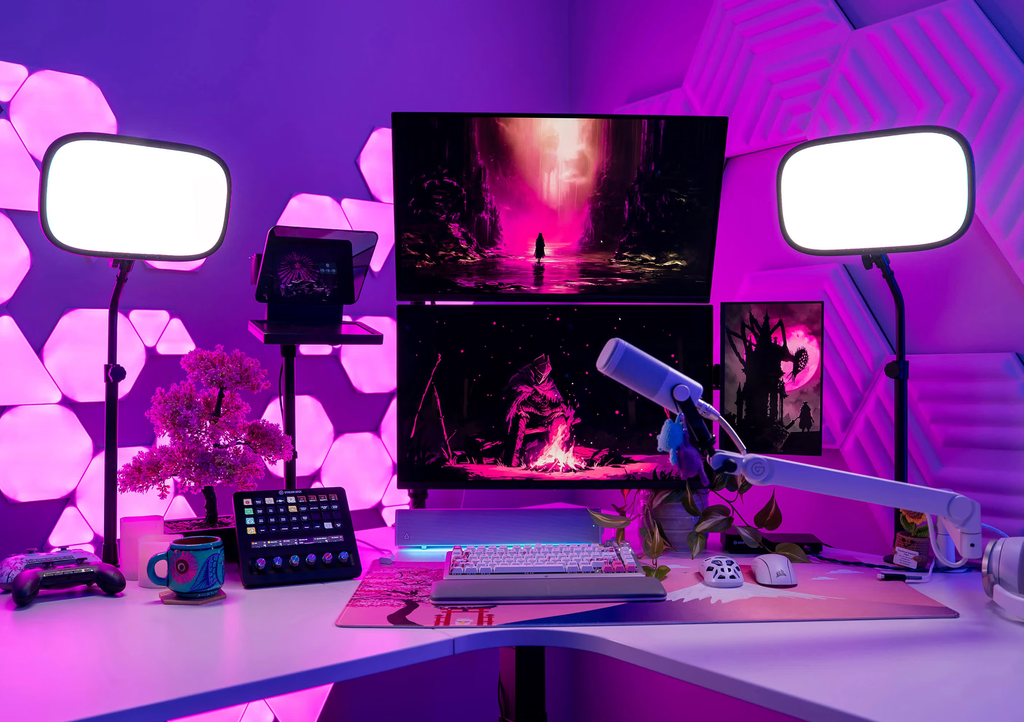
If you only plan to power your lights from your PC’s USB-C port, you won’t get your money’s worth from the Key Light Air MK.2. In that case, the Key Light Neo is the better match.
The Price Gap Shows Up in Detail and Brightness
What stood out most in this test was that a higher price didn’t automatically mean a better picture. We expected the Facecam 4K, with its larger sensor, to win in low light. In reality, the difference in lens brightness gave the Neo the cleaner image.
Where the price gap clearly pays off is in two areas: image detail and maximum light output. The 4K delivers detail sharp enough to show pores, and the Key Light Air MK.2 hits its rated brightness once you give it 30W+ of power. Whether the 21,800 yen difference on the camera side and the 8,800 yen difference on the lighting side are worth it depends on how big you want your face on screen and whether you’re willing to build out your setup, power supply included.
Based on our results, it would be a shame to pick the Facecam 4K on sensor size alone. If you mostly stream in Full HD, the Facecam Neo and Key Light Neo can produce a picture you’ll be more than happy with. If you have the budget and want to polish your clips and thumbnails, the Facecam 4K and Key Light Air MK.2 are worth considering.
Credits
Interested in the gear we tested? Check out the official product pages below.
>> Elgato Facecam Neo Official Site
>> Elgato Facecam 4K Official Site
>> Elgato Key Light Neo Official Site
>> Elgato Key Light Air MK.2 Official Site
Equipment and images provided by: Corsair Gaming, Inc. (Elgato)
Photography assistance: Staff U
Review: Umazura